
CamCarDer, redesigned — with smarter speed sign recognition
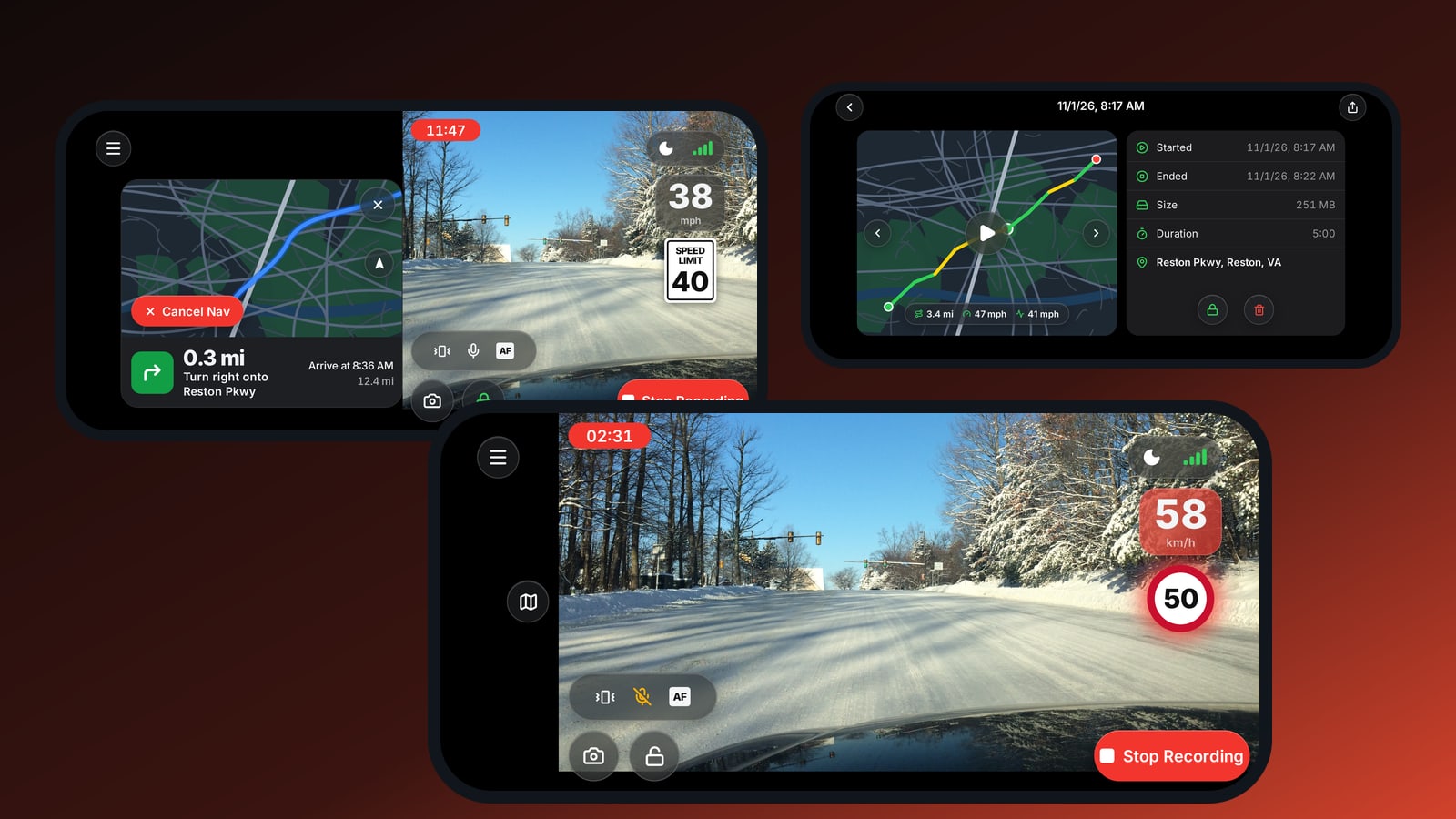
CamCarDer and CamCarDer Lite have been redesigned from top to bottom. Every screen is new — and the feature drivers ask about most, reading speed limit signs, has been reworked to be faster and more reliable.
Smarter speed sign recognition
While you record, CamCarDer watches the road for speed limit signs and shows the current limit next to your speed. The recognition has been rebuilt:
- US and European signs. It reads the white rectangular SPEED LIMIT signs used in the US and Canada and the red-circle signs used across Europe — and shows the limit the same way on screen.
- Chosen automatically. CamCarDer uses your GPS location to pick the right kind of sign. There’s nothing to set up, even when you cross a border.
- Know when you’re too fast. Your speed turns red the moment it goes over the limit, in mph or km/h.
- In both apps. Speed sign recognition now works in the free CamCarDer Lite too, and it runs only while you’re recording.
A dash cam screen that stays out of the way
The new recording screen puts the essentials on top of the video: the clip timer, your speed and the speed limit, and the GPS signal. One tap takes a photo, locks the clip you’re in so it’s never overwritten, mutes the microphone, locks focus, or switches to night mode.
Navigate while you record
Enter a destination and CamCarDer shows turn-by-turn directions — the next turn, the street, arrival time and distance left — next to the live camera, which keeps recording the whole way.
Every clip on a map
History groups your clips by day with their number, total length and size, and marks the ones you’ve locked. Open a clip to see its route on the map coloured by speed, with distance, maximum and average speed, start and end time and the street address — then lock it, delete it or share it.
Play a clip back and you see it side by side with its map: the date, time and speed are imprinted on the video, the position moves along the route with its coordinates, and the next clip starts by itself.
Get it
Download CamCarDer on the App Store — or try CamCarDer Lite for free first. Read more on the CamCarDer page or take the tour.
Questions or ideas? We read every message — write to us through CamCarDer support.