

Tasks Wizard
Gantt charts and team planner for iPhone, iPad and Mac
Turn any project into a clear plan your whole team can follow: a real Gantt chart, board, calendar and workload, with progress, budget and what needs attention at a glance. On iPhone, iPad and Mac.
- Works on
- iPhoneiPadMac
- Price
- Free to download · subscription unlocks unlimited projects and tasks
Screenshots · iPhone
Screenshots · iPad
Screenshots · Mac
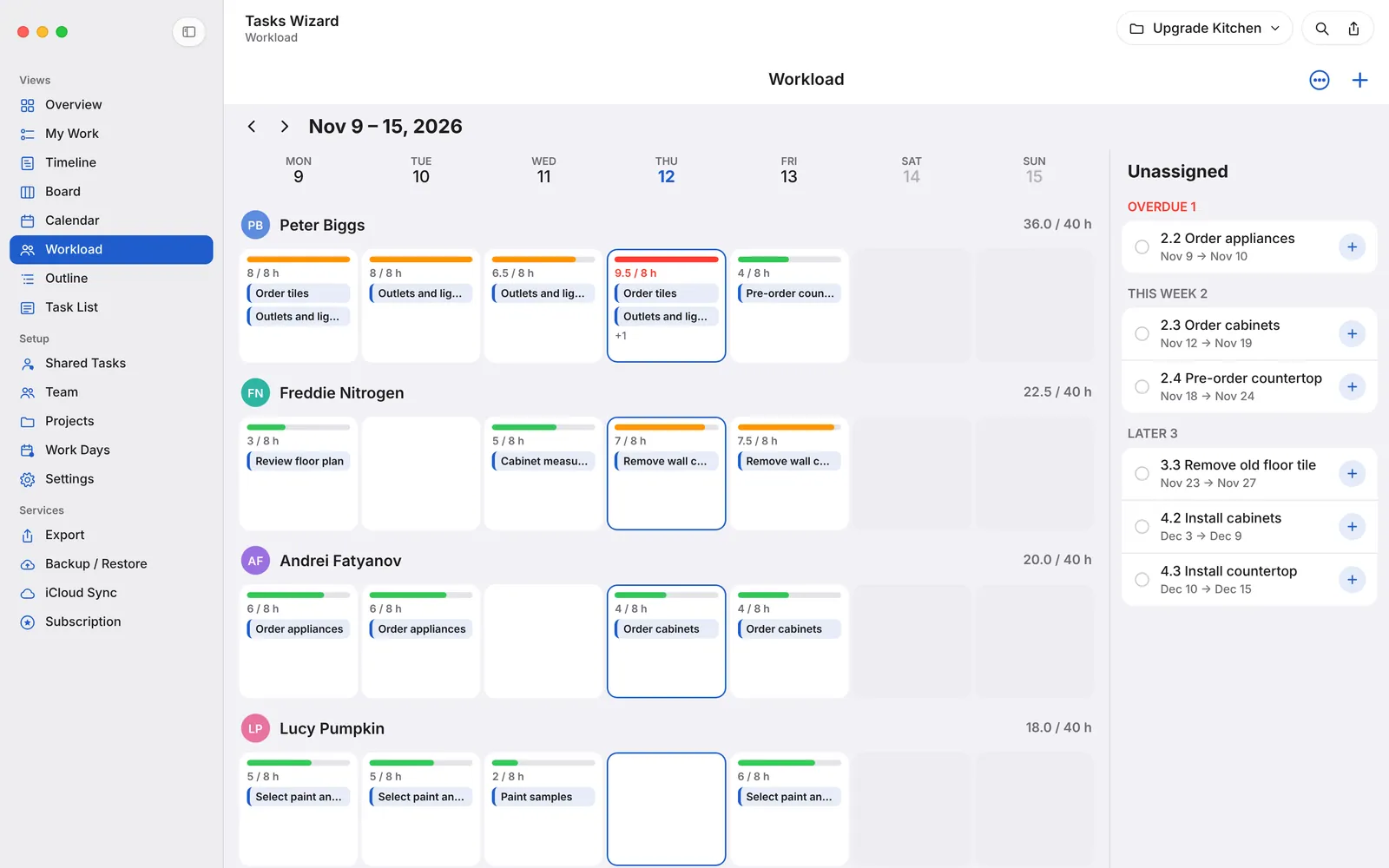
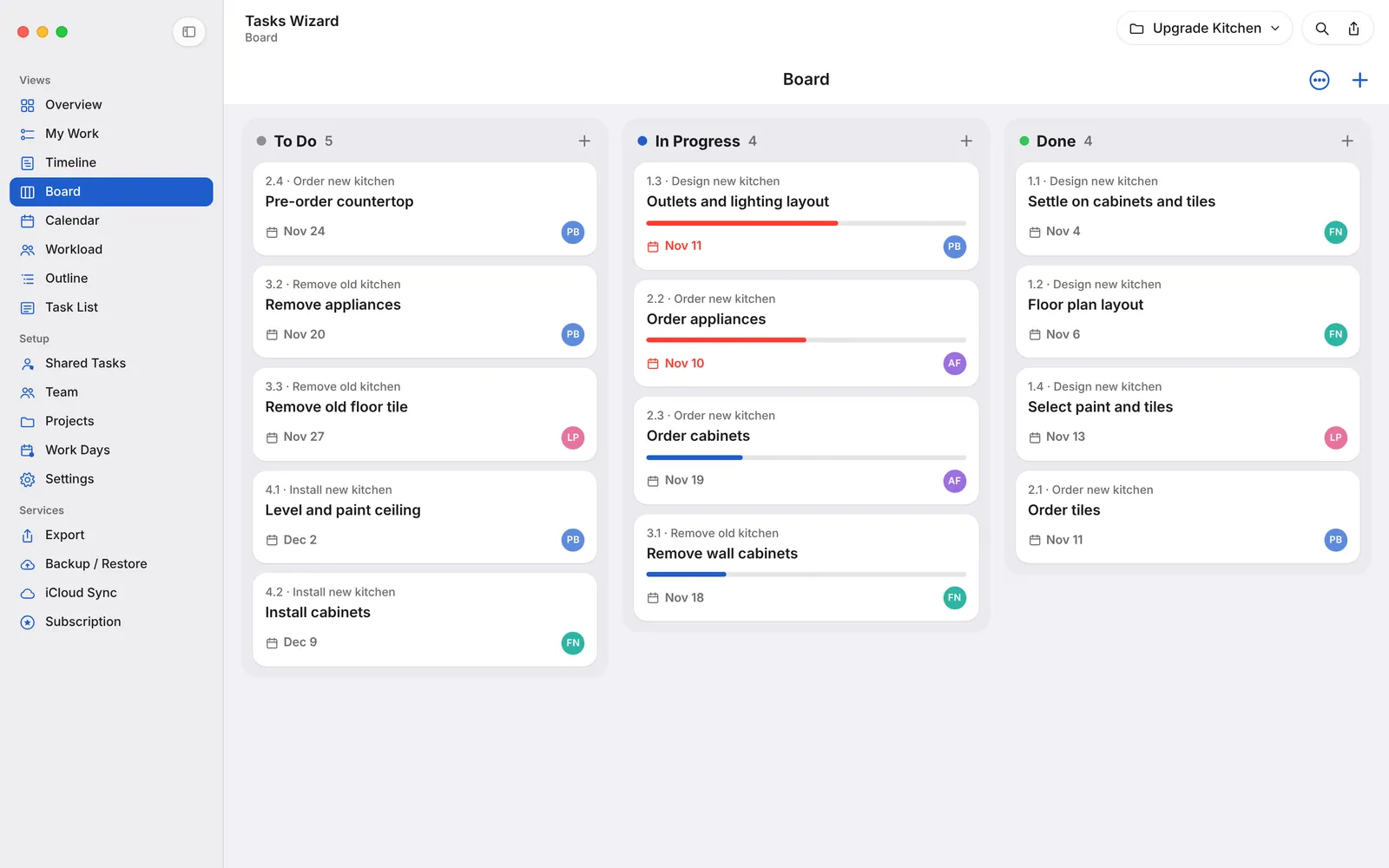
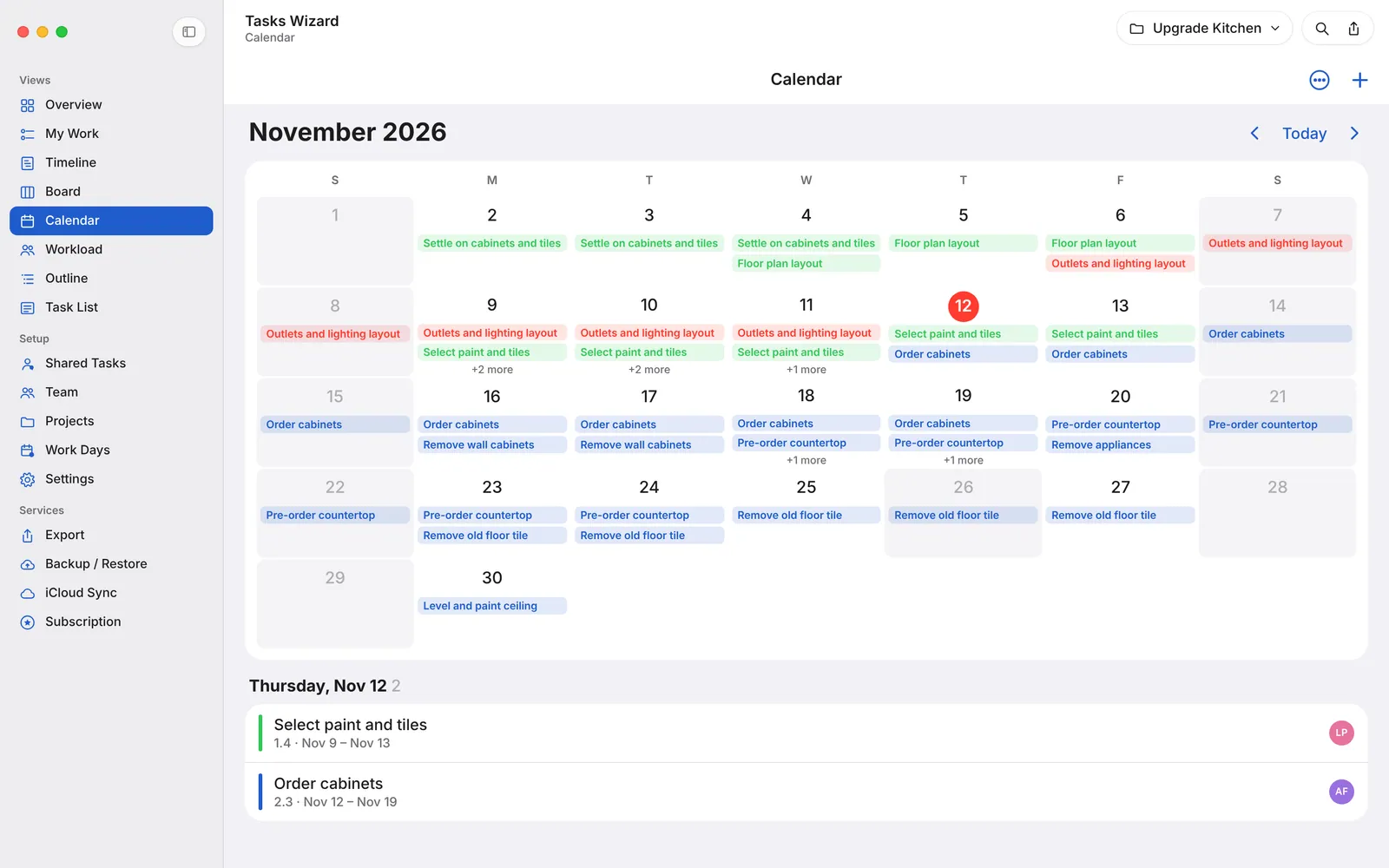
Tasks Wizard turns any project – a kitchen remodel, a product launch, a wedding or a client job – into a clear plan your whole team can follow. Break the work down, schedule it on a real Gantt chart, assign people and see at a glance what’s on track and what needs attention. On iPhone, iPad and Mac.
See your project at a glance
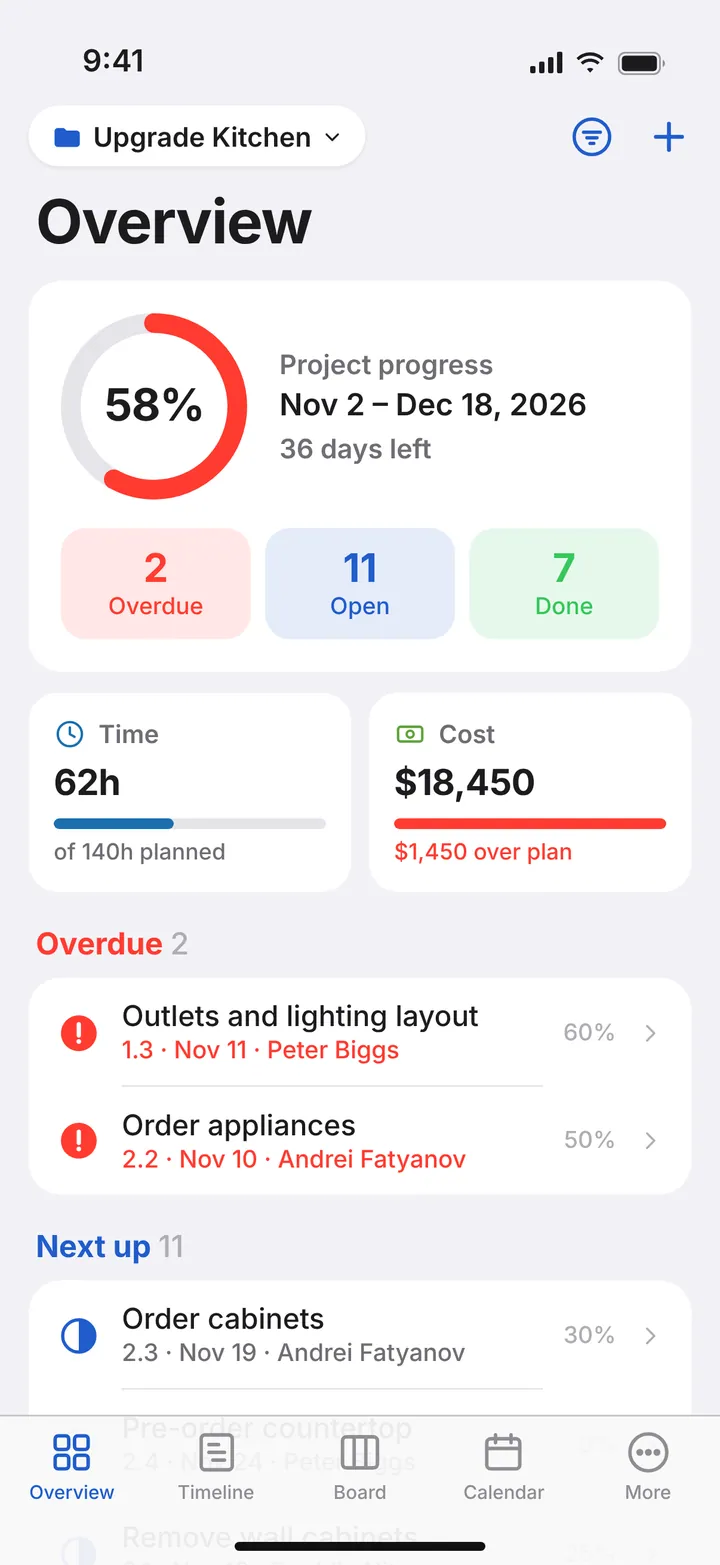
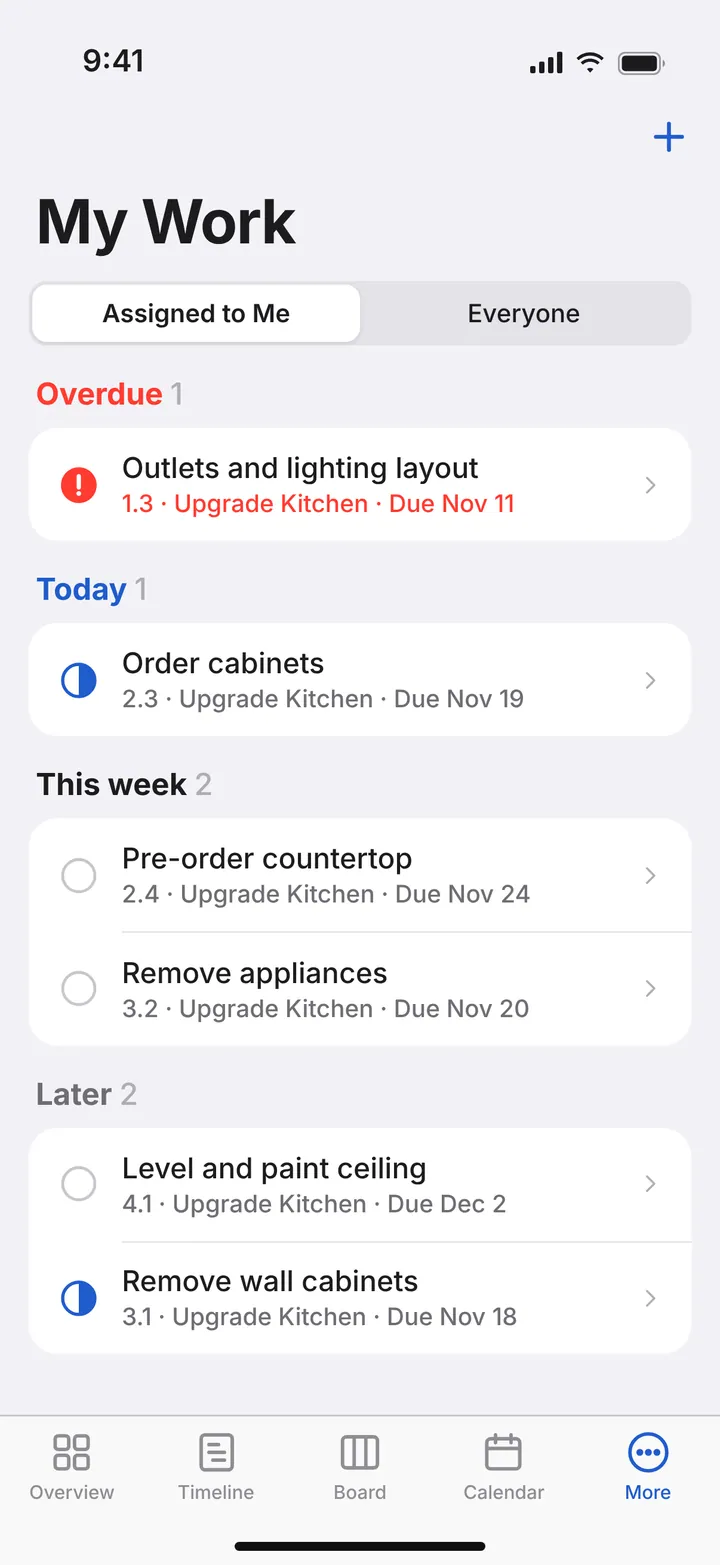
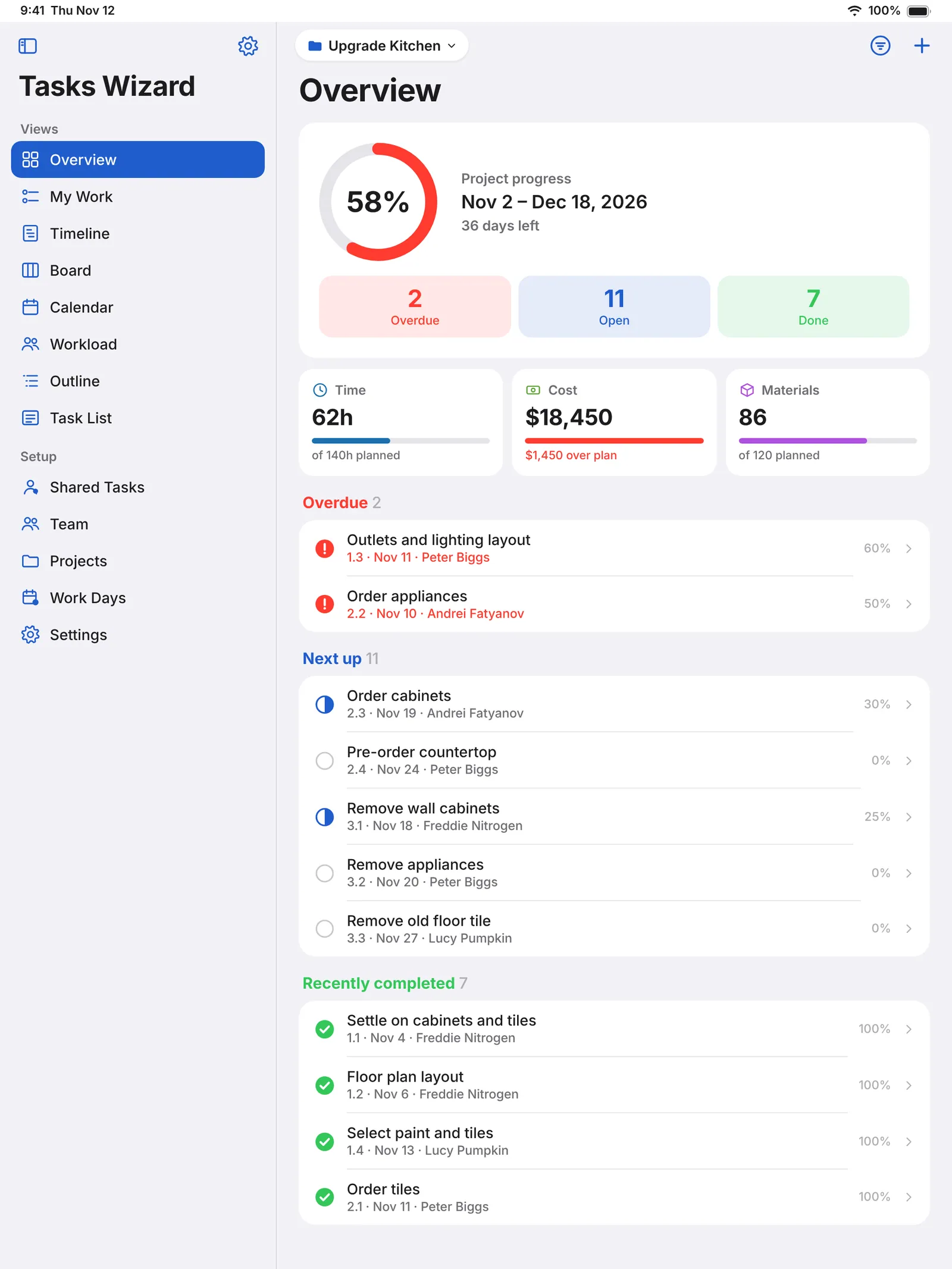
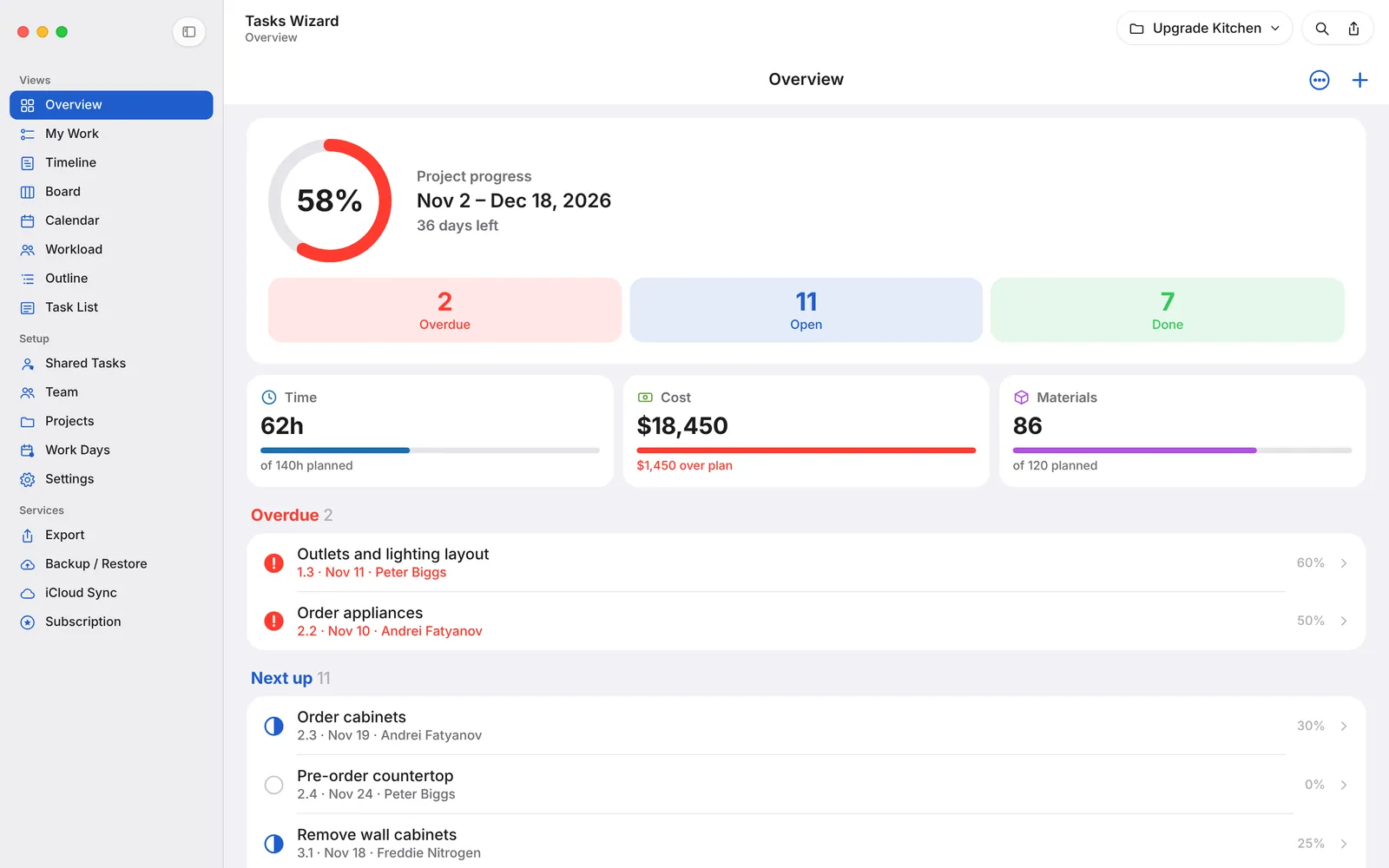
Overview shows progress, days left, what’s overdue and what’s next. Track planned vs. actual time, cost and materials – overruns are flagged automatically. My Work lists everything assigned to you, sorted by due date.
Plan with a real Gantt chart
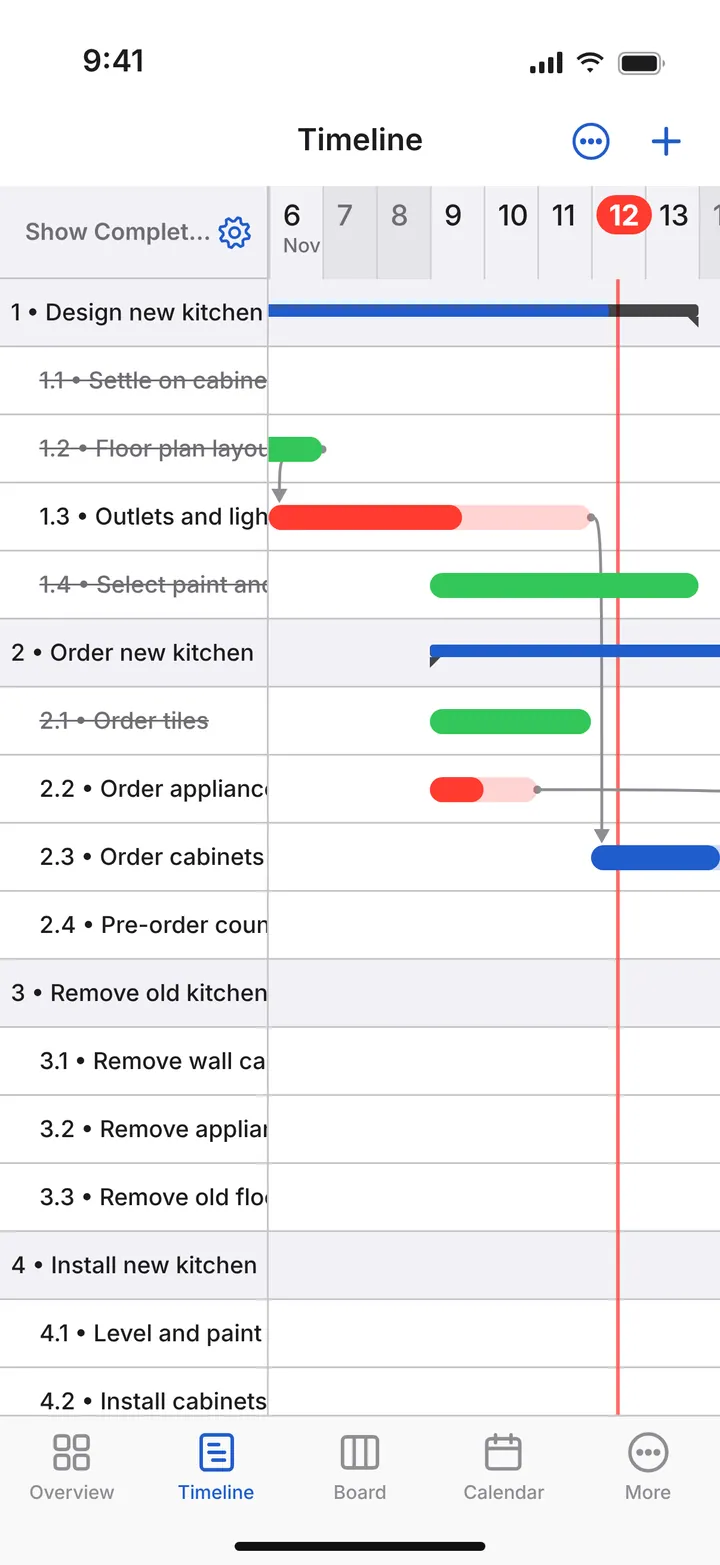
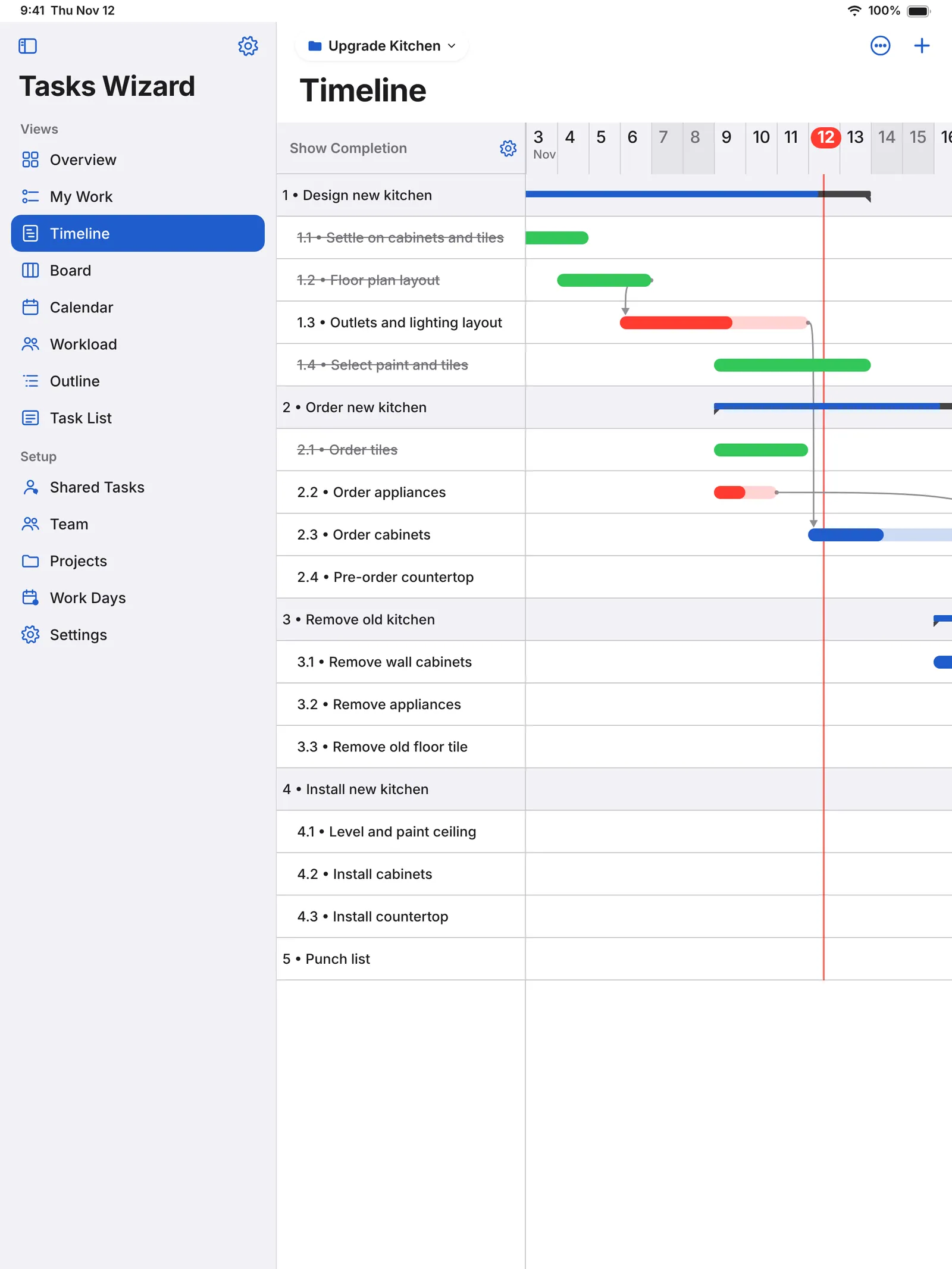
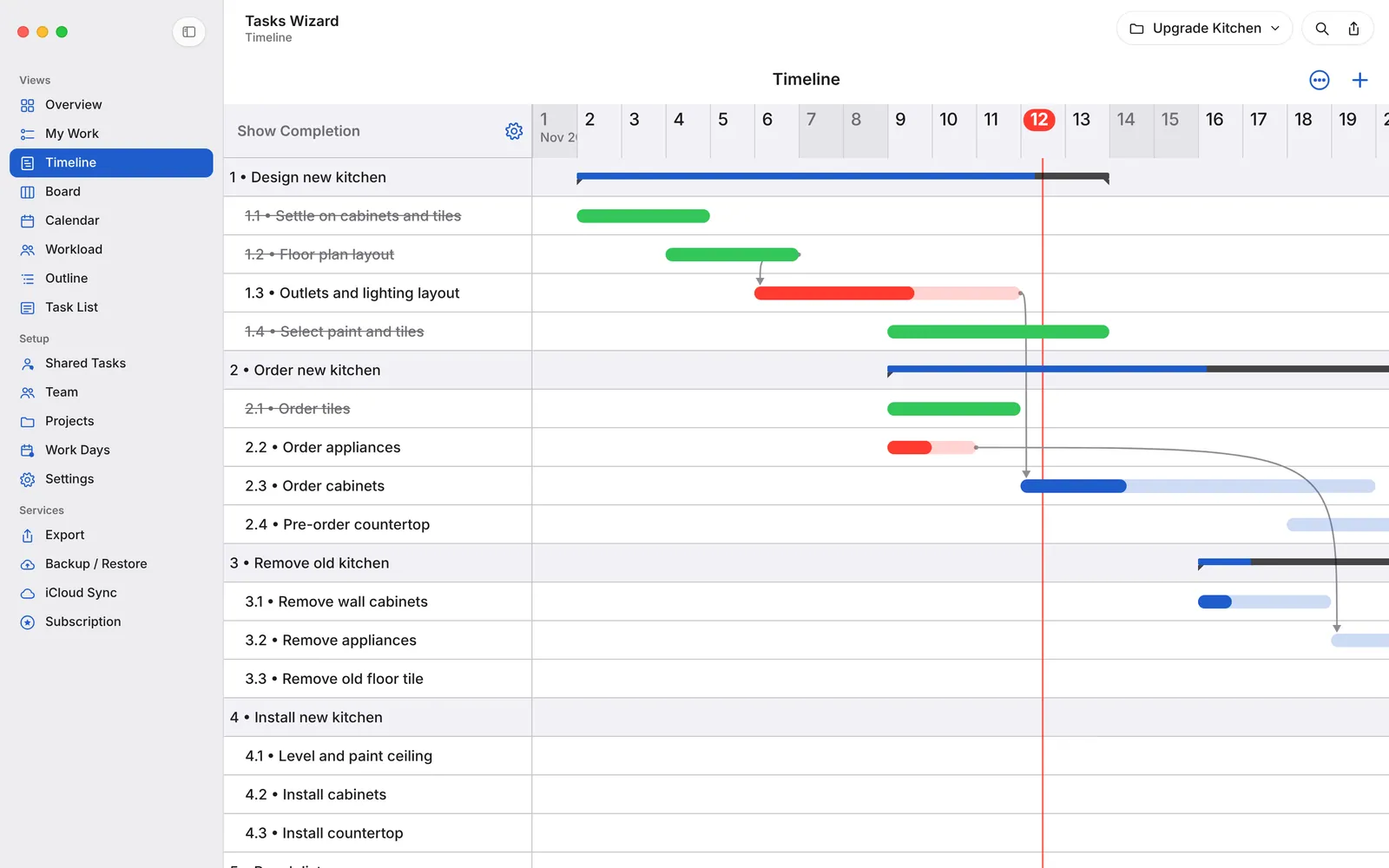
The Timeline shows phases, subtasks, milestones and dependencies. Drag bars to reschedule and resize – dependent tasks follow – and zoom between days, weeks and months. With Work Days you define your working week and holidays, and schedules skip days off automatically.
Organize work your way
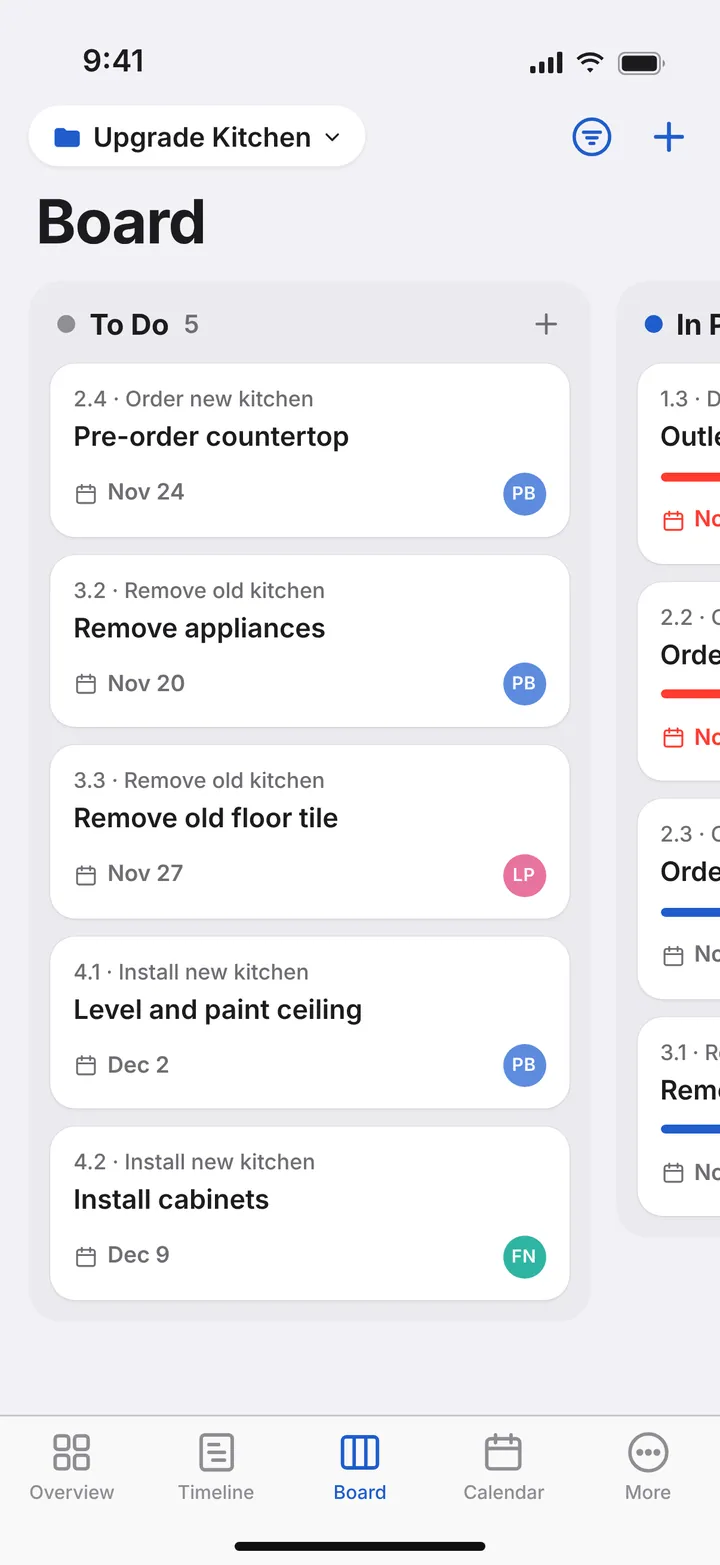
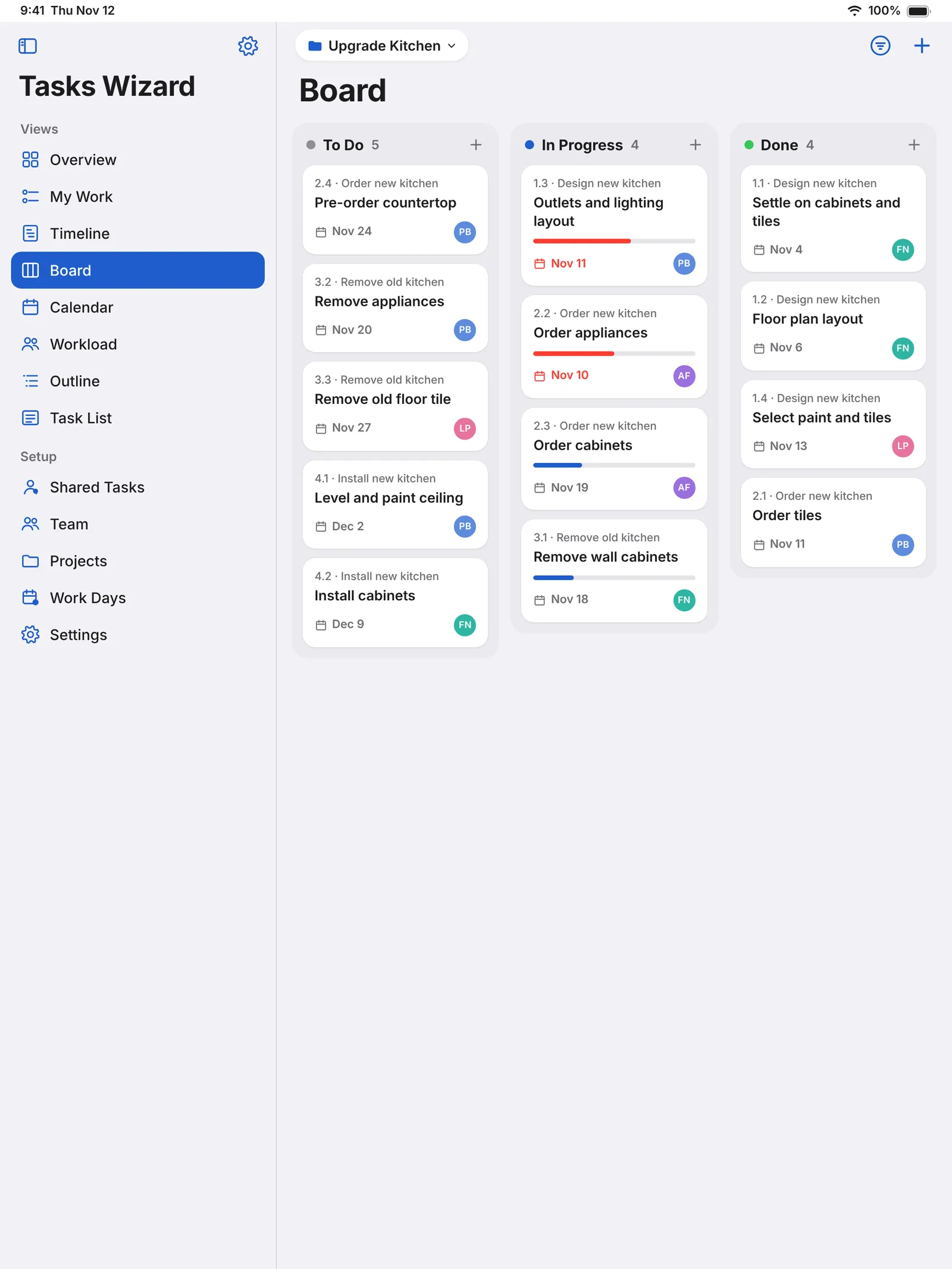
- Board: move tasks from To Do to In Progress to Done.
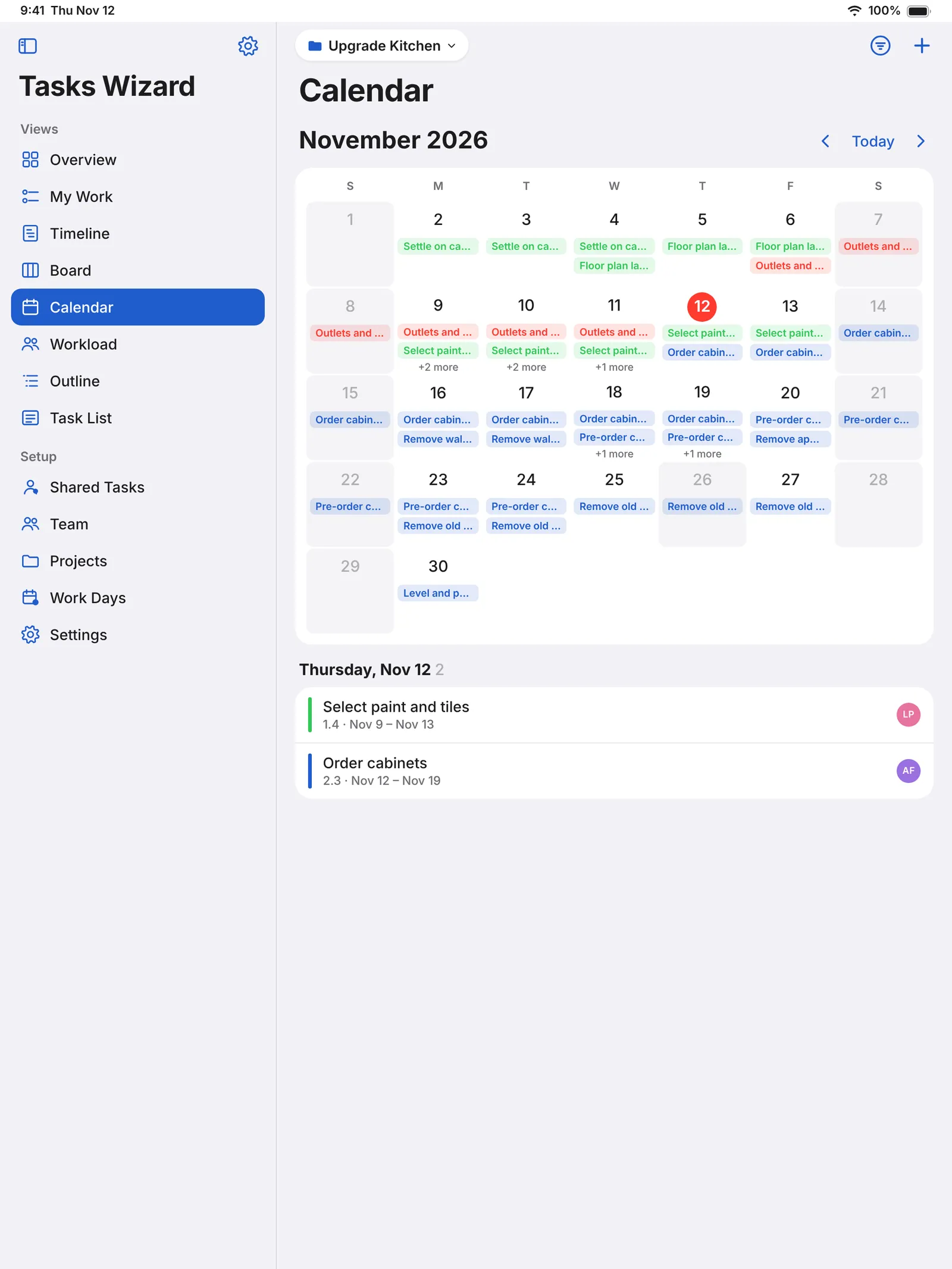
- Calendar: every task on a month view, days off included.
- Outline: your work breakdown as an expandable tree – drag to reorganize, numbering updates itself.
- Task List: search, filter by priority or person, sort by date, progress or priority.
Lead your team
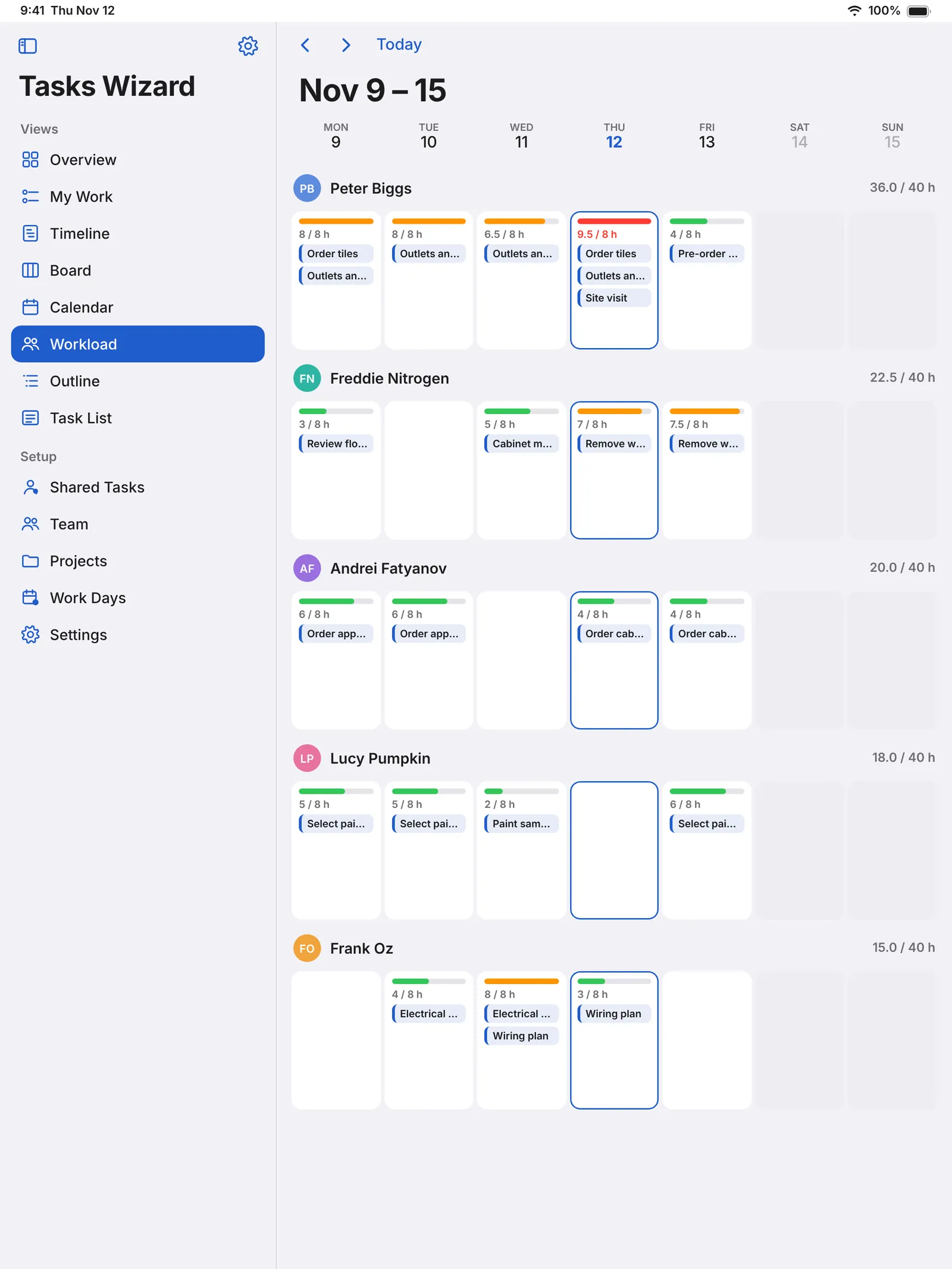
Workload is a week board of who does what – spot overloaded days and fix them with drag and drop. Add team members with photos straight from Contacts, and share individual tasks with people outside your team through iCloud; they update progress from their own device.
Every detail in one place
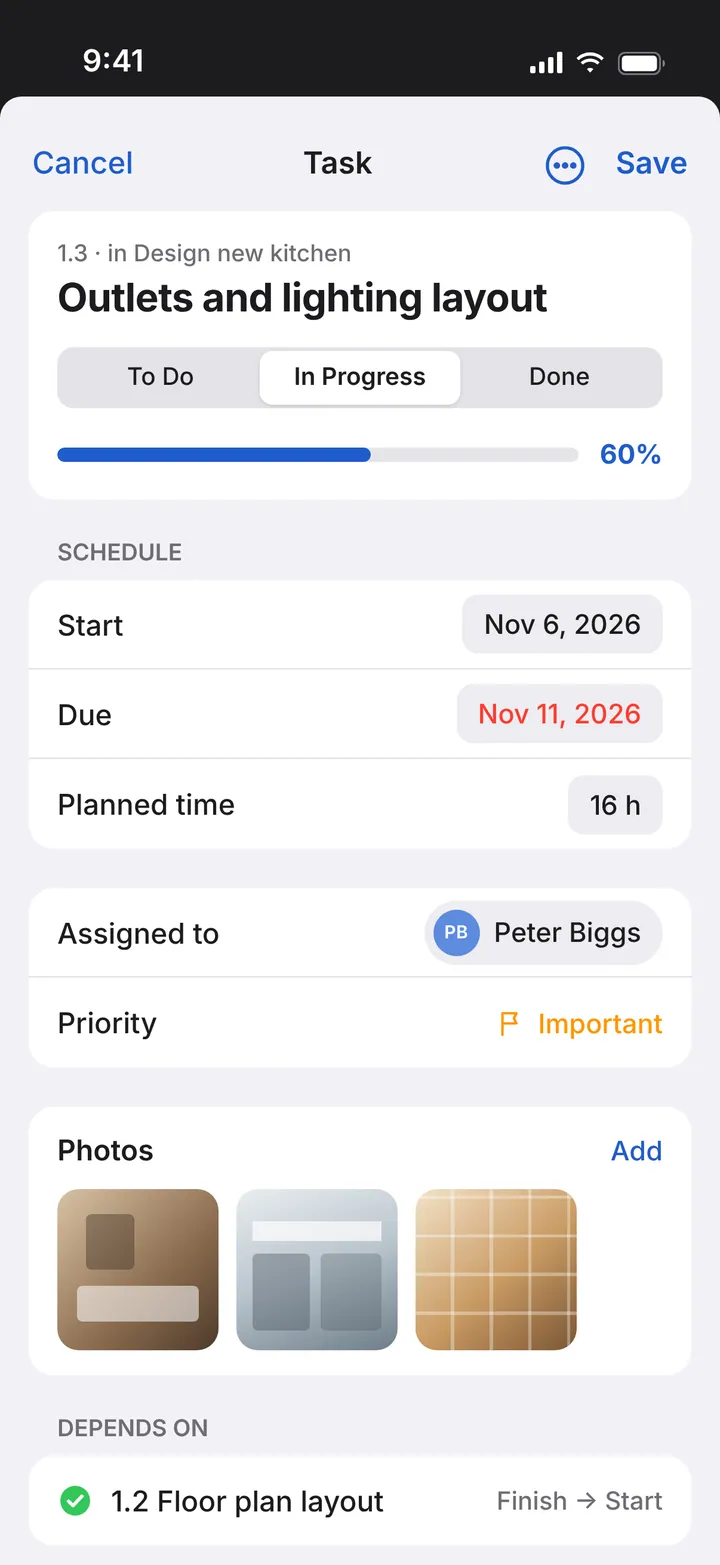
Dates, priority, assignee, progress, notes and history for every task. Attach photos and mark them up, and set dependencies with finish-to-start and other constraints.
Always in sync – and easy to share
iCloud sync keeps your projects up to date on all your devices, works offline and recovers automatically; back up and restore your projects any time. E-mail a polished project status report or the full task list, export a project file for other Tasks Wizard users, and print your Gantt chart or save it as PDF.
Made for every device
Designed for iPhone, iPad and Mac, with a sidebar, keyboard shortcuts and Quick Open on iPad and Mac, and a Home Screen widget with your upcoming tasks. Available in English, German, French, Spanish, Italian, Portuguese, Russian, Japanese, Korean and Chinese (Simplified and Traditional).
Start free
Tasks Wizard is free to download and try. A subscription unlocks unlimited projects and tasks, with a free trial for new subscribers.
What it does
Overview
Progress, days left, overdue work and what’s next; planned vs. actual time, cost and materials.
My Work
Everything assigned to you, sorted by due date.
Real Gantt chart
Phases, subtasks, milestones and dependencies; drag to reschedule, dependents follow.
Work Days
Your working week and holidays; schedules skip days off automatically.
Board and Outline
Move tasks from To Do to Done; reorganize the work breakdown as a tree.
Calendar and Task List
Every task on a month view; search, filter and sort the list.
Workload and team
A week board of who does what; add people from Contacts, share tasks via iCloud.
Every detail in one place
Dates, priority, assignee, progress, notes, history, photos with markup and dependencies.
Always in sync
iCloud sync, works offline, backup and restore.
Share your plans
E-mail status reports and task lists, export projects, print the Gantt or save it as PDF.
Questions and answers
Is Tasks Wizard free?
It’s free to download and try. A subscription unlocks unlimited projects and tasks, with a free trial for new subscribers. Subscriptions are managed in your Apple Account settings.
Which devices does it run on?
iPhone, iPad and Mac – with a sidebar, keyboard shortcuts and Quick Open on iPad and Mac, and a Home Screen widget with your upcoming tasks.
Can people outside my team update tasks?
Yes. Share individual tasks through iCloud with the system share sheet; they update progress from their own device.
Does it work offline?
Yes. Changes sync as soon as you’re back online, and you can back up and restore your projects.
Which languages are available?
English, German, French, Spanish, Italian, Portuguese, Russian, Japanese, Korean and Chinese (Simplified and Traditional).
News about Tasks Wizard
- Tasks Wizard 3.0: our biggest update everTasks Wizard is redesigned from the ground up for iPhone, iPad and Mac – with Overview, My Work, Board, Calendar, Workload, Work Days, a new task editor and faster, more reliable iCloud sync.
- Tasks Wizard web application releasedTasks Wizard projects that are shared in Apple iCloud can now be viewed in a Gantt Chart mode on via web browser.
- Assign device contacts to tasks in Tasks WizardNew version (2.2) of Tasks Wizard was just released. Among minor improvements, it includes a very important feature: ability to assign task to a device contact.