
Tasks Wizard is back on the web – redesigned
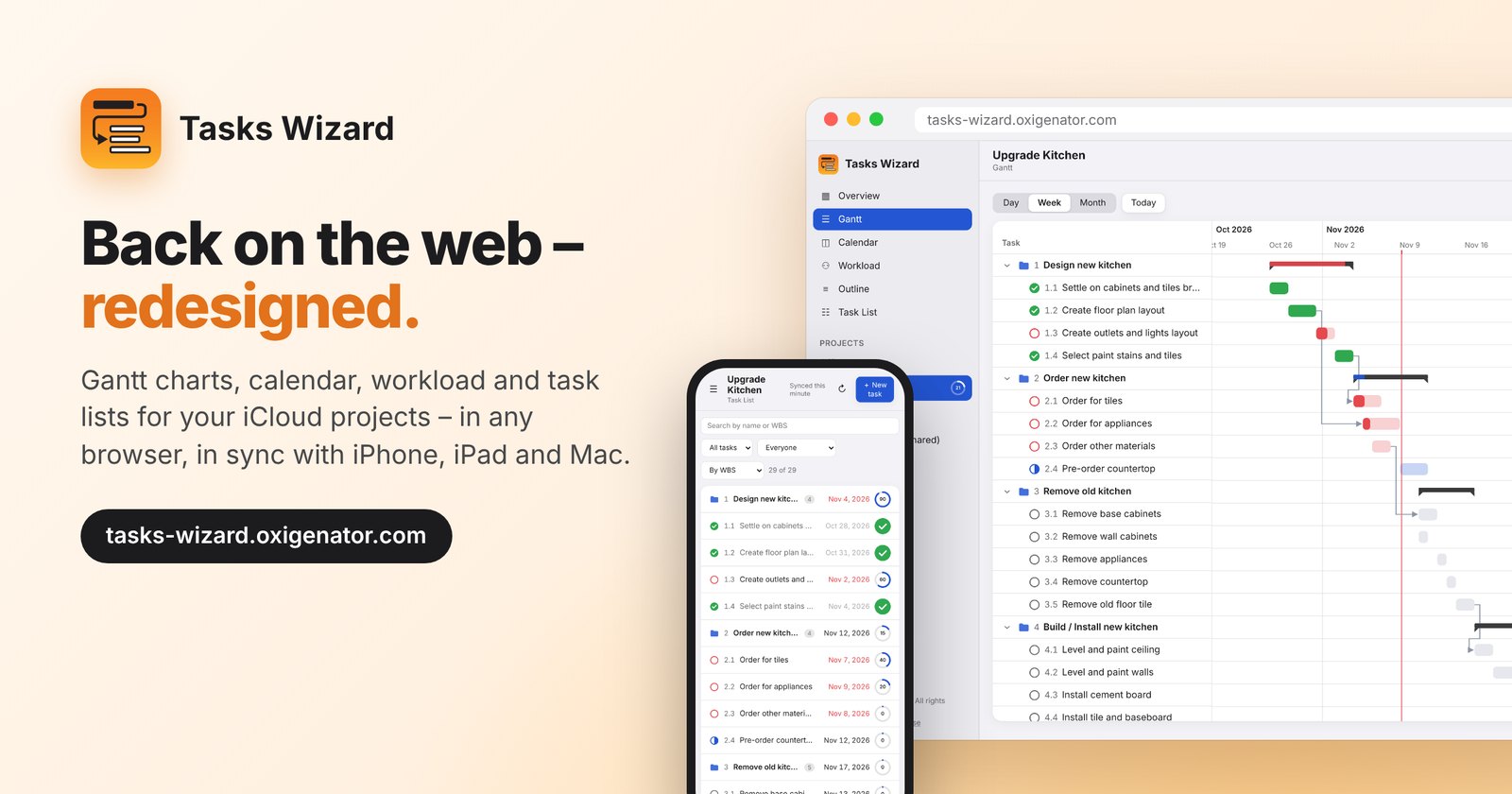
Tasks Wizard is back in the browser. Open tasks-wizard.oxigenator.com, sign in with your Apple ID, and your projects are there – the same ones you work on in Tasks Wizard on iPhone, iPad and Mac. No export, no import, nothing to set up: the web app reads your projects straight from your iCloud, and every change shows up on your devices within moments.
The web version has been rebuilt from scratch with the same modern design as Tasks Wizard 3 – and it’s fast: after the first visit your projects open instantly, and only what changed is downloaded.
Your whole project, on a big screen
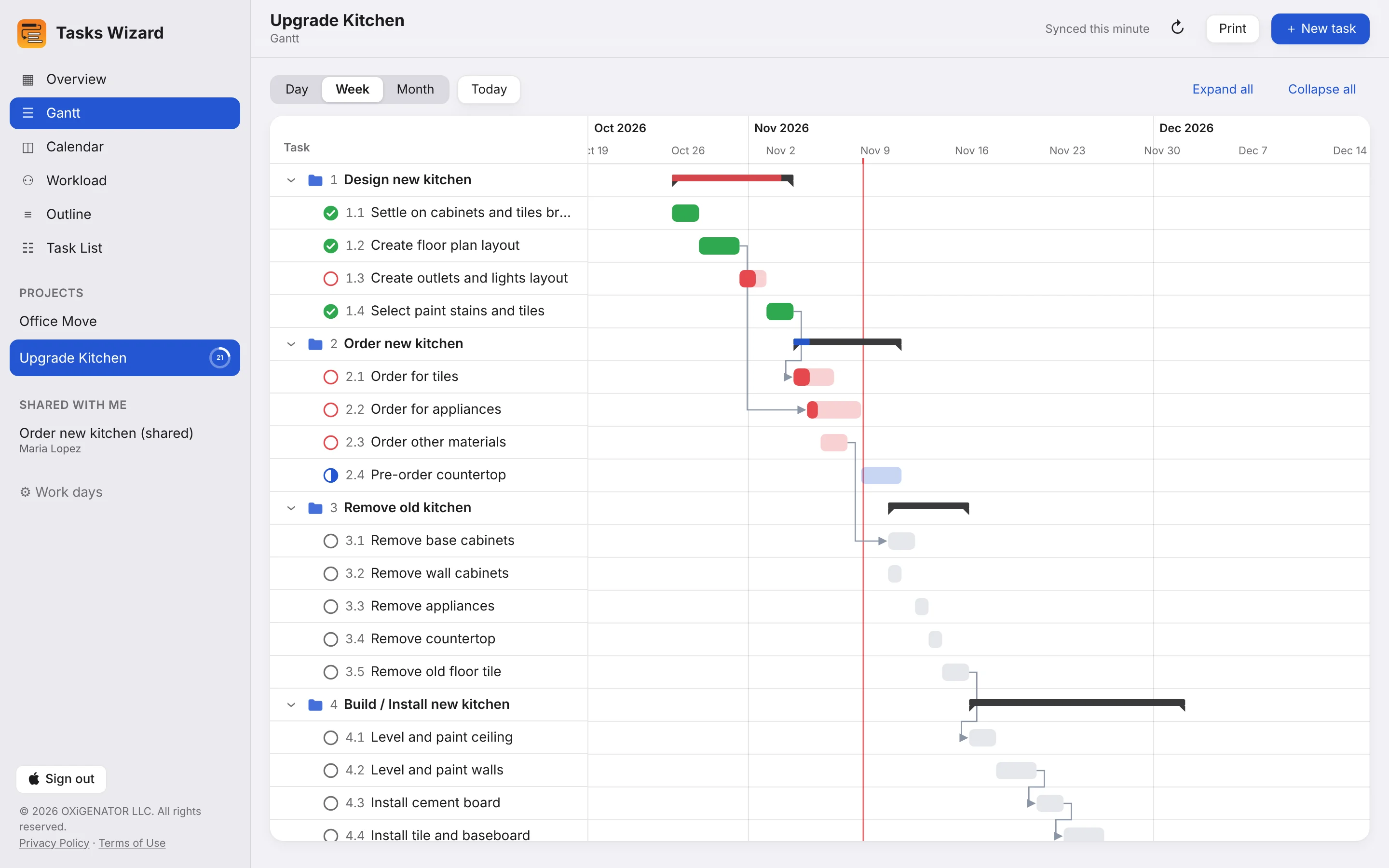
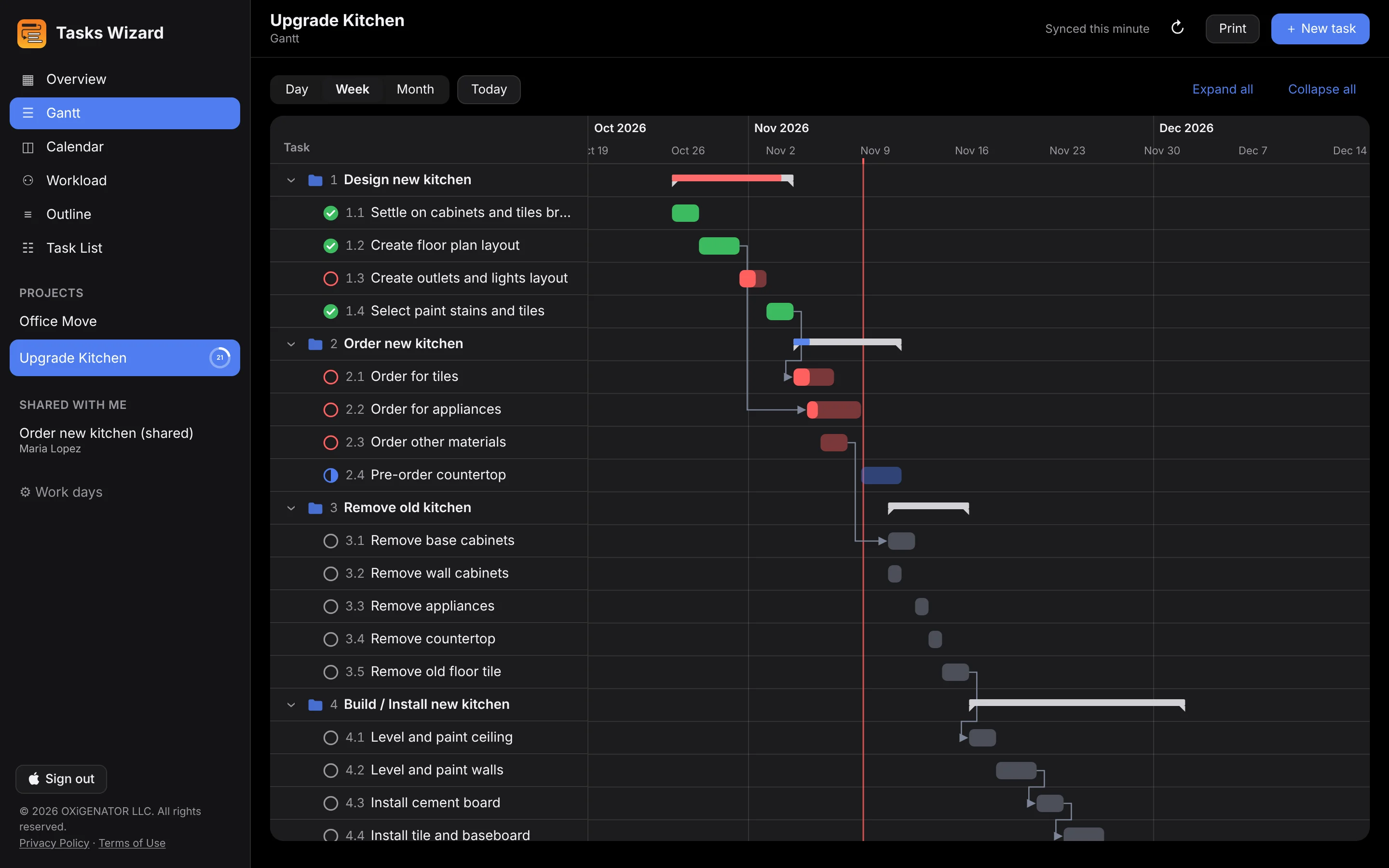
- Gantt chart – day, week and month zoom, status colors, progress inside every bar, groups, milestones, dependency arrows and a today line.
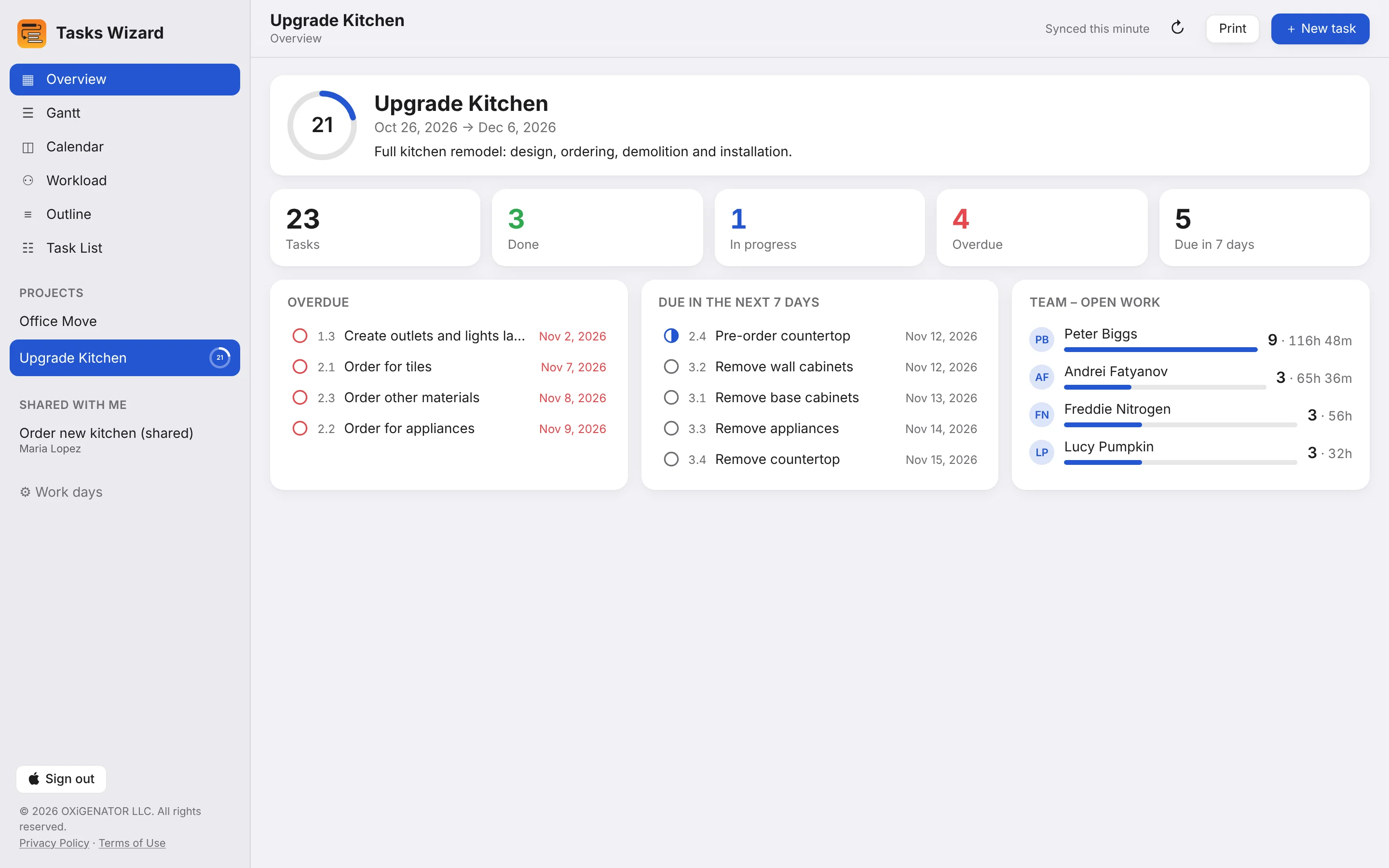
- Overview – progress at a glance: what’s done, in progress, overdue and due this week, plus who is working on what.
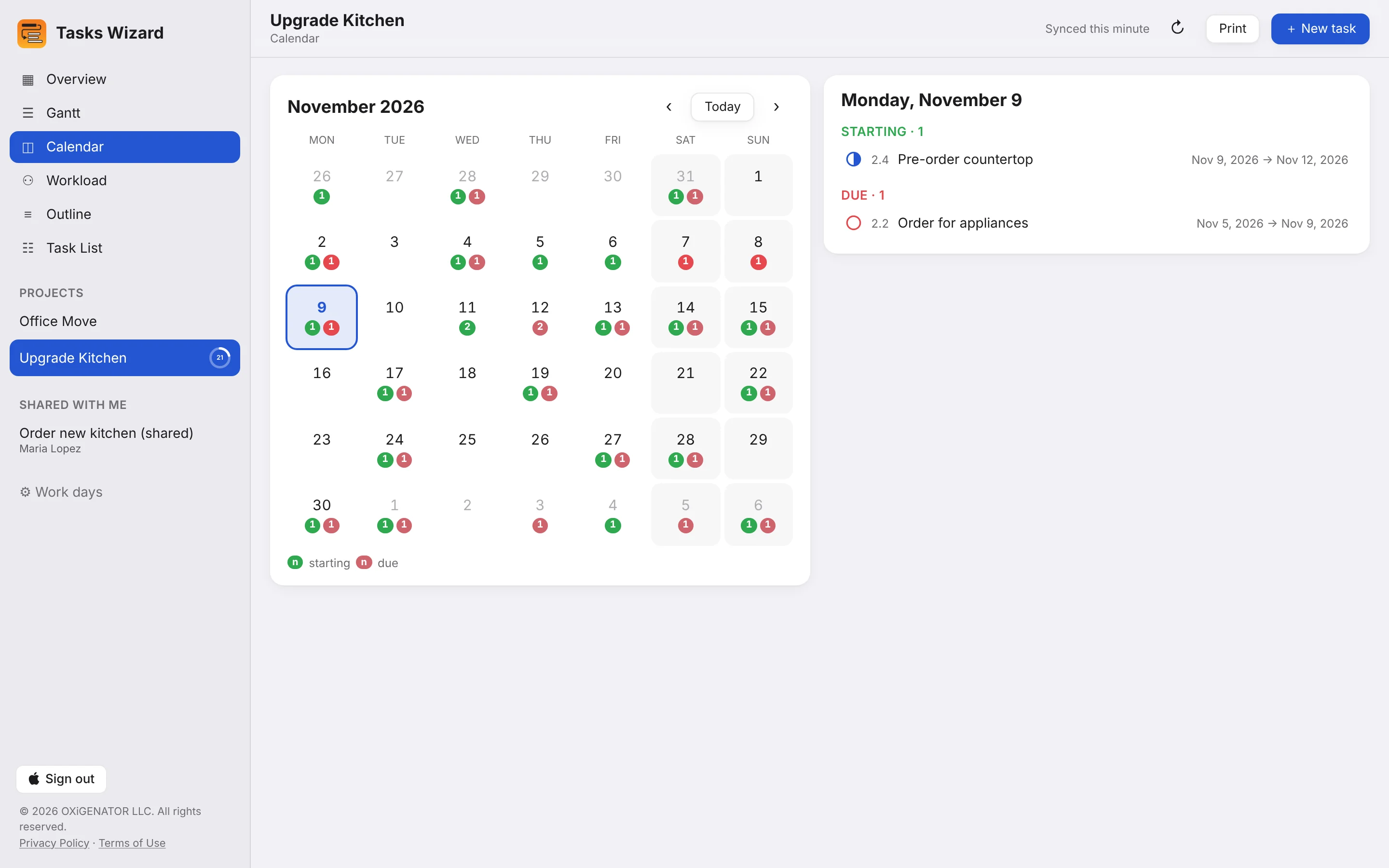
- Calendar – which tasks start and are due each day, with an agenda for the selected day.
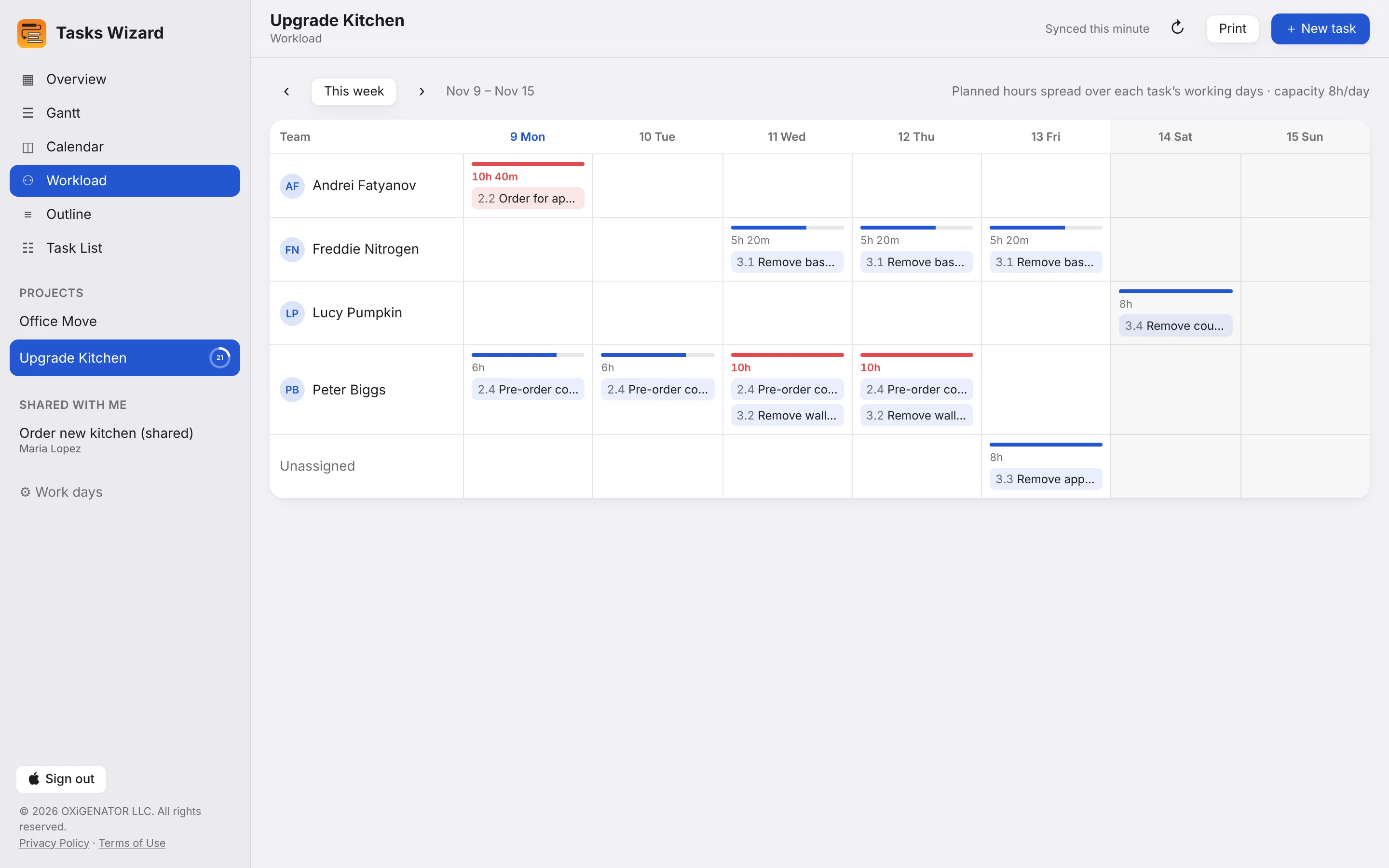
- Workload – a week board for your team: planned hours spread over each task’s working days, with a capacity bar that turns red when someone is overbooked.
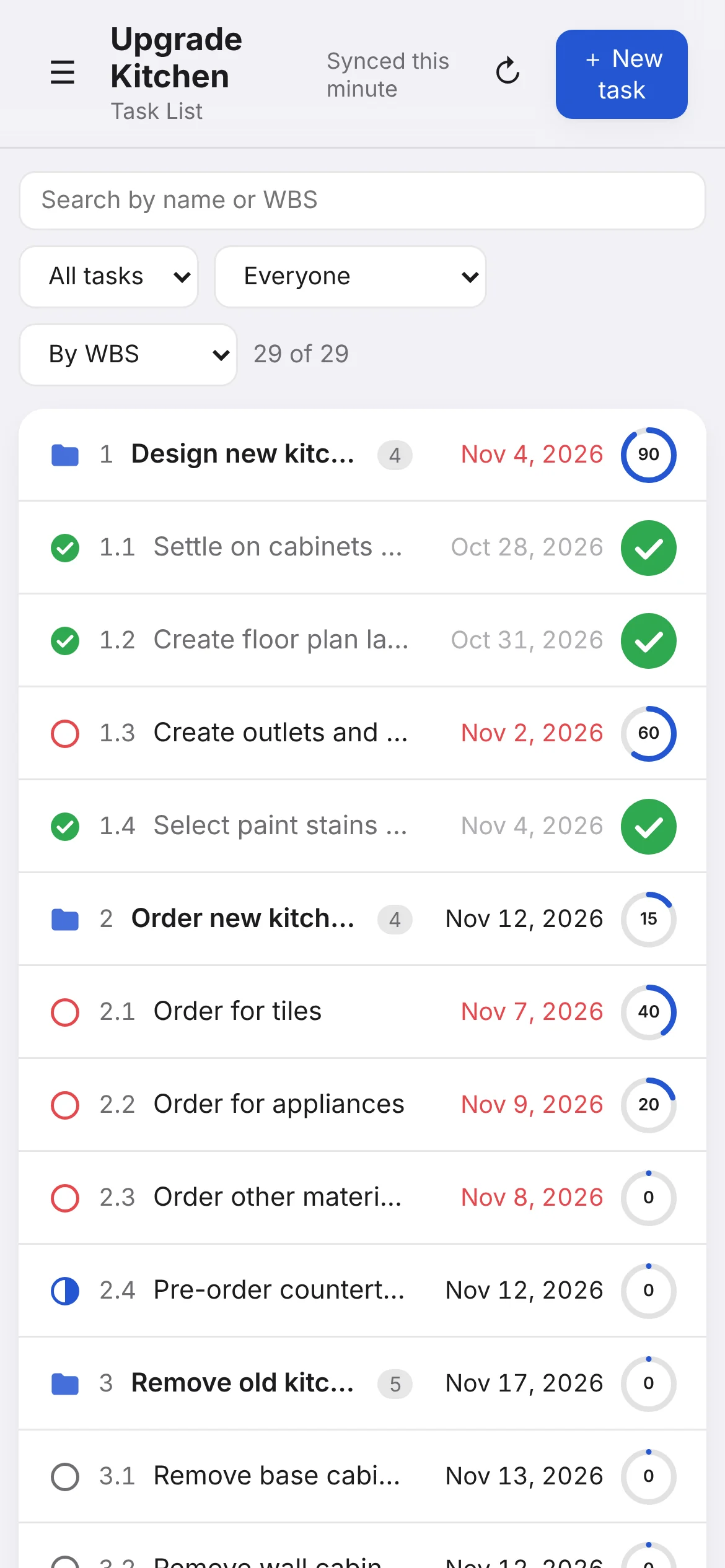
- Outline and Task List – the full task tree, or a flat list with search, filters and sorting.
- Shared with me – tasks other people shared with you from the app.
Edit right in the browser
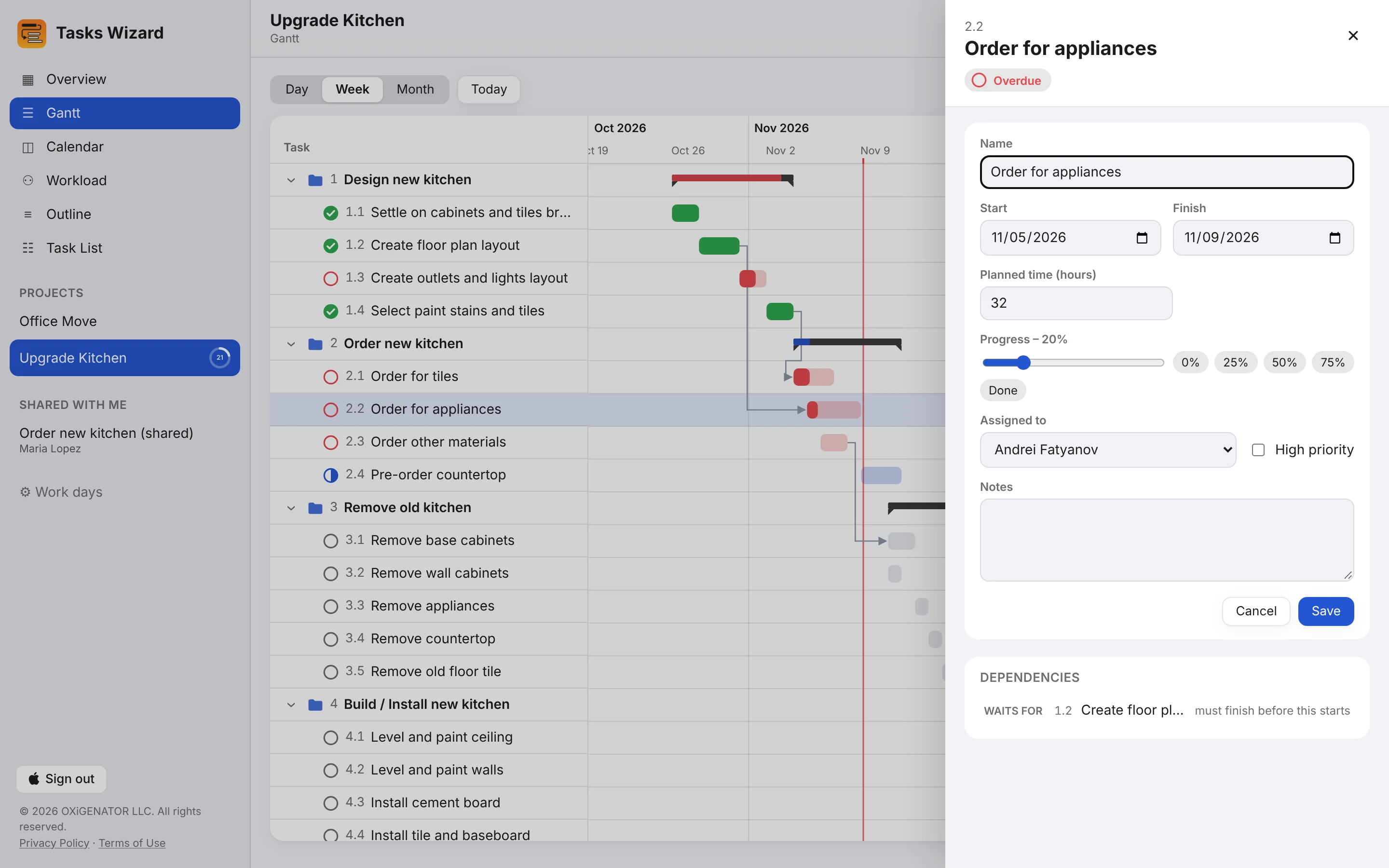
Change names, dates, progress, planned time, assignees and notes; mark tasks done; add tasks and subtasks; delete what’s no longer needed. Edits follow exactly the same rules as the app – WBS numbering, group dates and progress, working days, task history – and sync to all your devices through iCloud. If the same task was just changed on another device, Tasks Wizard notices and keeps both edits.
Viewing your projects on the web is free. Editing is part of the Tasks Wizard subscription – subscribe (or restore your purchase) in the app, and editing turns on in the browser automatically.
Print, export and dark mode
Export any project as a spreadsheet (CSV) for Excel or Numbers, or print it – or save it as a PDF – in a clean landscape layout. The web app follows your system’s light or dark appearance and works on phones and tablets too.
Private by design
Your data stays in your iCloud. The web app is read and written directly by your browser – nothing passes through our servers, and the copy kept for fast loading lives only on your device and is deleted when you sign out.
Get started
- In Tasks Wizard on iPhone, iPad or Mac (version 3.0.3 or later), turn on iCloud sync in Settings and enable it for your projects.
- Open tasks-wizard.oxigenator.com in Safari, Chrome, Edge or Firefox.
- Sign in with Apple using the same Apple ID.
Don’t have Tasks Wizard yet? Get it here.