
Tasks Wizard 3.0: our biggest update ever
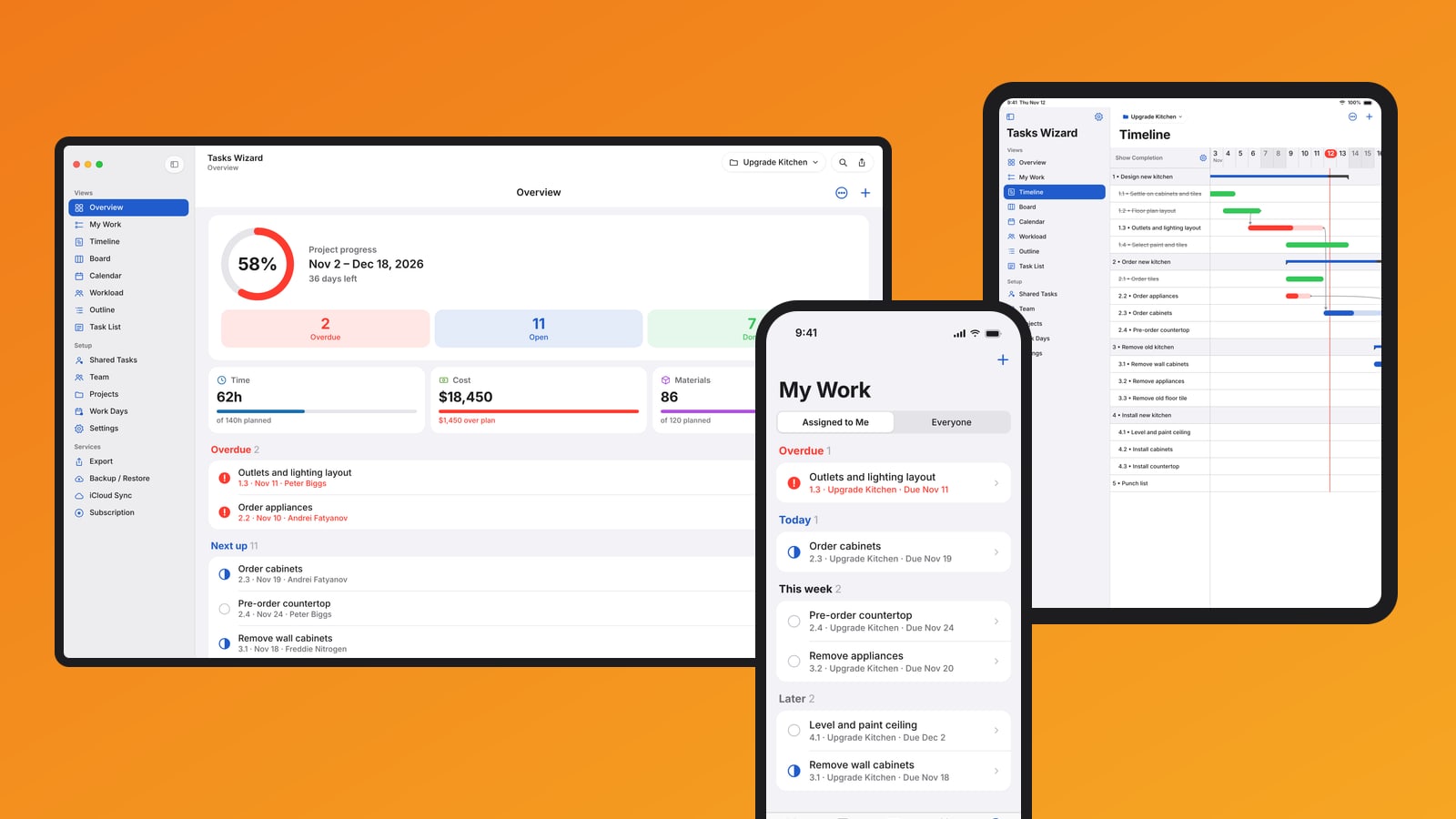
Tasks Wizard 3.0 is our biggest update ever – redesigned from the ground up for iPhone, iPad and Mac. Whether it’s a kitchen remodel, a product launch, a wedding or a client job, every project now turns into a clear plan your whole team can follow.
A new home on every device
An all-new design with a sidebar on iPad and Mac and tabs on iPhone, plus keyboard shortcuts and Quick Open on iPad and Mac, and a Home Screen widget with your upcoming tasks.
See your project at a glance
- Overview: progress, days left, overdue work and budget at a glance – with planned vs. actual time, cost and materials, and overruns flagged automatically.
- My Work: everything assigned to you, by due date.
Plan and organize your way
- Timeline: a real Gantt chart with phases, milestones and dependencies – drag to reschedule, and dependent tasks follow.
- Work Days and holidays: define your working week, and schedules automatically skip days off.
- Board: move tasks from To Do to Done.
- Calendar: all tasks on a month view.
- Outline as an expandable tree, and a Task List with search, filters and sorting.
Lead your team
- Workload: a week board to balance your team – drag tasks between people and days.
- Team member photos, and adding people straight from Contacts.
- Sharing tasks now uses the system share sheet – people outside your team update progress from their own device.
Every detail in one place
- A new task editor with photos, dependencies and history in one place.
- A redesigned project editor with the project’s location on a map.
- Professional e-mail reports and task lists.
Faster, more reliable sync
iCloud sync is faster and more reliable – it works offline and recovers automatically. Plus dozens of fixes and improvements.
Get it
Tasks Wizard is free to download and try; a subscription unlocks unlimited projects and tasks, with a free trial for new subscribers.
Download Tasks Wizard on the App Store – for iPhone, iPad and Mac. Read more on the Tasks Wizard page or take the tour.
Thank you for using Tasks Wizard! Questions or ideas? Tap Support in the app, or write to us through Tasks Wizard support.