
CamCarDer Lite
Smart dash cam for iPhone
Turn your iPhone into a smart dash cam: video with speed, speed limits and GPS, turn-by-turn navigation while recording, locked clips, and playback side by side with a map.
- Works on
- iPhone
Screenshots · iPhone
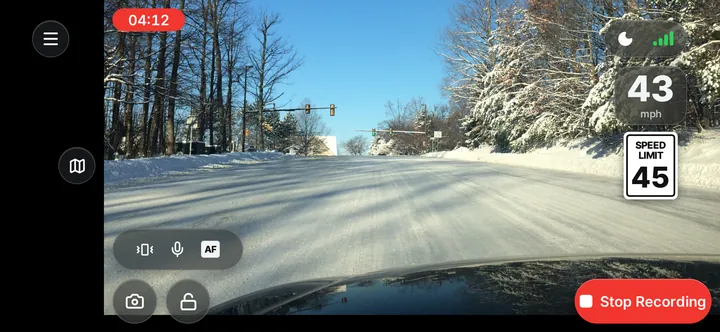
CamCarDer turns your iPhone into a smart dash cam. Mount it, tap record, and drive — the road ahead is recorded with your speed, the speed limit and your route.
On the road
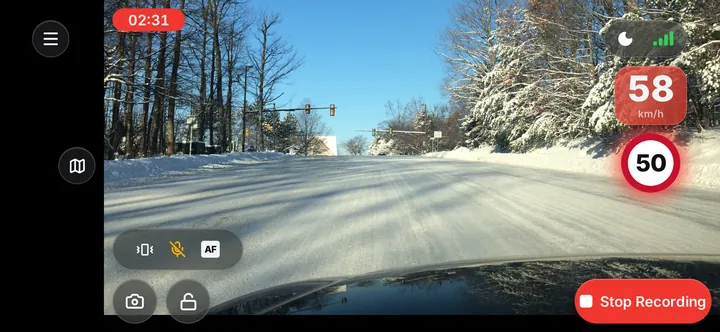
The recording screen shows the clip timer, your speed and the current speed limit — as a US-style sign or a European red circle, in mph or km/h — and your speed turns red when you go over it. With one tap you can take a photo, lock the current clip, mute the microphone, lock focus or switch to night mode.
Navigate while recording
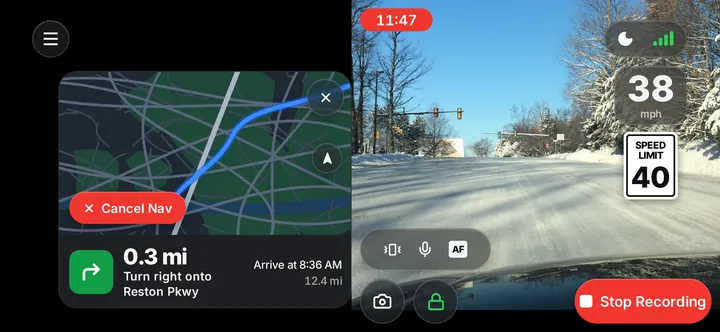
Enter a destination and CamCarDer shows turn-by-turn directions — distance to the next turn, the street, arrival time and distance left — next to the live camera, which keeps recording the whole way.
Every clip, remembered
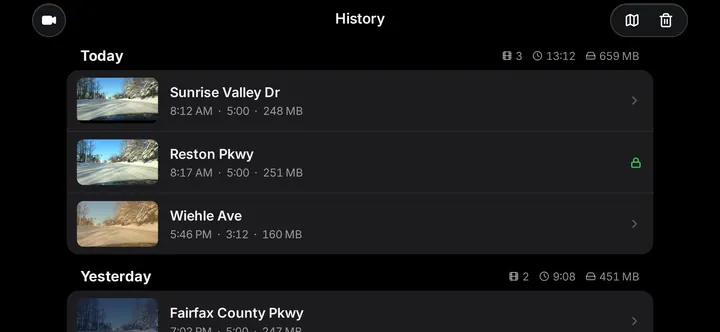
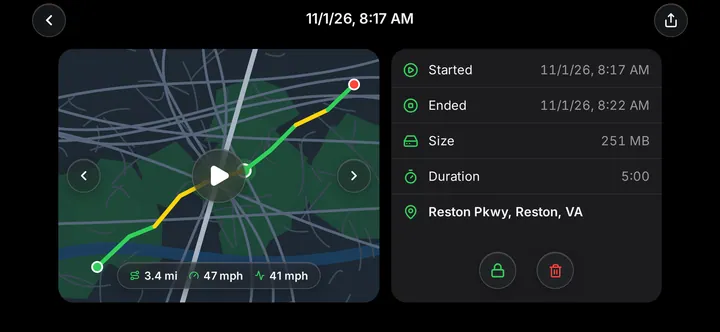
History groups your clips by day with their count, total length and size; locked clips are marked. Open a clip to see its route on the map coloured by speed, distance, maximum and average speed, start and end time, size and the street address. Lock it, delete it, or share it.
Play it back
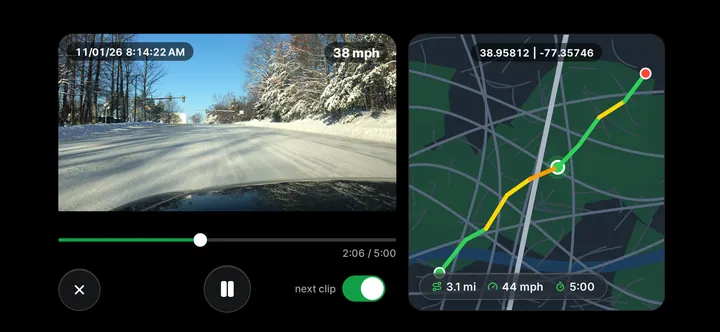
Watch a clip side by side with its map: the date, time and speed are imprinted on the video, the position moves along the route with its coordinates, and the next clip starts automatically.
What it does
Records in clips
Continuous recording saved as clips, with a timer on screen.
Speed and limits
Your speed and the posted limit — US sign or European circle, mph or km/h.
Speeding alert
Your speed turns red the moment you go over the limit.
Navigation
Turn-by-turn directions next to the live camera, recording all the way.
GPS route
Every clip saved with its route, speeds and street address.
Lock clips
Protect important clips so they are never overwritten.
Photos
Take a still photo without stopping the recording.
Sound, focus, night
Mute the microphone, lock focus, or switch to night mode.
Playback with map
Video and route side by side, with time and speed imprinted.
History and sharing
Clips grouped by day with length and size; share any clip.
Questions and answers
What is the difference between CamCarDer and CamCarDer Lite?
CamCarDer Lite is free and lets you try the app with some limitations. The full CamCarDer unlocks everything.
Will important clips be overwritten?
Not if you lock them. Tap the lock while recording, or lock a clip later from its details, and it stays until you delete it.
Can I navigate and record at the same time?
Yes. Turn-by-turn directions appear next to the live camera, which keeps recording the whole way.
Does it show the speed limit?
Yes — as a US-style sign or a European red circle, in mph or km/h. Your speed turns red when you go over the limit.
News about CamCarDer Lite
- More functionality in free CamCarDer LiteIn free version of CamCarDer application we added a conditional ability to export a full-length clips (before it was only first 30 seconds).
- Free CamCarDer Lite in App Store now!We just published the free version of CamCarDer – CamCarDer Lite! Please check it out! It has most of the features of the full version, but with certain limitation.
- New languages in CamCarDerWe added three (four, actually) native languages to both CamCarDer and CamCarDer Lite iOS applications.