
Paddle Paddle
Paddling tracker for kayak, canoe and SUP
Track every kayak, canoe and paddle-board session — speed, distance, stroke rate, heart rate and route — on iPhone or straight from your Apple Watch, with a high-visibility mode for bright sun.
- Works on
- iPhoneApple WatchAndroid
- Price
- Free with ads · Subscription unlocks all features
Screenshots · iPhone
Screenshots · Apple Watch
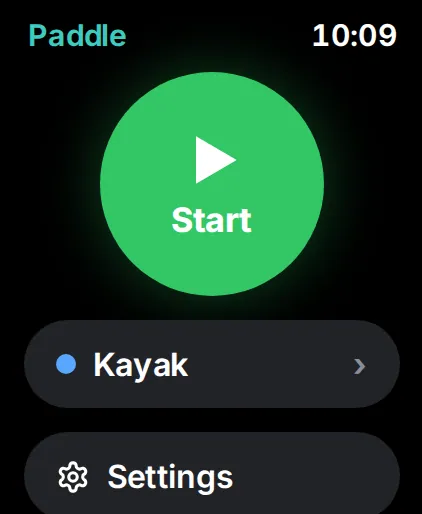
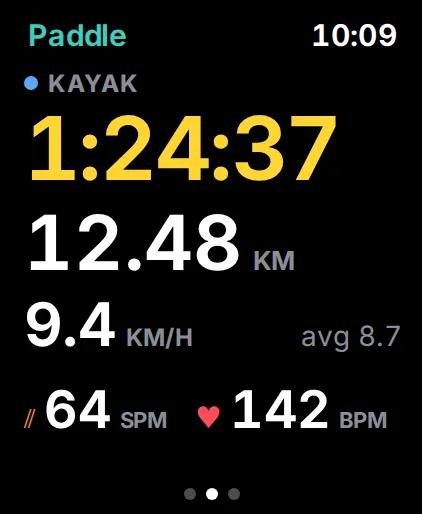
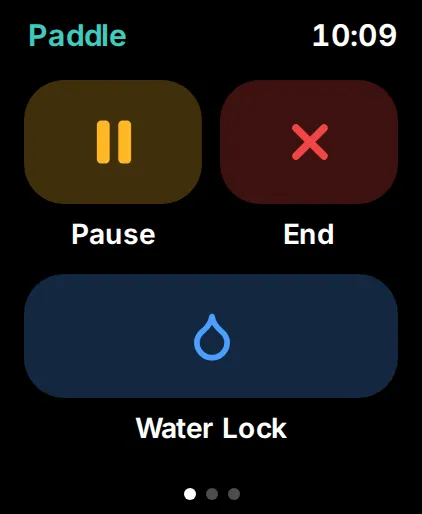
Paddle Paddle records every session on the water — kayak, canoe or paddle board — from your iPhone in a dry bag or straight from your Apple Watch.
On the water
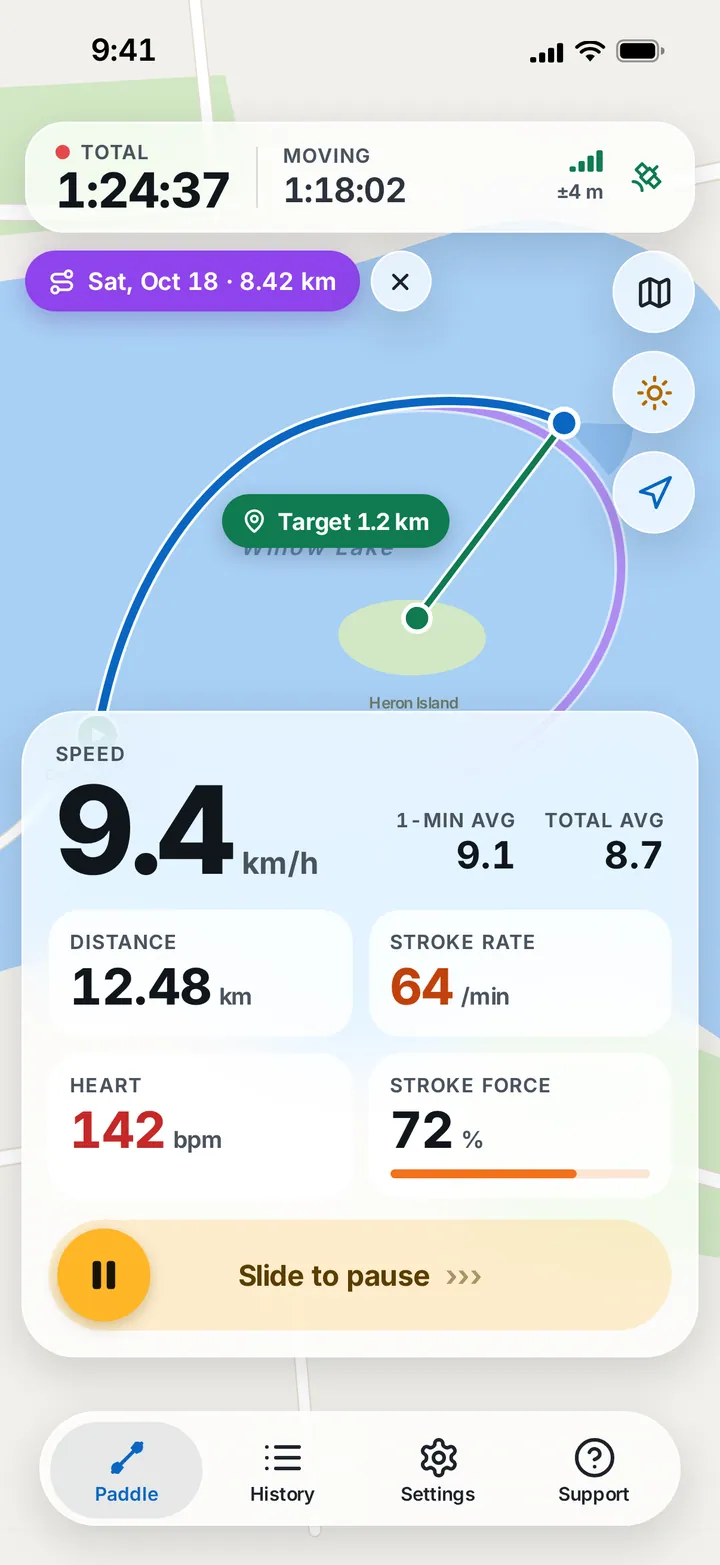
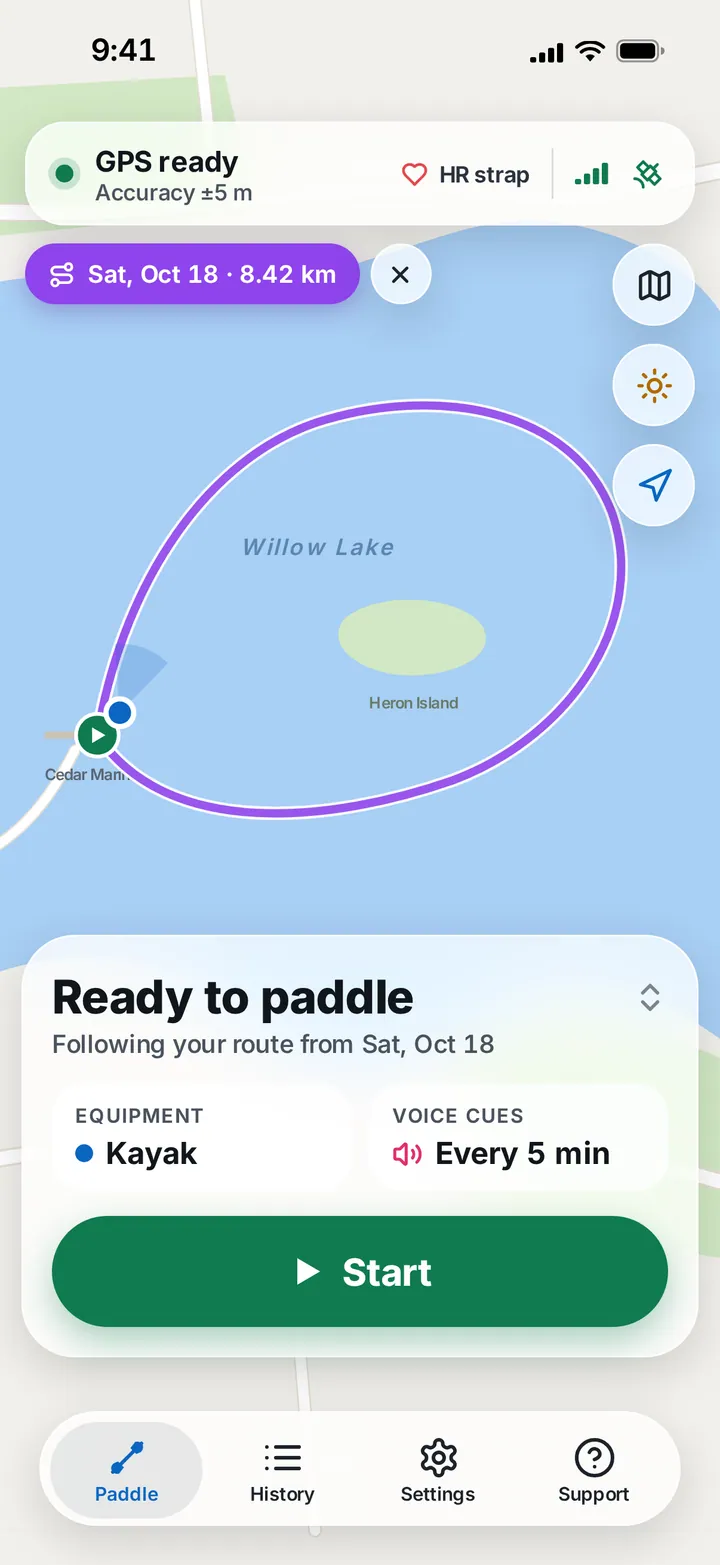
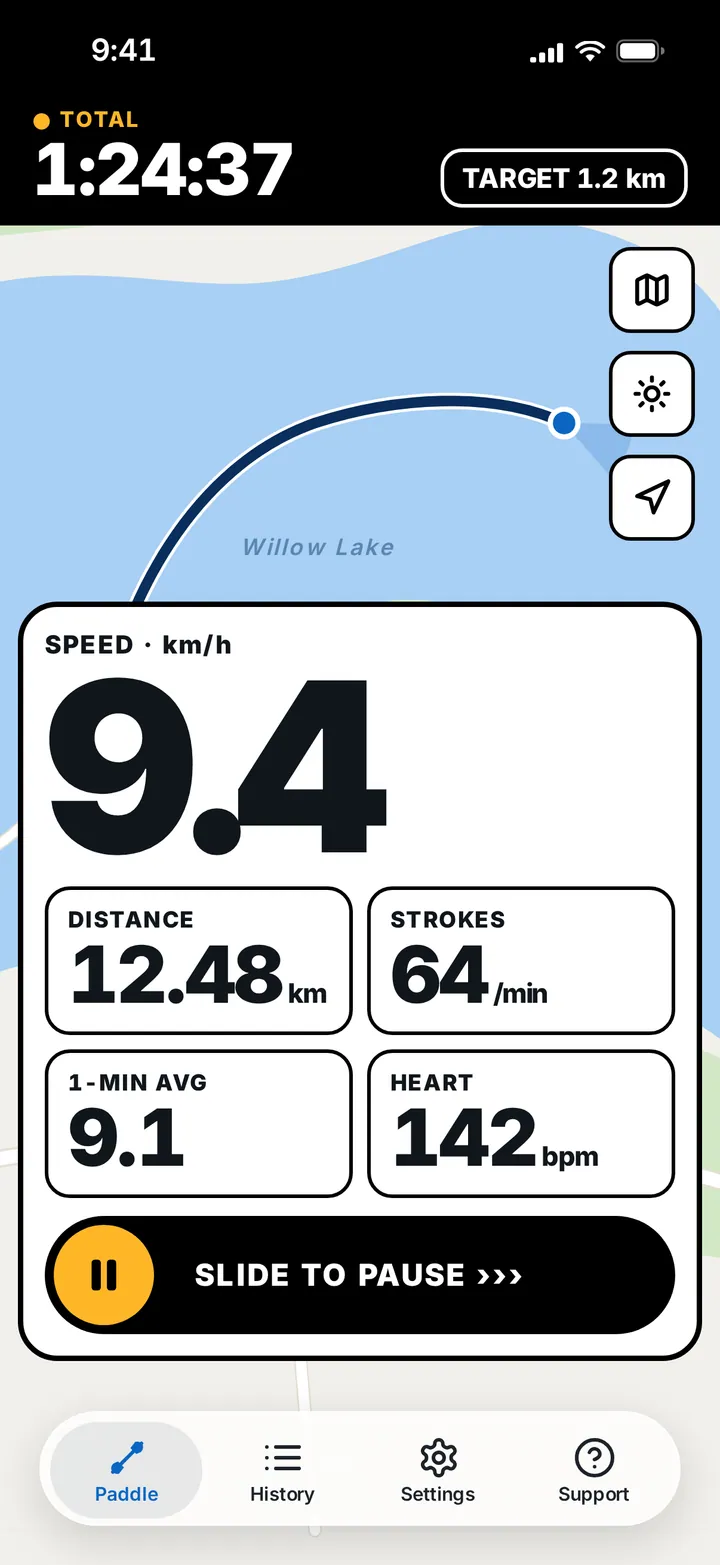
The Paddle screen shows GPS readiness and accuracy and your heart-rate sensor before you start. While you paddle it shows total and moving time, current speed with 1-minute and total averages, distance, stroke rate, stroke force and heart rate. Set a target on the map to see the distance left, or follow the route of an earlier session. Slide to pause, so a splash can’t stop your recording.
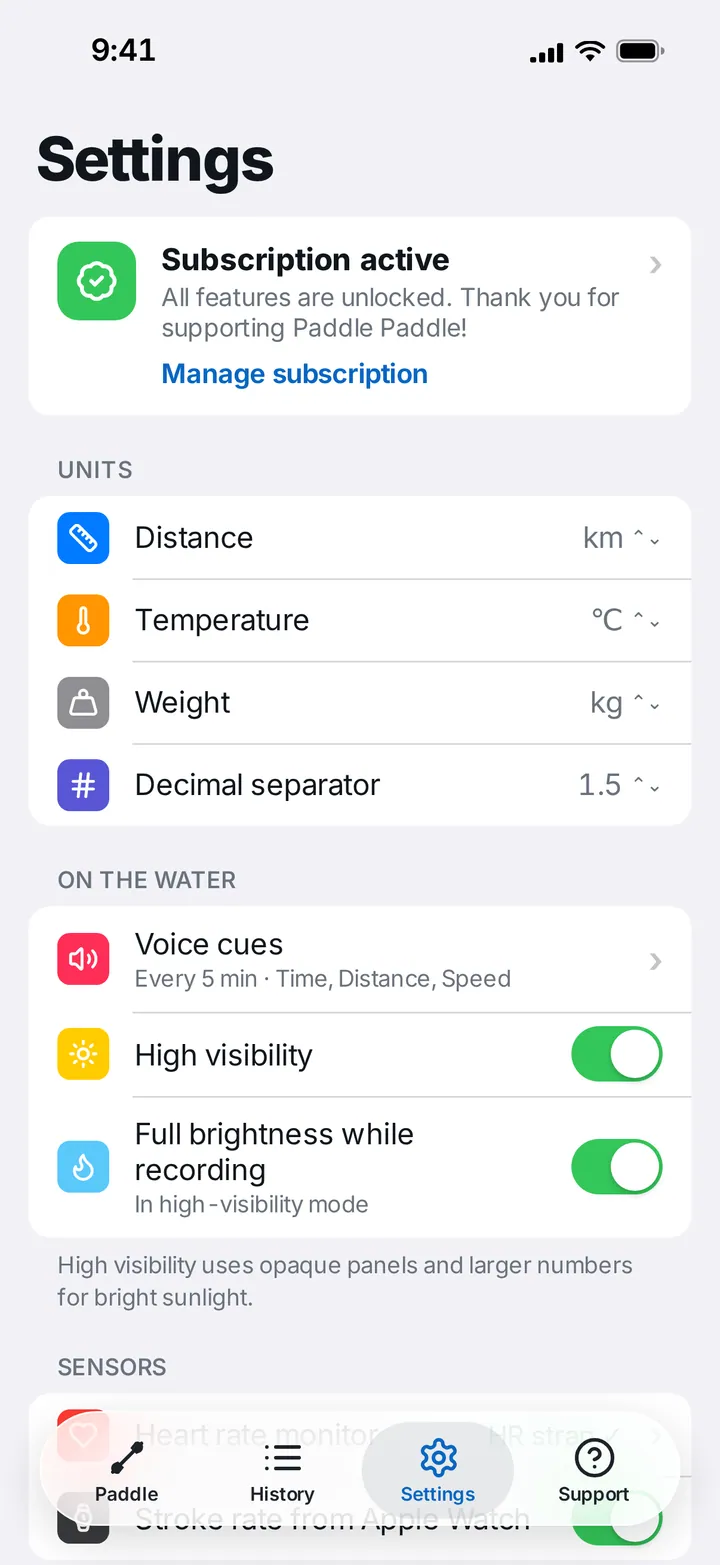
For bright days, High visibility switches to opaque panels and large numbers, and keeps the screen at full brightness while recording.
History
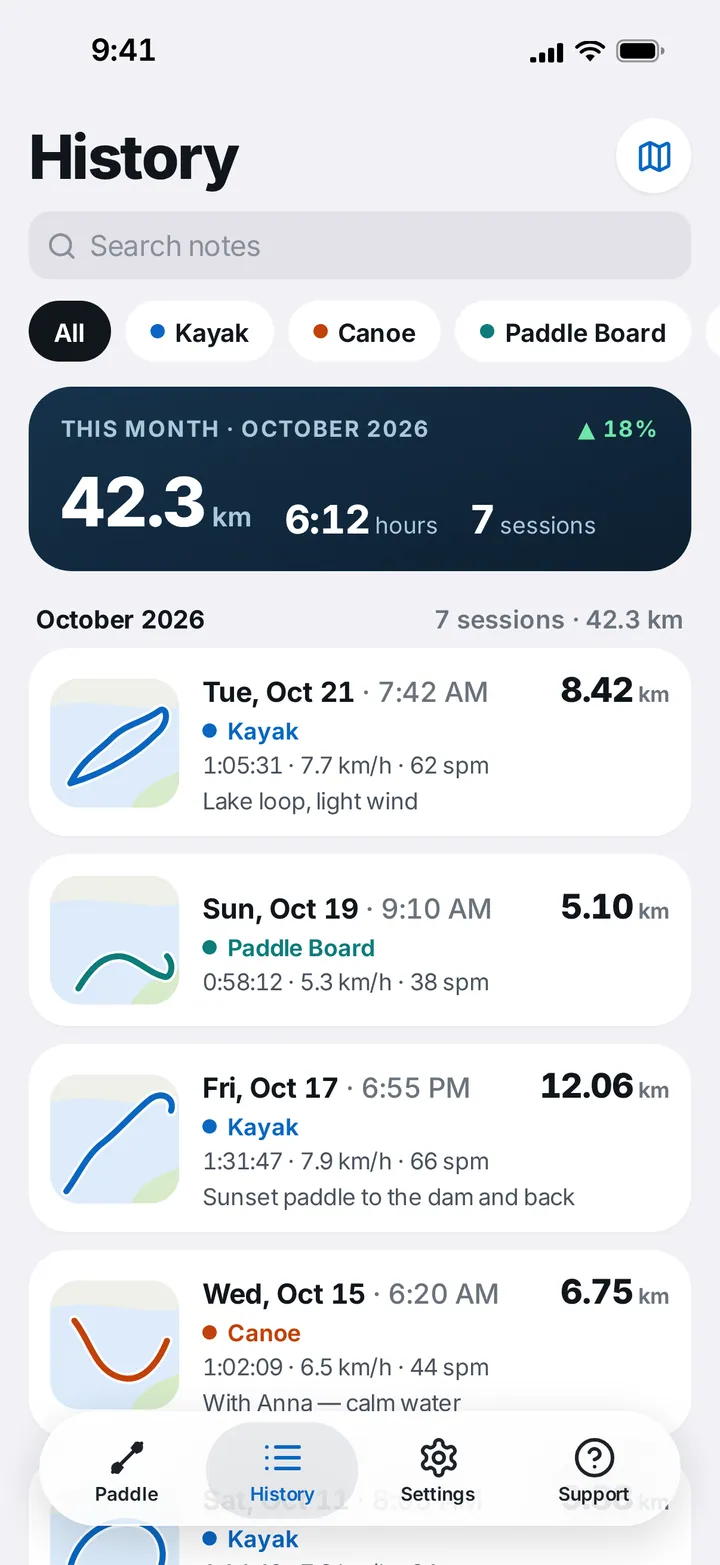
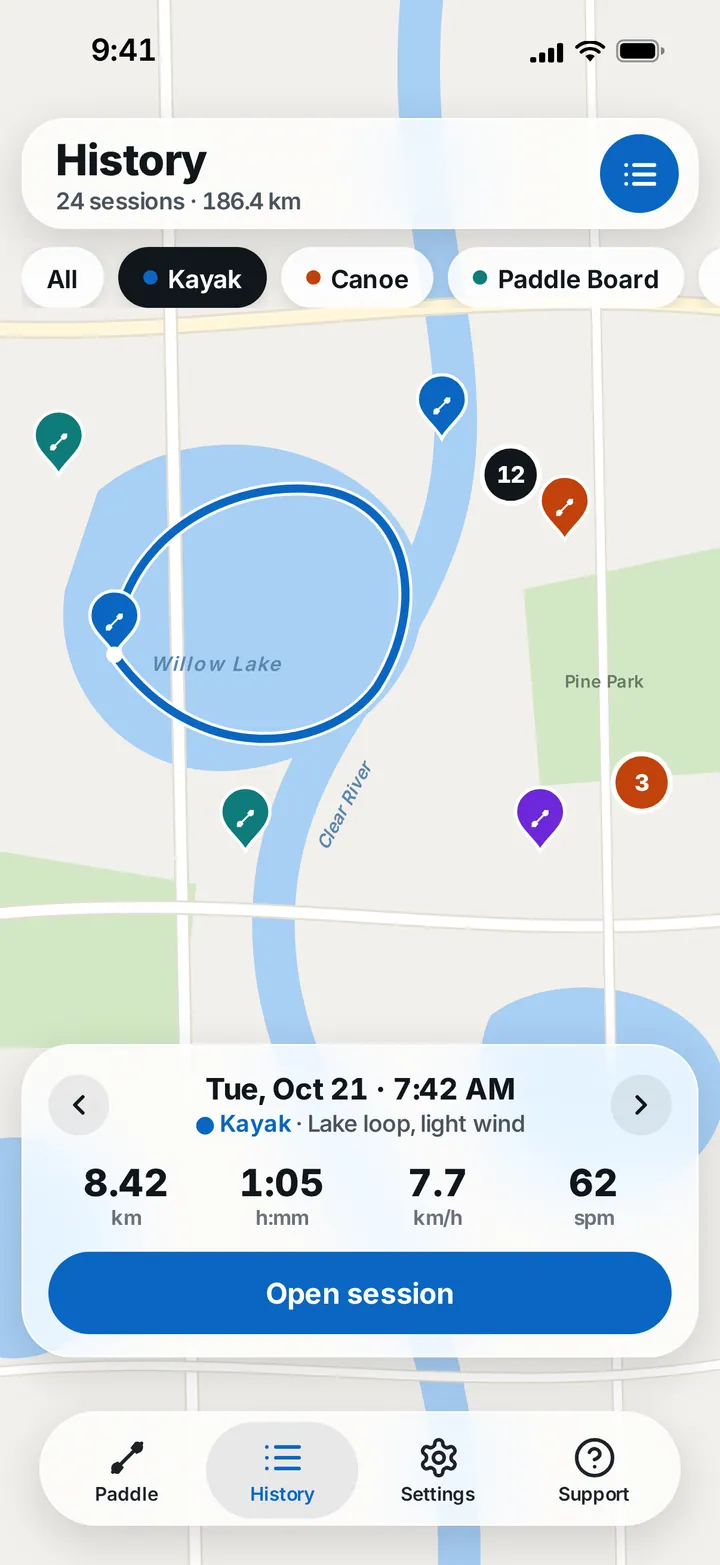
Search your notes, filter by kayak, canoe or paddle board, and see the month at a glance — distance, time, sessions and the trend against last month. Switch to the map to see where you’ve paddled, with every session pinned by craft.
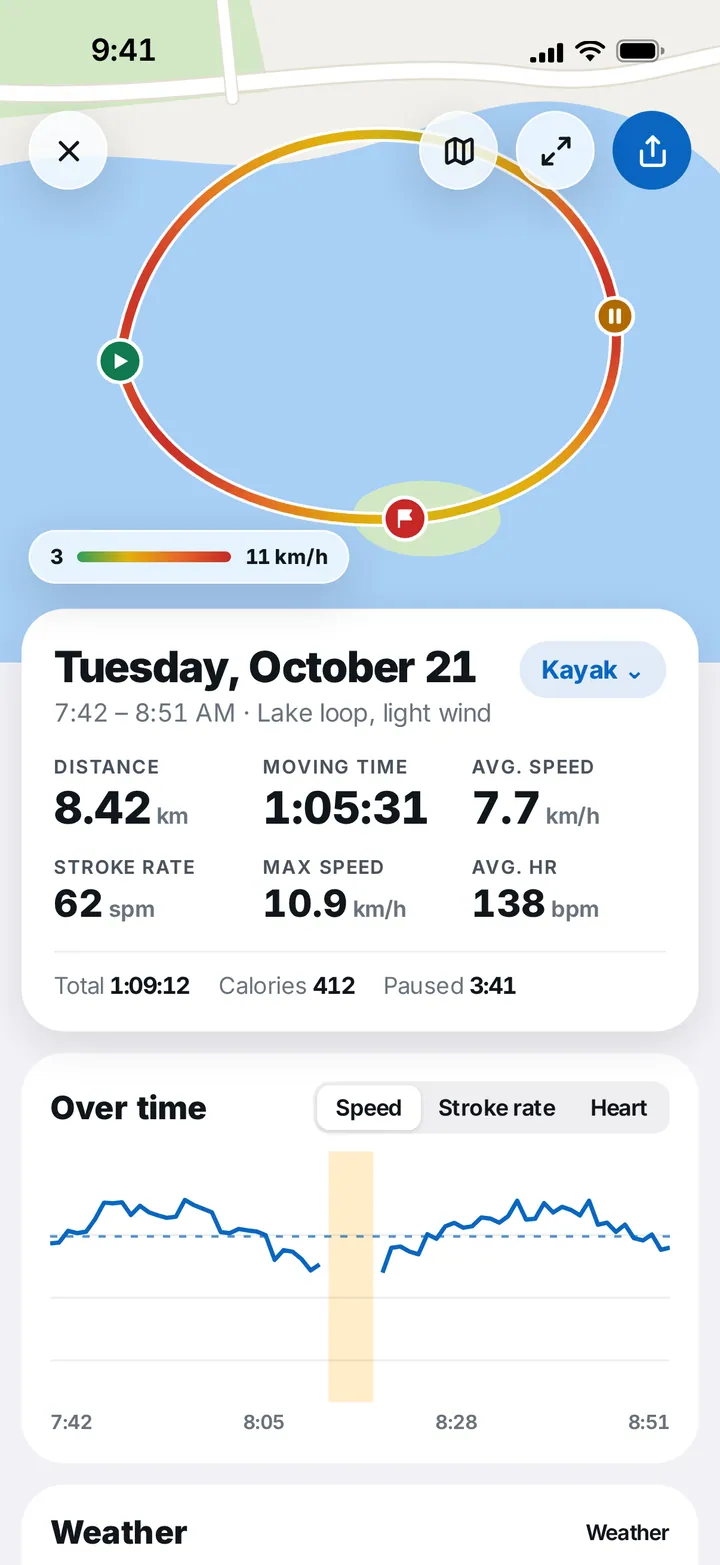
Each session shows its track coloured by speed with start, pause and finish markers, distance, moving and total time, average and maximum speed, stroke rate, heart rate, calories and weather, plus charts for speed, stroke rate and heart rate over time.
Apple Watch
Start a session from your wrist, choose your craft, and swipe between your live numbers — time, distance, speed, strokes per minute and heart rate — and the controls: Pause, End and Water Lock.
What it does
Live speed and averages
Current speed with 1-minute and total averages, total and moving time.
Stroke rate and force
Strokes per minute and stroke force from your Apple Watch.
Heart rate
From your Apple Watch or a Bluetooth heart-rate strap.
Follow a past route
Show any earlier session on the map and paddle it again.
Targets
Set a point on the map and see the distance left.
High visibility
Opaque panels, larger numbers and full brightness for bright sunlight.
Voice cues
Time, distance and speed read out on the interval you choose.
History and map
Search notes, filter by craft and browse sessions on a map.
Session analysis
Speed-coloured track, pauses and charts for speed, stroke rate and heart.
Apple Watch
Start, track and pause from the wrist, with Water Lock.
Questions and answers
Which boats does it support?
Kayak, canoe and paddle board, each with its own colour in History so you can filter and compare sessions.
Can I track with only my Apple Watch?
Yes. Start a session on the watch; it records time, distance, speed, stroke rate and heart rate on its own and syncs to your iPhone later.
Where does stroke rate come from?
From your Apple Watch's motion sensors. Turn on Stroke rate from Apple Watch in Settings → Sensors.
Is it readable in bright sun?
Turn on High visibility in Settings. It switches to opaque panels and larger numbers, and can keep the screen at full brightness while recording.
Can I pause without unlocking or mis-tapping?
On iPhone you slide to pause, so a wet finger or splash won't stop your session by accident. On Apple Watch, Pause, End and Water Lock are one swipe away.
Which units are supported?
Kilometres or miles, °C or °F, kg or lb, and your choice of decimal separator.