
MiCycle
Cycling computer for iPhone and Apple Watch
Big, clear numbers on the bike — speed, power, heart rate and cadence — plus climbs, automatic segments against your personal best, voice feedback, a power curve and estimated FTP. On iPhone and Apple Watch.
- Works on
- iPhoneApple Watch
Screenshots · iPhone
Screenshots · Apple Watch
MiCycle has been redesigned from the ground up around one idea: simple, and it just works. Big, clear numbers on the bike — and nothing you don’t need.
On the bike
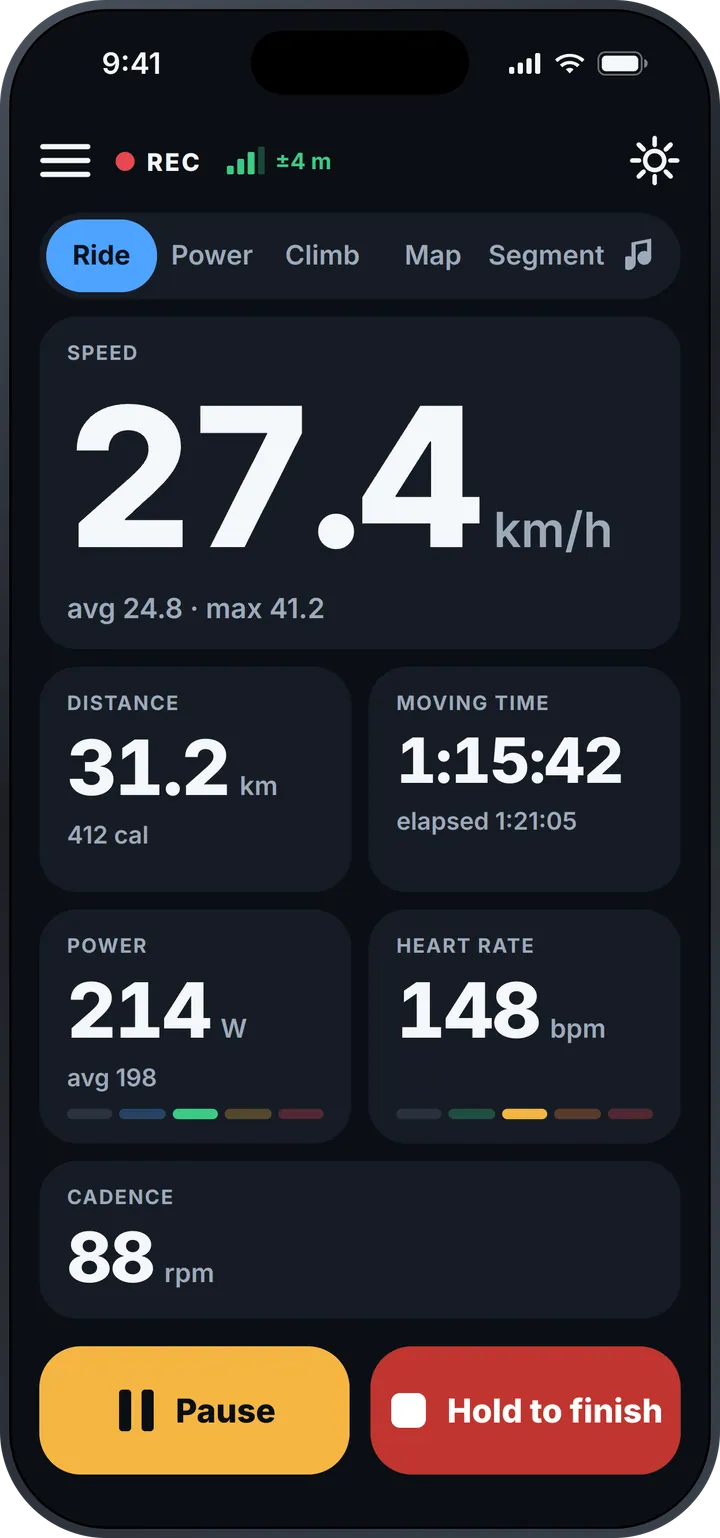
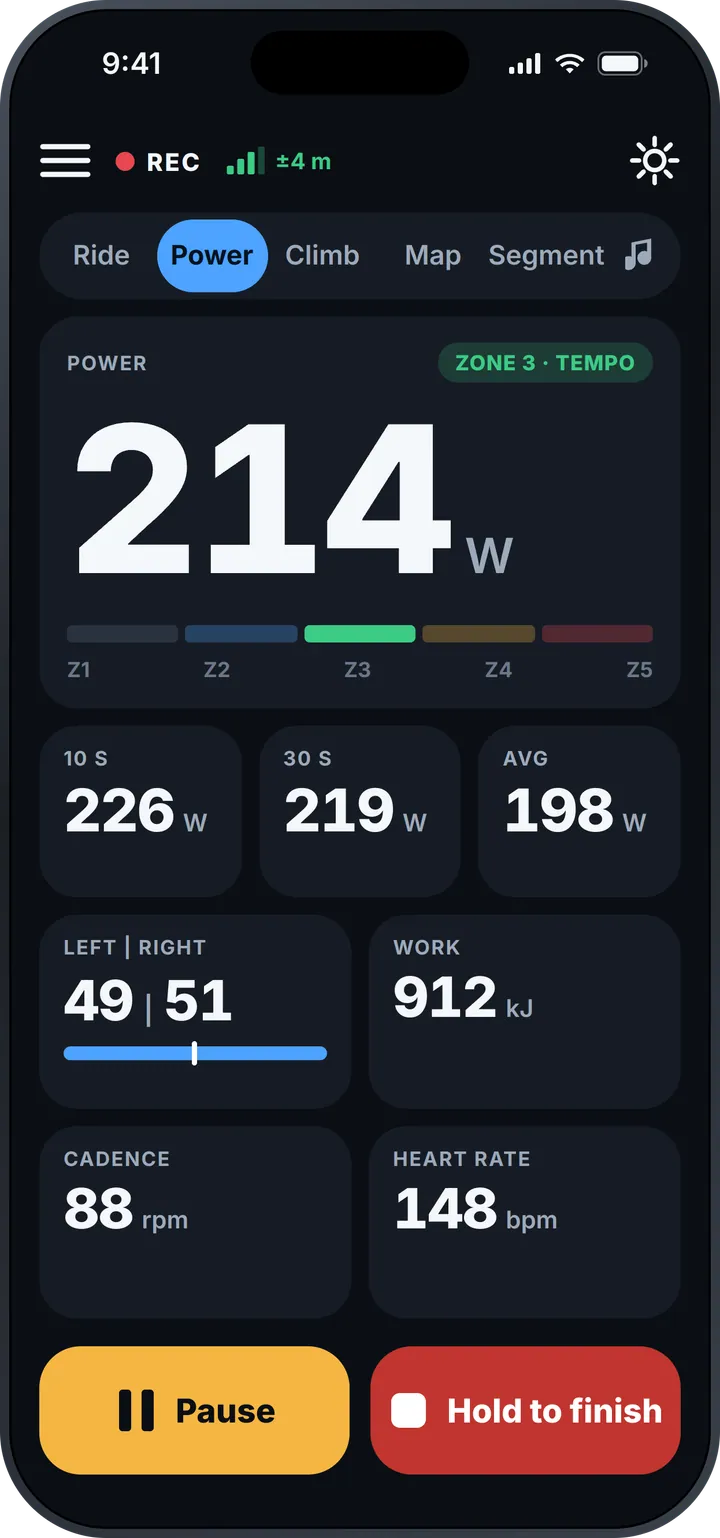
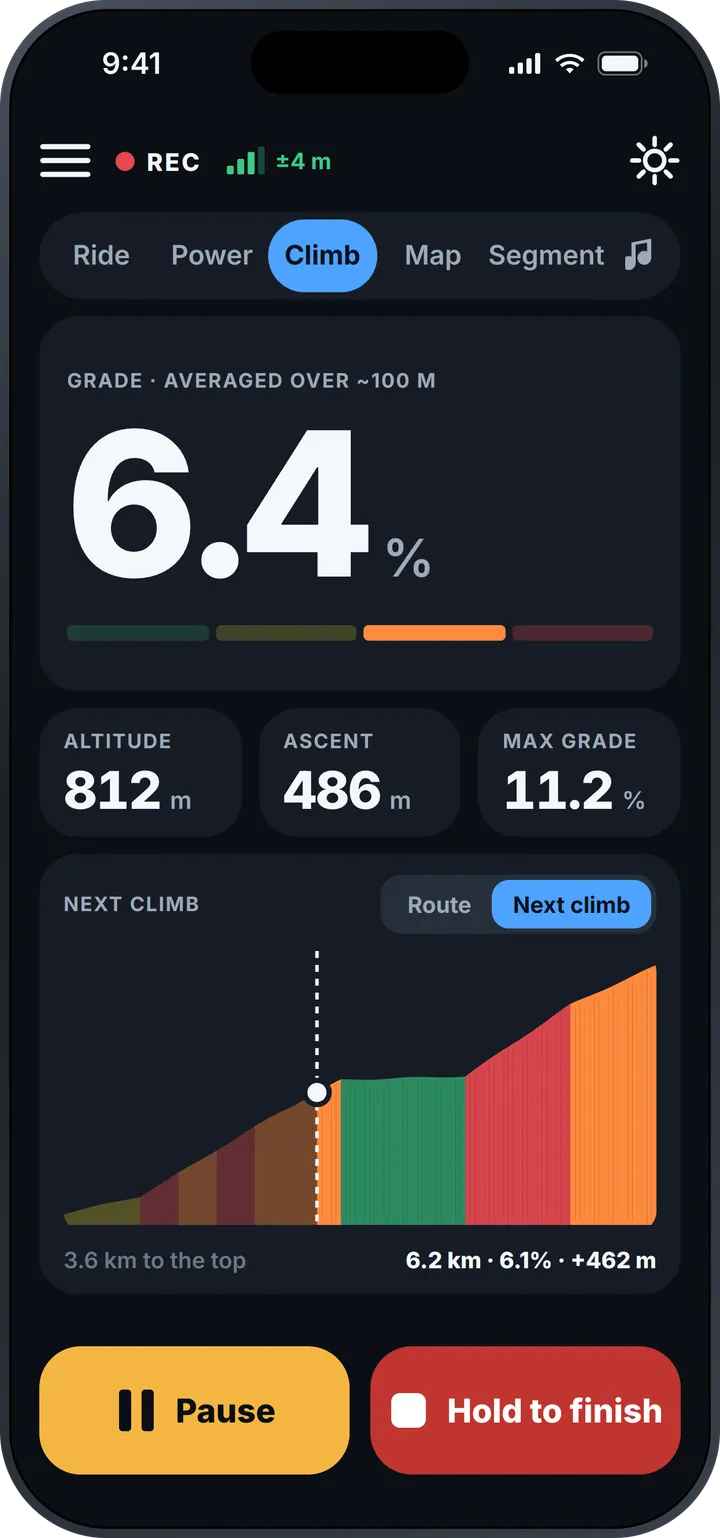
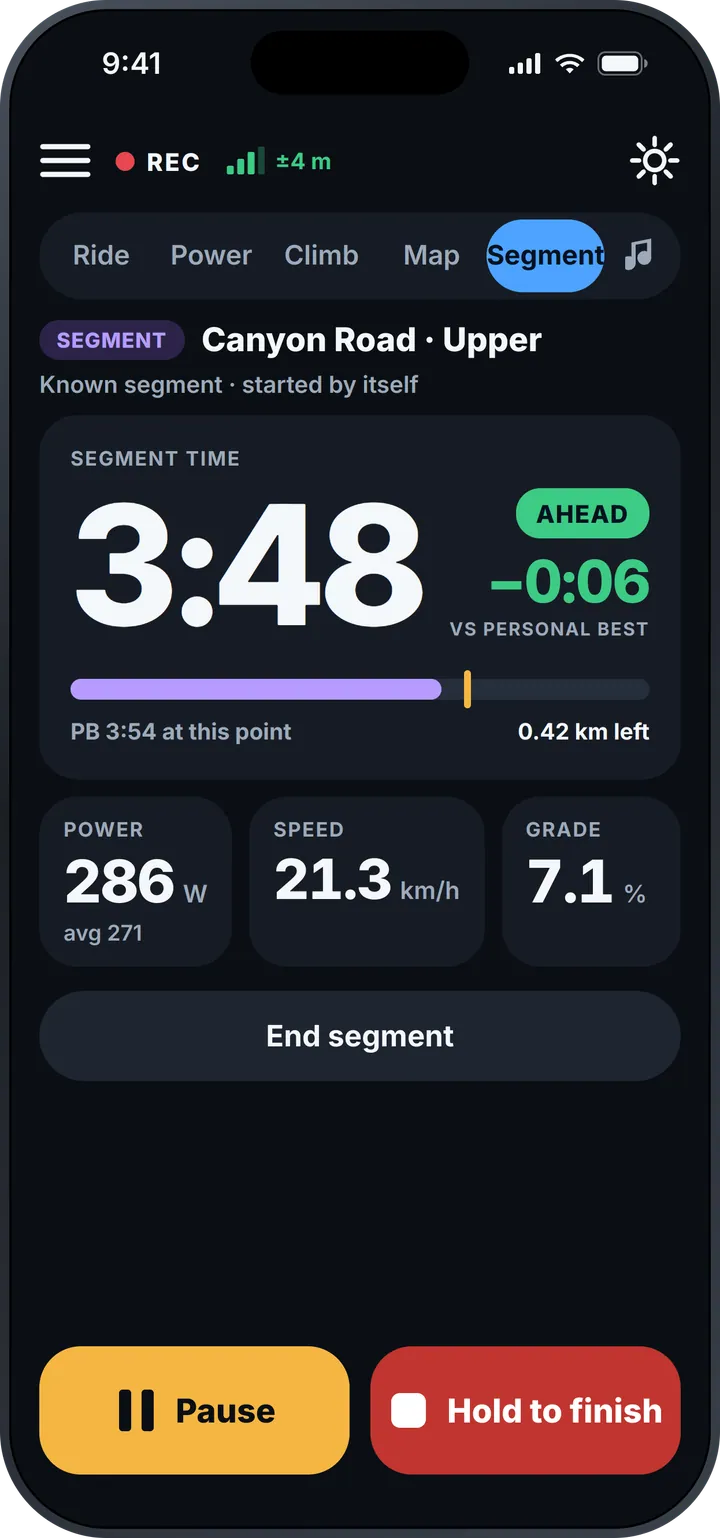
Swipe between five pages — Ride, Power, Climb, Map and Segment — with your music a tap away. Ride shows speed with average and maximum, distance and calories, moving and elapsed time, power and heart rate with their zones, and cadence. Power adds 10-second, 30-second and average power, left/right balance and work. Climb shows the grade averaged over about 100 m so it doesn’t jump around, your altitude, ascent and maximum grade — and a colour-coded profile of the next climb with the distance to the top.
Garmin Varia radar
Pair a Garmin Varia rear radar or radar tail light and MiCycle shows the traffic behind you: vehicles approaching from behind appear on screen as they close in, with an alert, so you know what’s coming before you hear it. It connects over Bluetooth like your other sensors.
Race your best
Ride onto a known segment and MiCycle starts timing by itself. You see your time live against your personal best — ahead or behind, to the second — with power, speed, grade and the distance left.
In your pocket, it talks
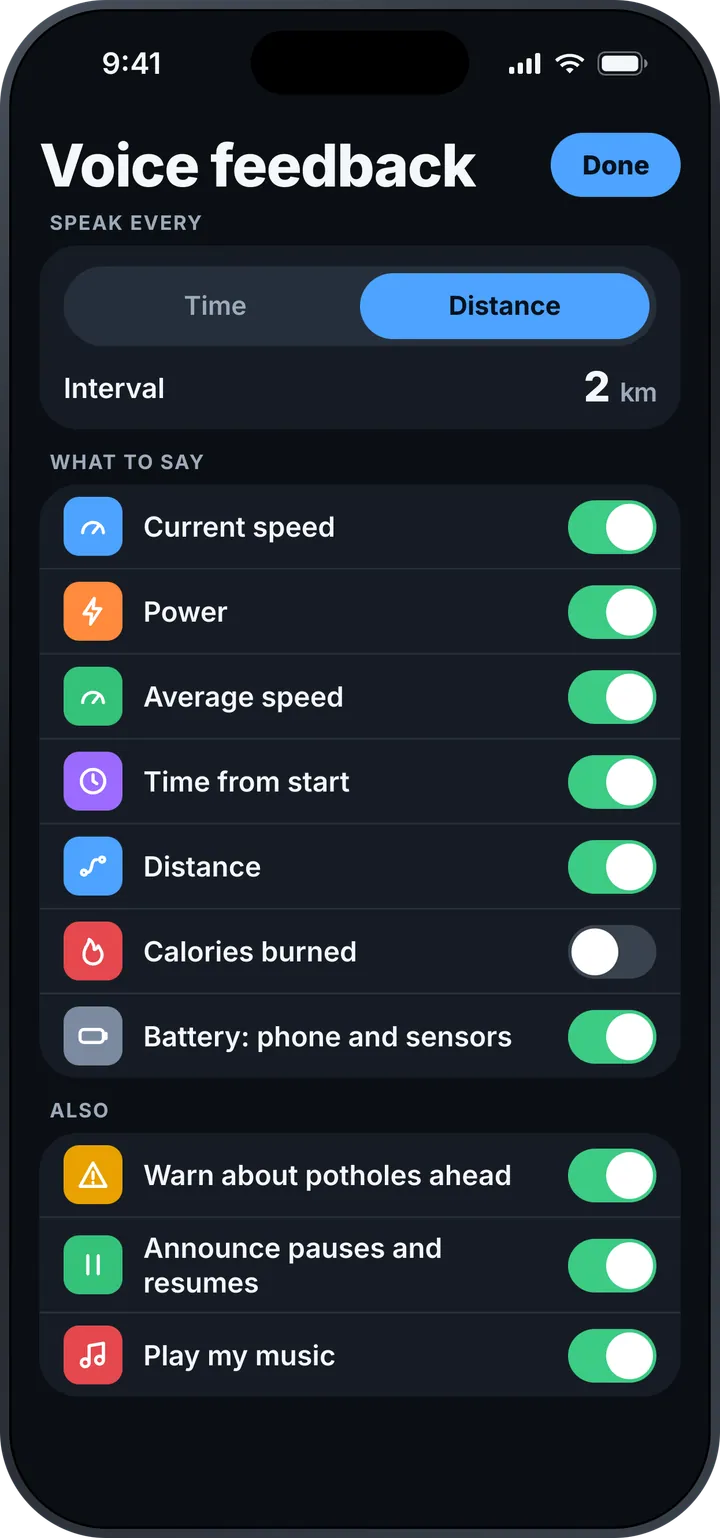
Choose what MiCycle says and how often — every few minutes or every few kilometres: current and average speed, power, time, distance, calories and the battery of your phone and sensors. It also warns you about potholes ahead, announces pauses and plays your music.
Every ride, remembered
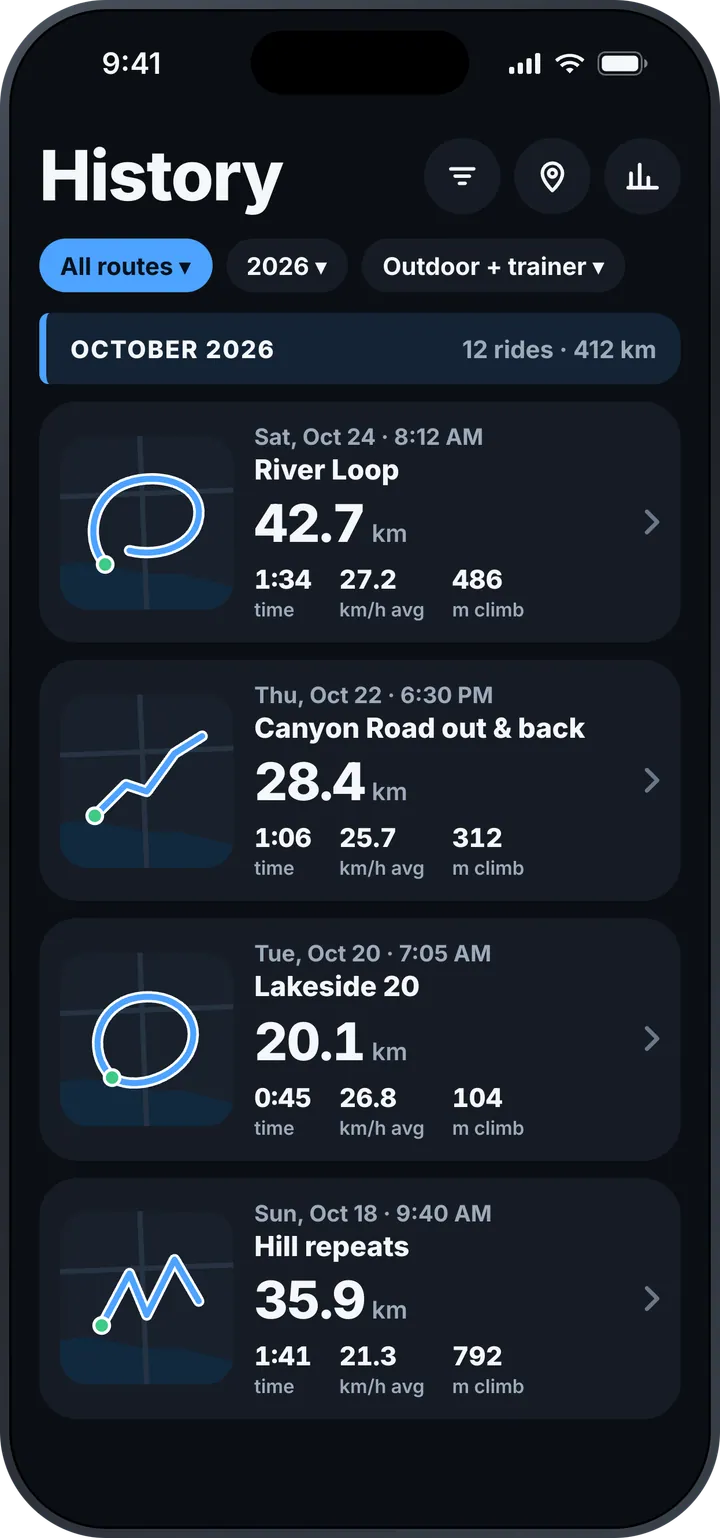
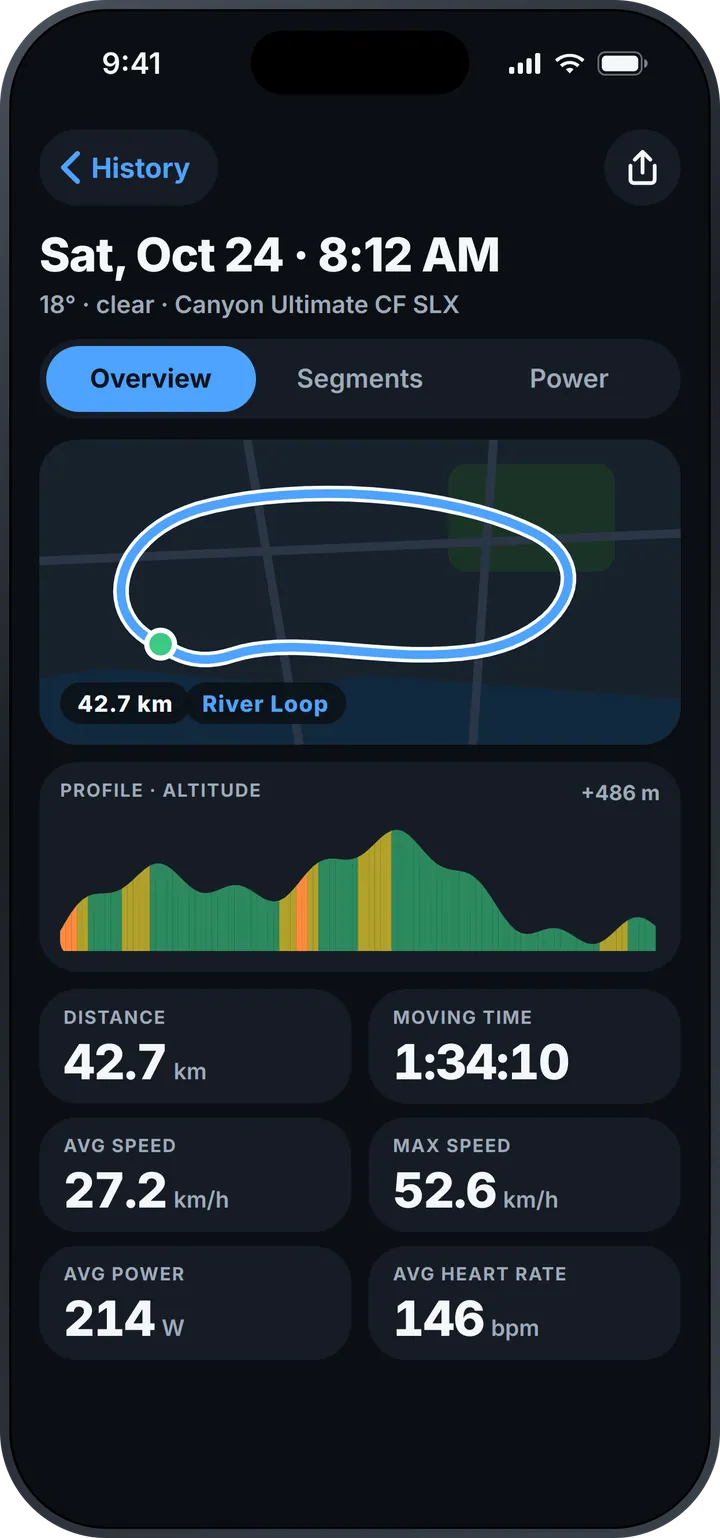
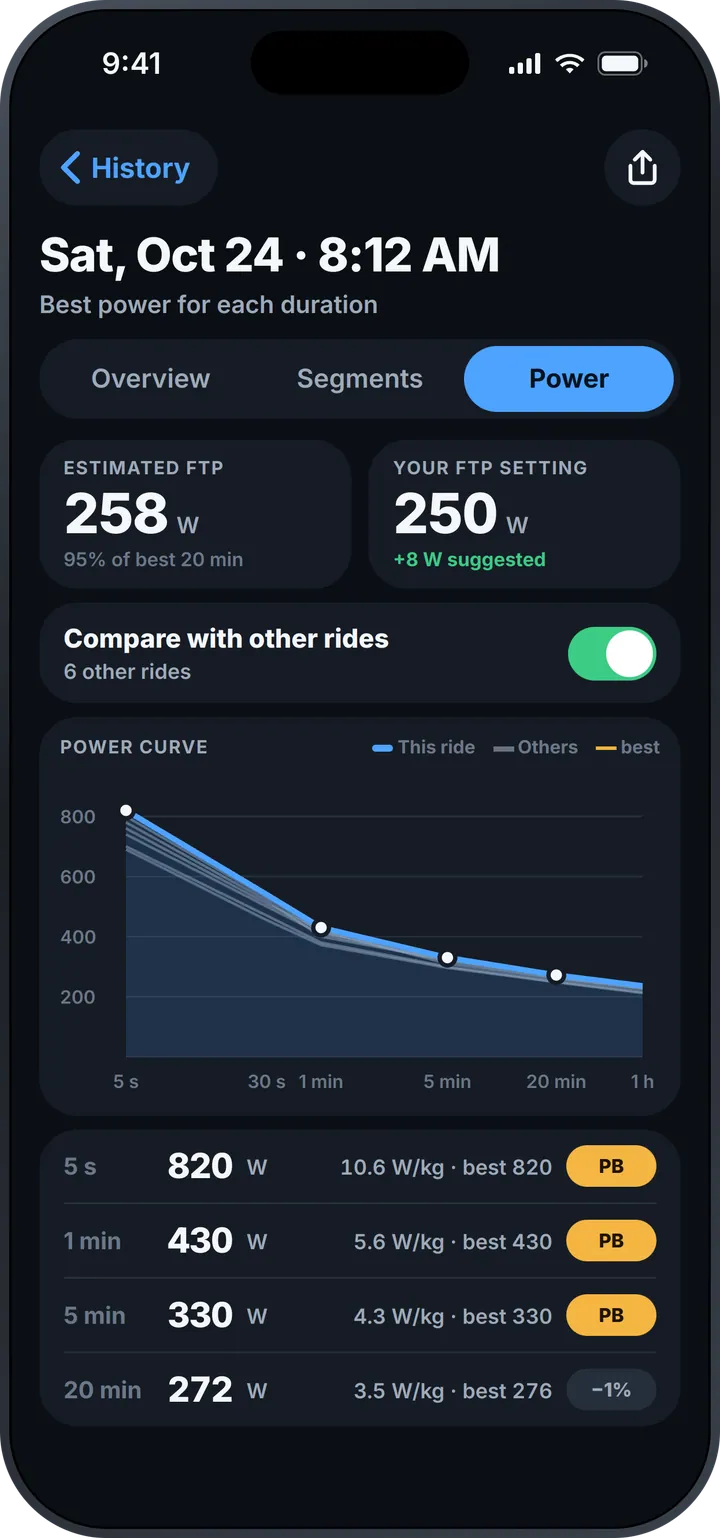
History shows each ride with its map and month totals, and filters by route, year and outdoor or trainer rides. Open a ride for the map, a grade-coloured altitude profile, the weather and your bike, and all your numbers. The power curve shows your best power for every duration, compared with your other rides, marks personal bests, and estimates your FTP.
Apple Watch
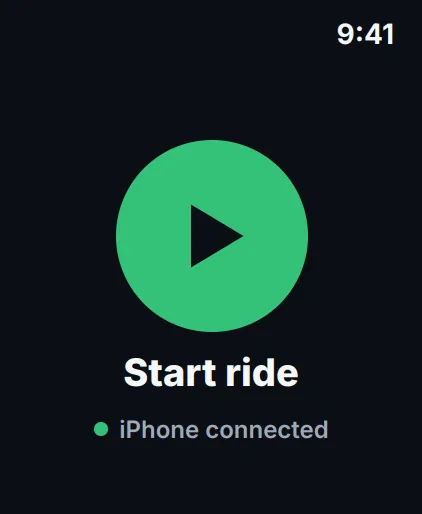
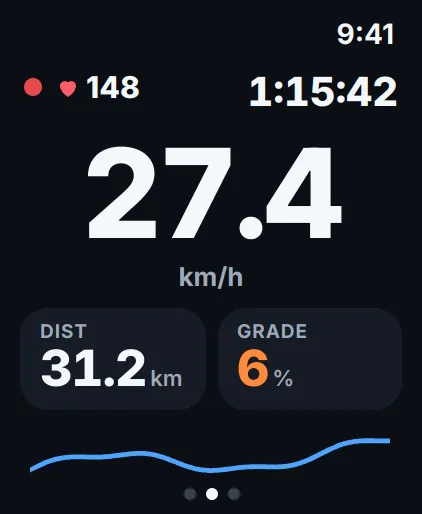
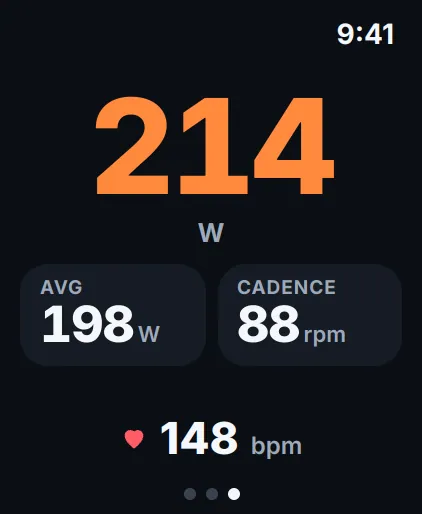
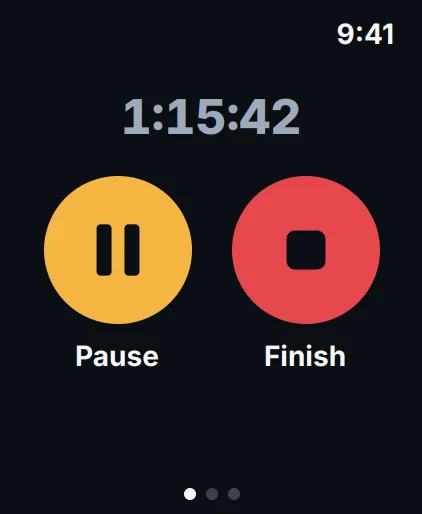
Start a ride from your wrist and swipe between speed, distance, grade and heart rate, power and cadence, and the Pause and Finish controls.
What it does
Speed and time
Current, average and max speed; moving and elapsed time; distance and calories.
Power and zones
10 s, 30 s and average power, zones, left/right balance and work in kJ.
Heart rate and cadence
Standard Bluetooth sensors, with zones at a glance.
Garmin Varia radar
See vehicles approaching from behind, with an alert as they close in.
Climbs
Grade averaged over ~100 m, ascent, max grade and the profile of the next climb.
Automatic segments
Known segments start by themselves and race your personal best live.
Voice feedback
Your numbers by time or distance, pothole warnings and pause announcements.
History
Maps, month totals and filters by route, year and outdoor or trainer rides.
Ride details
Map, grade-coloured profile, weather, bike and all your averages.
Power curve and FTP
Best power for every duration, personal bests and an estimated FTP.
Apple Watch
Start, ride, pause and finish from your wrist.
Questions and answers
Which sensors does MiCycle work with?
Standard Bluetooth heart-rate monitors, power meters and speed/cadence sensors — and Garmin Varia rear radars and radar tail lights.
Does MiCycle work with Garmin Varia radar?
Yes. Pair your Garmin Varia rear radar or radar tail light with MiCycle, and vehicles approaching from behind appear on screen as they close in, with an alert — so you know what's coming before you hear it.
Do I have to start segments myself?
No. When you ride onto a known segment, MiCycle starts timing by itself and compares you live with your personal best. You can end a segment manually at any time.
Can I ride with the phone in my pocket?
Yes. Voice feedback reads your numbers on the interval you choose — by time or by distance — and warns you about potholes ahead.
How is the estimated FTP calculated?
From 95 % of your best 20-minute power. MiCycle shows it next to your FTP setting and suggests an update when your rides show you have improved.
How do I pause or finish a ride?
Tap Pause any time. To end the ride, press and hold Hold to finish, so a bump in the road can never stop your recording by accident. On Apple Watch, swipe to the controls page.
News about MiCycle
- MiCycle, redesigned: simple — and it just worksA completely new MiCycle for iPhone and Apple Watch — big, clear numbers, power zones, the whole climb ahead, segments that race your personal best, and a voice in your pocket.
- Create video from the ride in MiCycleNew version of MiCycle application is release. It is v4.5. Among other improvements it has two very nice new features: ability to create a Power Curve from a powermeter data and ability to generate…
- Trainer mode, export improvements, history for free version of MiCycleVersions 3.8.2 and 3.8.3 of MiCycle and MiCycle Pro brought several important features and improvements.