
MiCycle, redesigned: simple — and it just works
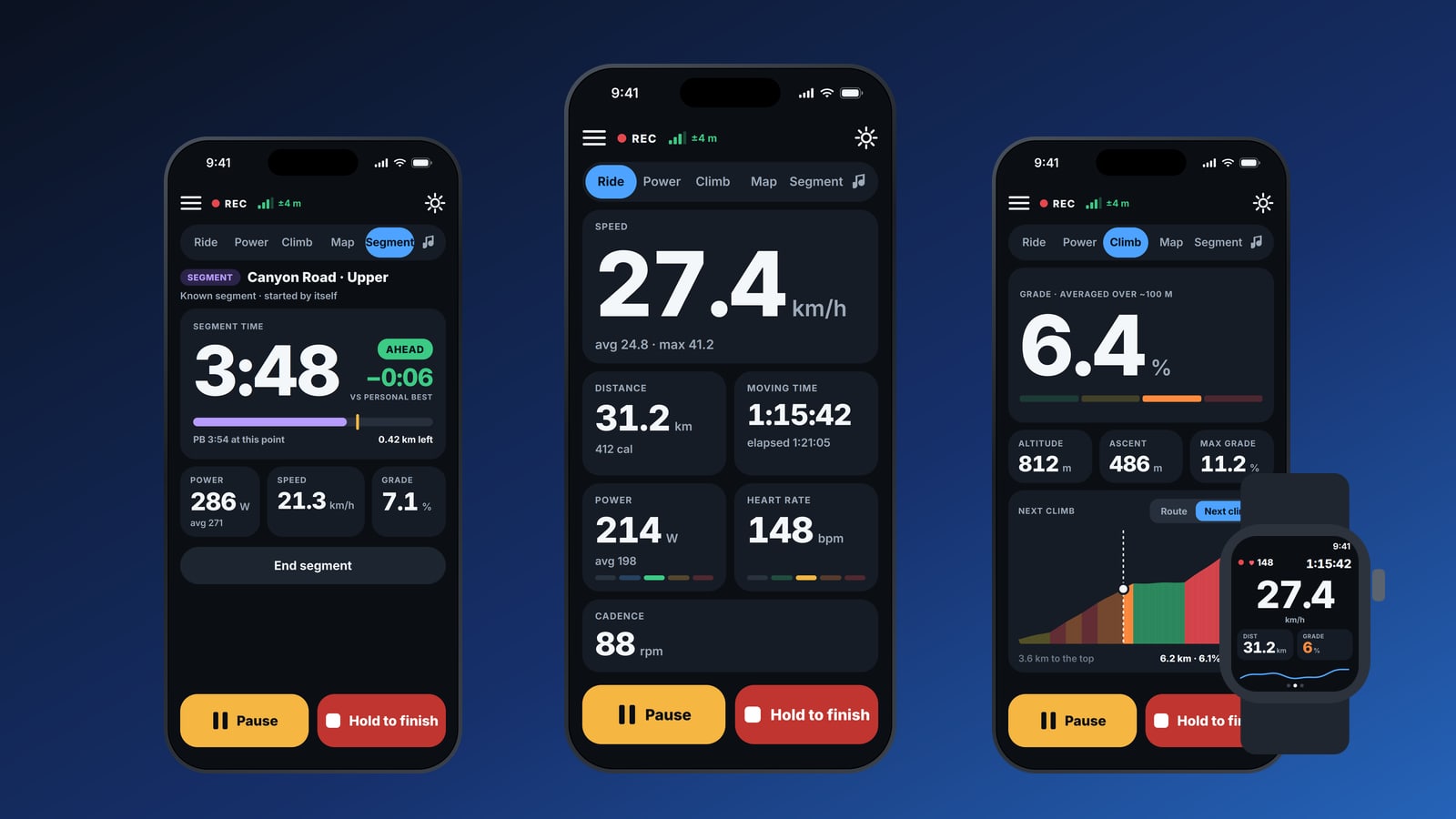
MiCycle has been rebuilt from the ground up. Every screen of the iPhone and Apple Watch apps is new, designed around one idea: simple, and it just works. Big, clear numbers on the bike — and nothing you don’t need.
Five pages, one swipe apart
While you ride, swipe between Ride, Power, Climb, Map and Segment, with your music always a tap away.
- Ride — speed with average and maximum, distance and calories, moving and elapsed time, power and heart rate with their zones, and cadence.
- Power — current power and zone, 10-second, 30-second and average power, left/right balance, work, cadence and heart rate.
- Climb — grade averaged over about 100 m so it doesn’t jump around, altitude, ascent and maximum grade, plus a colour-coded profile of the next climb and the distance to the top — even when the road flattens in the middle.
Tap Pause any time; to end the ride, press and hold Hold to finish, so a bump in the road can never stop your recording by accident.
Race your best
Ride onto a known segment and MiCycle starts timing by itself. You see your time live against your personal best — ahead or behind, to the second — with power, speed, grade and the distance left.
In your pocket, it talks
Choose what MiCycle tells you and how often — every few minutes or every few kilometres: current and average speed, power, time, distance, calories and the battery of your phone and sensors. It also warns you about potholes ahead, announces pauses and resumes, and plays your music.
Every ride, remembered
The new History shows each ride with its map, month totals, and filters by route, year and outdoor or trainer rides. Open a ride to see the map, a grade-coloured altitude profile, the weather and your bike next to all your numbers.
The new power curve shows your best power for every duration, compared with your other rides, and marks every personal best. MiCycle estimates your FTP from your best 20 minutes and suggests when to update your setting.
Apple Watch
The watch app is new too: start a ride from your wrist, then swipe between speed, distance, grade and heart rate, power and cadence, and the Pause and Finish controls.
Get it
Download MiCycle Pro on the App Store — or try the free MiCycle first. Read more on the MiCycle page or take the tour.
Questions or ideas? We read every message — write to us through MiCycle support.