
Downhill Smart
Ski and snowboard tracker for iPhone
Every run and every lift, tracked automatically. Downhill Smart turns your iPhone into a ski and snowboard computer — speed, vertical, a full-screen trail map, a 3D replay of every run, and your day, season and records.
- Works on
- iPhone
- Price
- Subscription · 7-day free trial for new subscribers
Screenshots · iPhone
Downhill Smart turns your iPhone into a ski and snowboard computer. Tap Start at the top of the mountain, put your phone in your pocket and ski. At the end of the day you see exactly how you skied: every run on the map, your top speed, your vertical and a 3D replay of each descent.
On the mountain
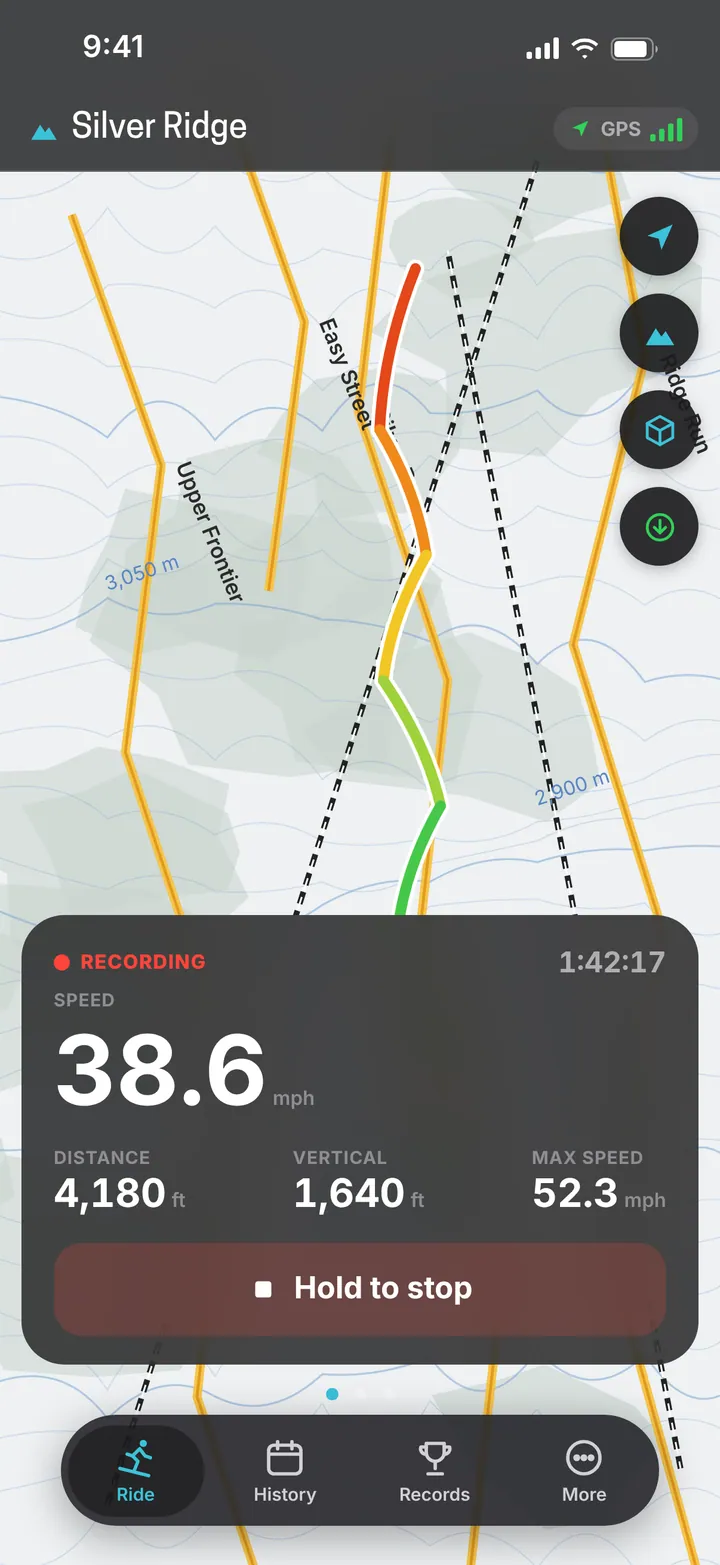
The Ride screen puts a full-screen trail map behind big, glanceable numbers: speed, distance, vertical drop, top speed and time. The map follows you, can switch to 3D terrain, and Show whole resort zooms out to the entire ski area. Runs and lifts are recognized on their own — each run starts at the top and ends at the bottom, exactly where you skied it — and detection sensitivity is adjustable. Hold to stop ends the day, so a glove or pocket can’t do it by accident.
3D replay of every run
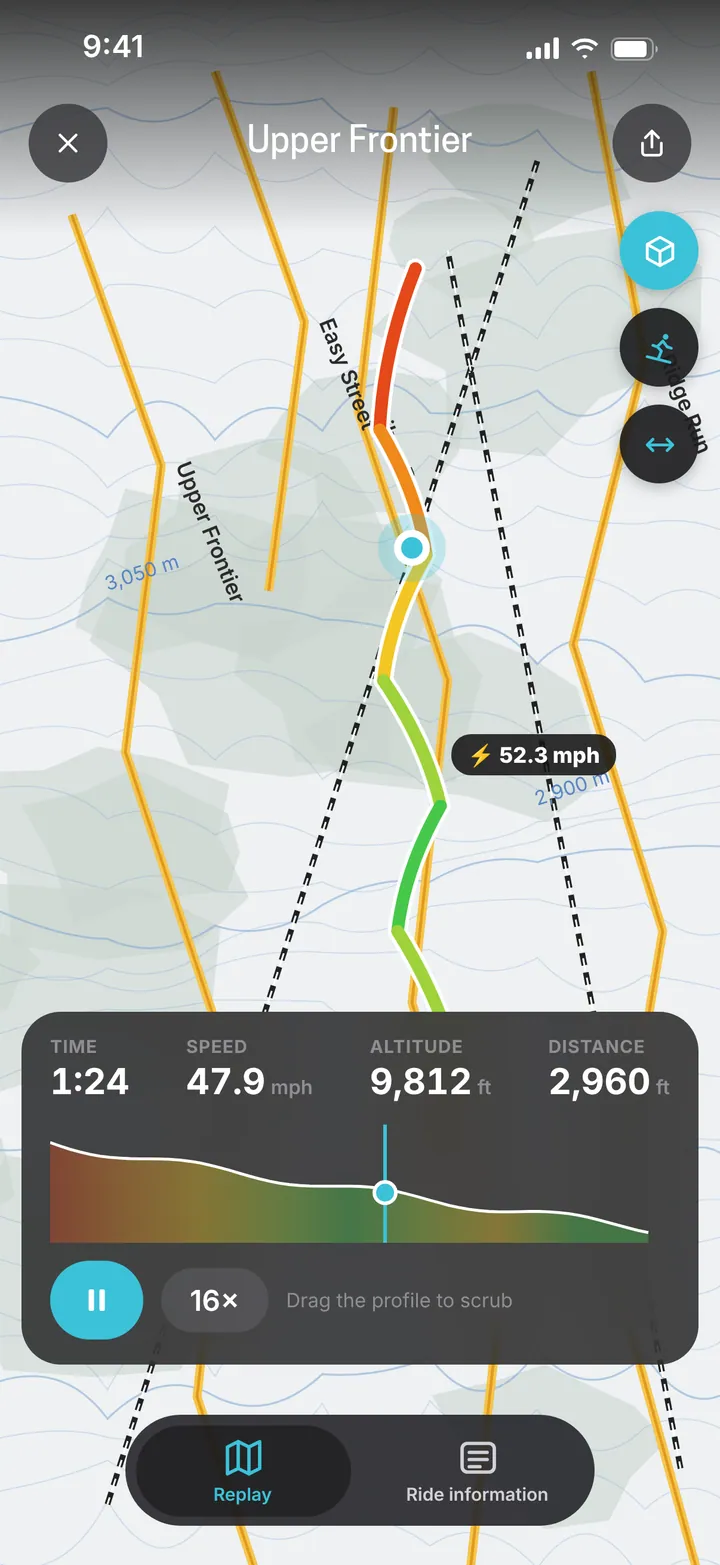
Open any run to see it on the map, colored by speed, with your top speed marked. Play it back at 4×, 16× or 64×, or drag the elevation profile to see speed, altitude and distance at any point. In 3D skier mode a skier follows your line, leaning into your turns and tucking on the straights, filmed from the front like a drone. Body-motion recording makes the turns more precise, and can be turned off to save battery.
Your day
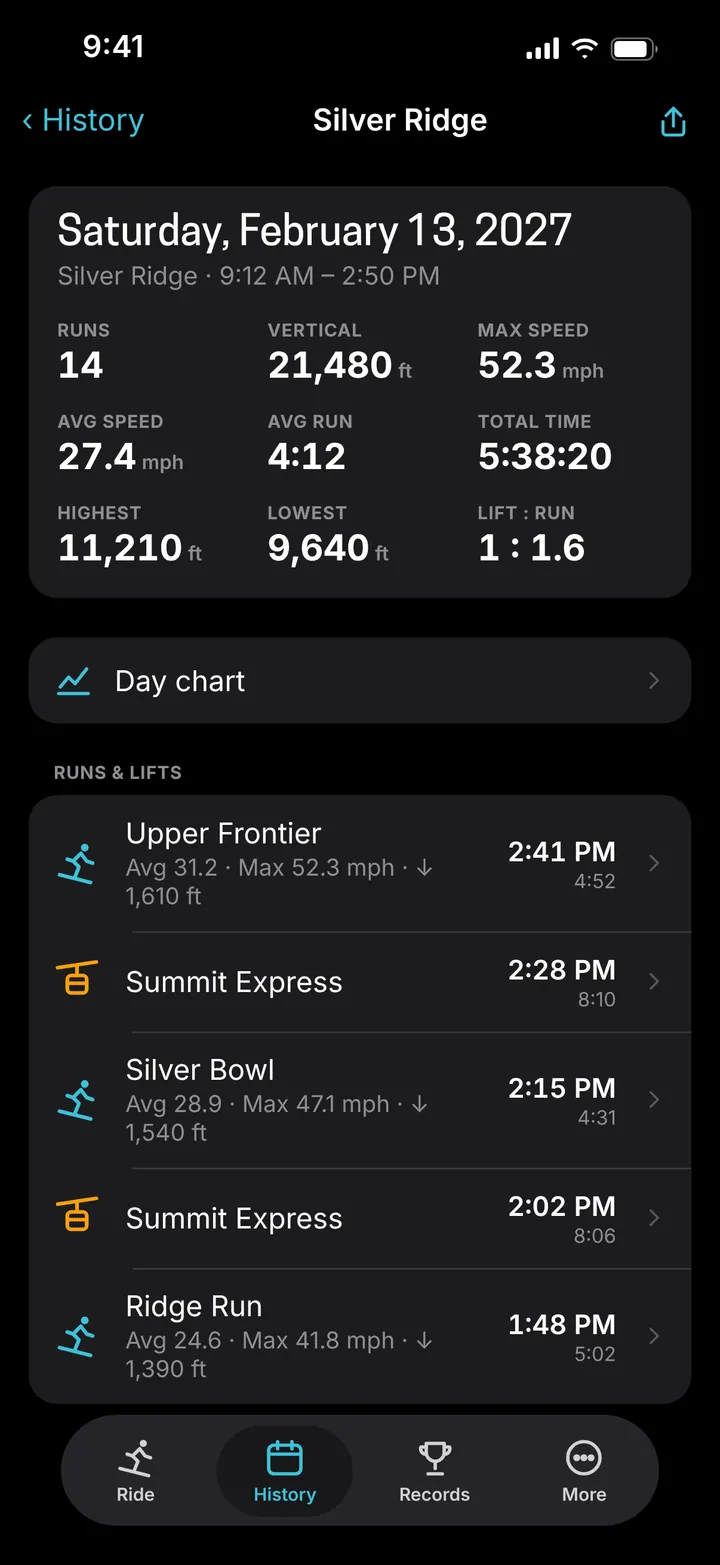
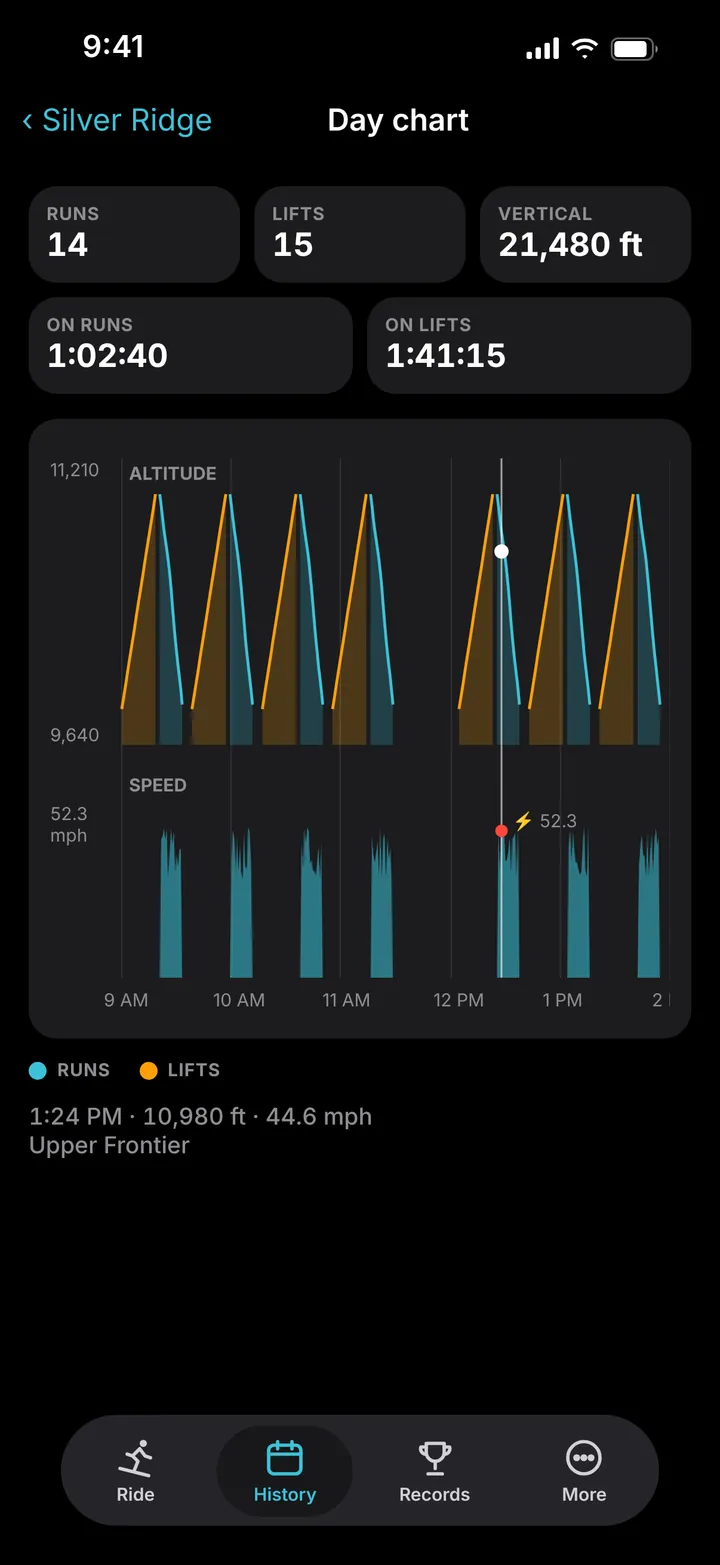
The day summary shows runs, vertical, top and average speed, average run time, total time, highest and lowest point and your lift-to-run ratio, followed by every run and lift of the day. The Day chart draws altitude and speed through the day, with runs and lifts in different colors — drag across it to see the time, altitude, speed and run at any moment.
Your season and records
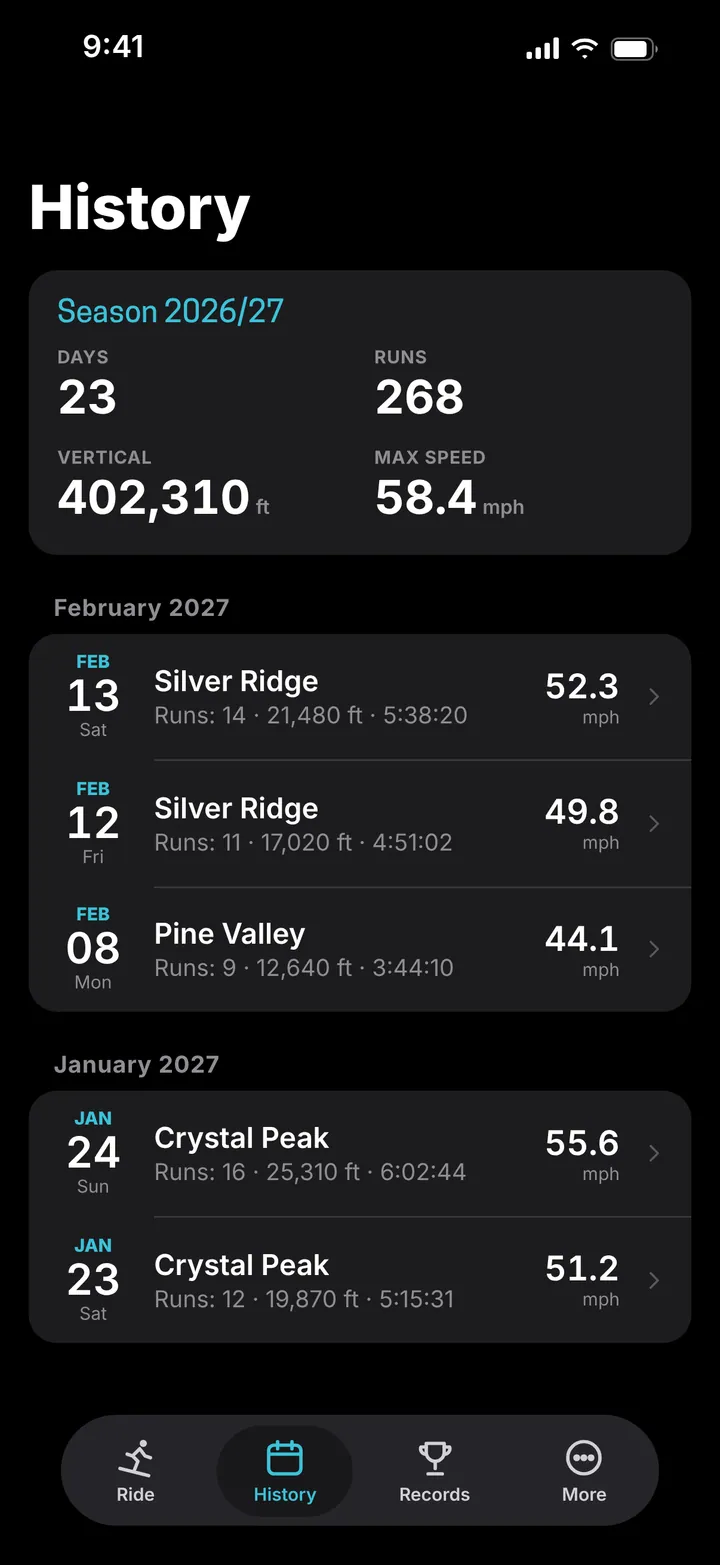
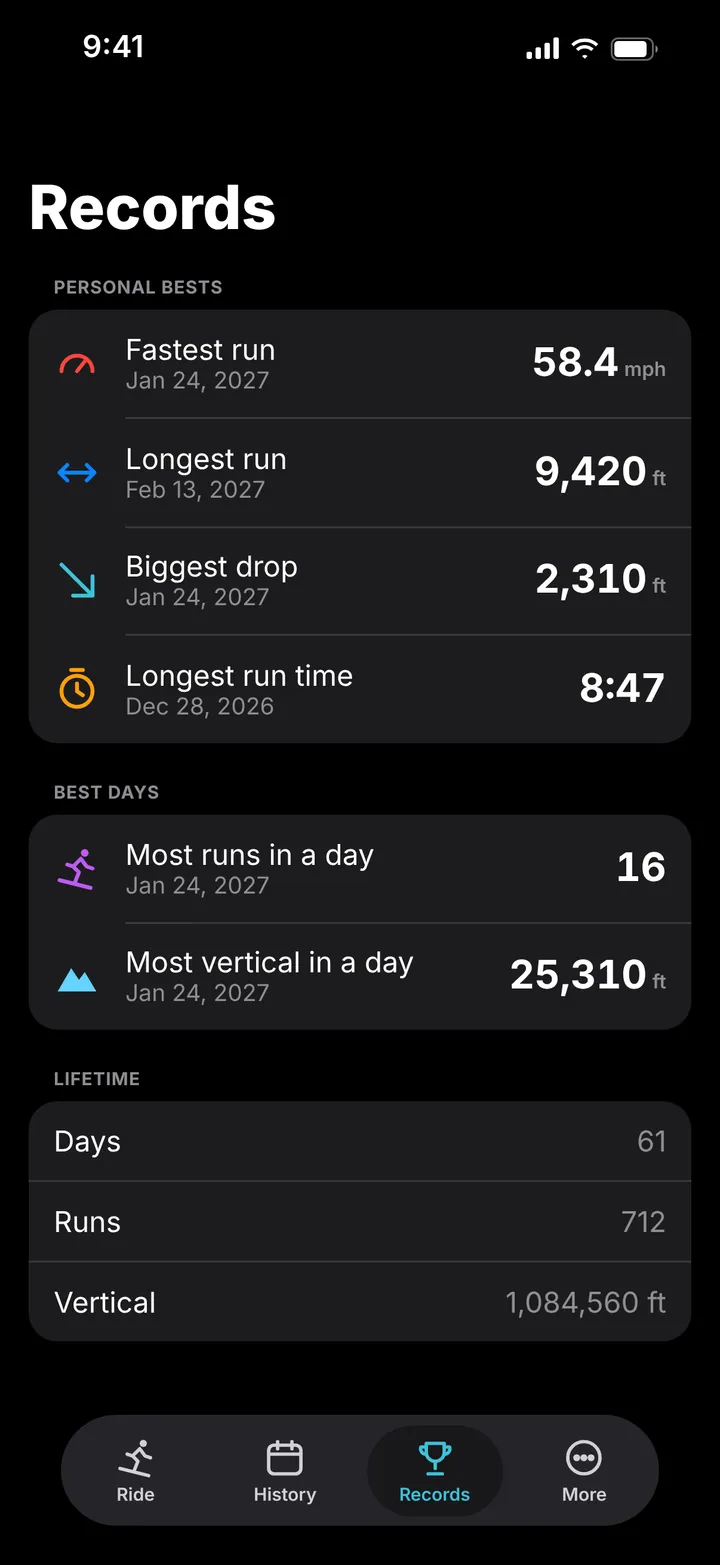
History groups your days by month, with a season card on top: days, runs, vertical and top speed. Records keeps your personal bests — fastest run, longest run, biggest drop and longest run time — your best days for runs and vertical, and your lifetime totals.
Weather and offline maps
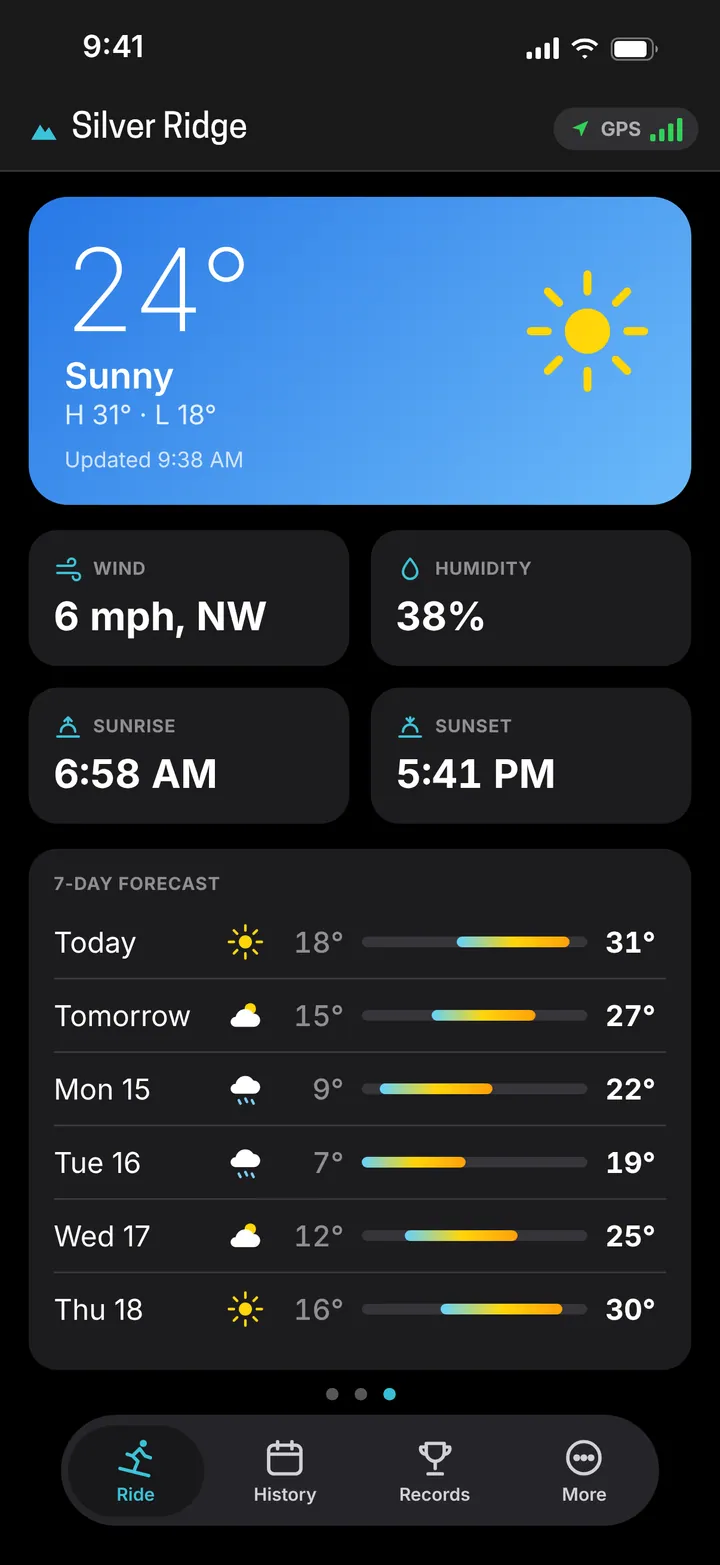
The weather page shows current conditions, wind, humidity, sunrise and sunset, and a 7-day forecast for where you ski, powered by Apple Weather. Save a resort’s trail map to your iPhone with one tap, so it works where there is no signal.
Good to know
Continuous GPS use reduces battery life, and cold weather drains batteries faster — keep your iPhone in an inside pocket. Always ski within your ability and follow the rules of the resort.
What it does
Automatic runs and lifts
Recognized by how you move — no buttons on the slopes.
Live on the mountain
Speed, distance, vertical, top speed and time on one screen.
Full-screen trail map
Follows you, with 3D terrain and a whole-resort view.
3D replay
Every run colored by speed, played back at up to 64×.
Day summary and chart
Runs, vertical, speeds, altitude and lift-to-run ratio.
Season history
Your days by month, with a season card.
Records
Fastest and longest run, biggest drop, best days.
Offline maps
Save a resort's trail map for places without signal.
Weather
Conditions, wind, sunrise, sunset and a 7-day forecast.
Share and export
Share cards with a satellite map, Strava export, Health.
Questions and answers
Do I have to press anything during the day?
No. Tap Start at the top of the mountain, put your iPhone in your pocket and ski. Runs and lifts are recognized automatically — including lift lines, chairlift stops, rests on the slope and lunch breaks.
Can a glove or pocket stop my recording by accident?
No. Stop is press-and-hold, so a bump in your pocket or a gloved tap won't end your day.
Does it work without a signal?
Tracking uses GPS, which works without a mobile signal. Save the resort's trail map to your iPhone beforehand, on Wi-Fi, and the map works offline too.
How do I get the most out of my battery?
Keep your iPhone in an inside pocket — cold drains batteries faster. You can also turn off body-motion recording for the 3D replay in Settings.
Can I use it for snowboarding?
Yes. Downhill Smart tracks skiing and snowboarding the same way.
Where does my history go?
It stays on your iPhone and syncs with iCloud to your other devices. You can also export runs to Strava and save them to the Health app.
How much does it cost?
Downhill Smart requires a subscription, monthly or annual. New subscribers get a 7-day free trial. See the terms of use.
News about Downhill Smart
- Downhill Smart 2.0: completely redesignedDownhill Smart 2.0 is a complete redesign of our ski and snowboard tracker – a full-screen trail map, smarter run and lift detection, an all-new 3D replay, day charts, season history, records and a new weather page.
- Winter sports with smart tracker appWe are happy to announce a new winter sports tracker app – Downhill Smart. Skiers and Snowboarders now can track their rides, check records, have access to offline report maps with lifts and trails,…