

Paddle Paddle
Paddling tracker for kayak, canoe and SUP
Speed, stroke rate, heart rate and your route — on iPhone in a dry bag or straight from your Apple Watch. Built for wet hands and bright sun.
Free with ads · Subscription unlocks all features
Ready when you are
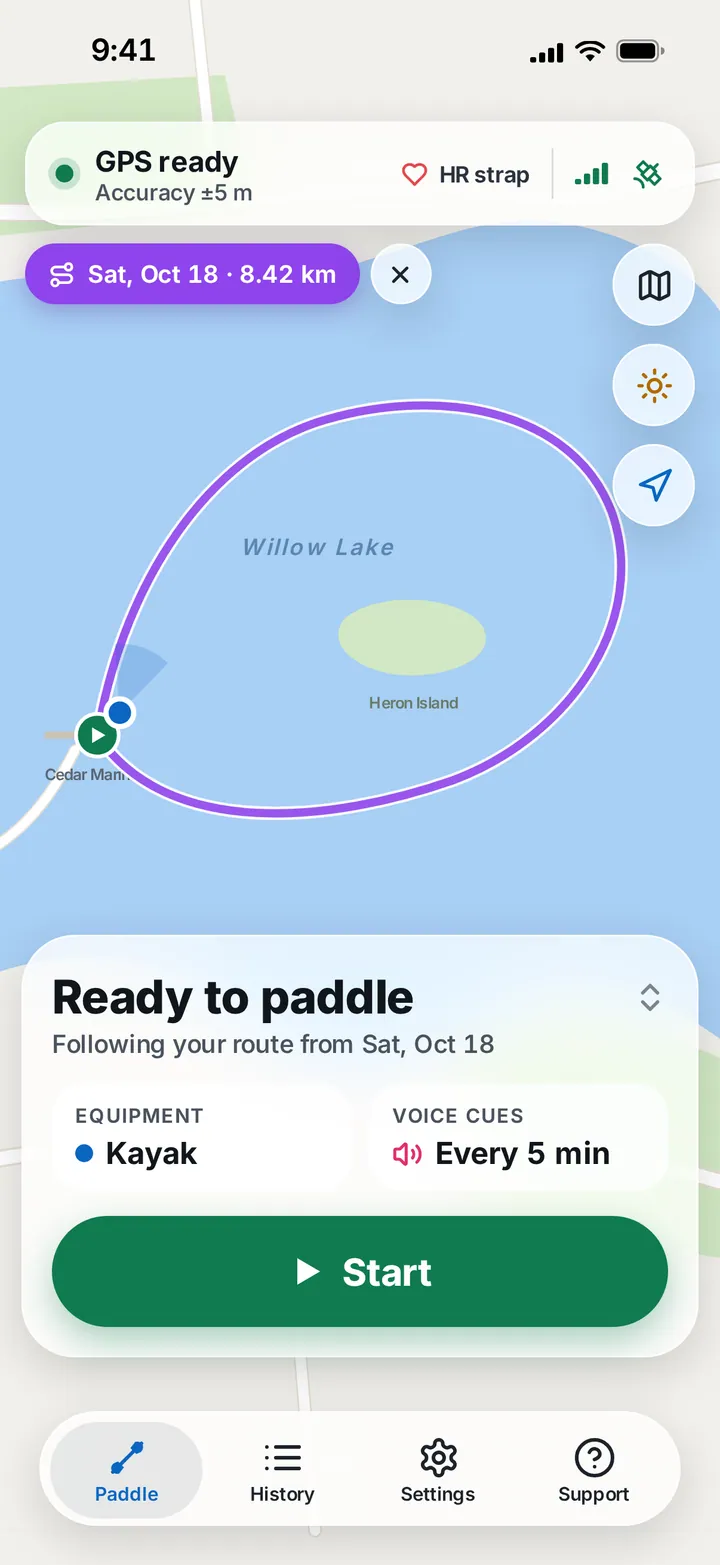
Check GPS, pick your boat, go
Before you start, Paddle Paddle shows GPS accuracy and whether your heart-rate strap is connected. Choose kayak, canoe or paddle board, set voice cues — and follow the route of an earlier session if you like.
Built for the water
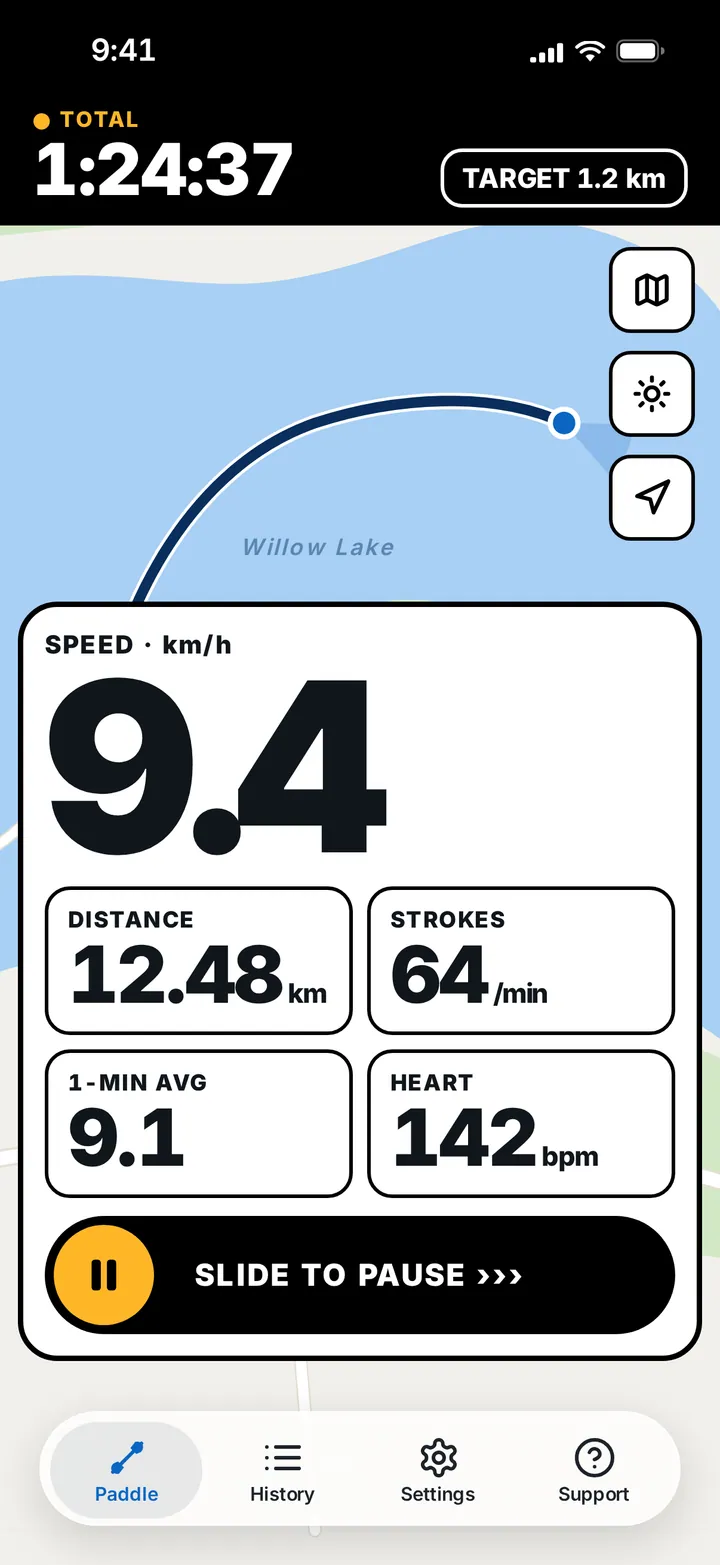
Big numbers, even in bright sun
High visibility switches to opaque panels and large numbers, and keeps the screen at full brightness while you record.
Pausing is a slide, not a tap — so a splash or a wet finger never stops your session by accident.
On your wrist
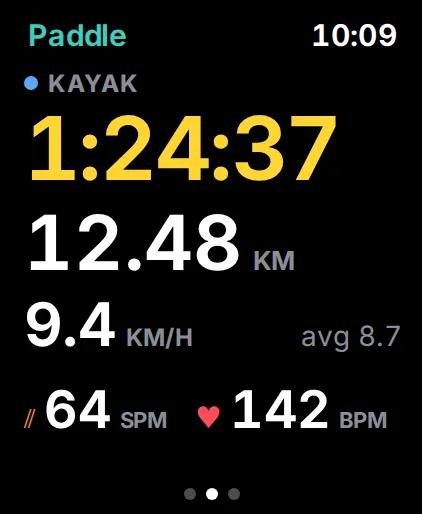
Apple Watch, start to finish
Start from the watch, swipe between time, distance, speed, strokes per minute and heart rate, and reach Pause, End and Water Lock in one swipe. Sessions sync to your iPhone later.
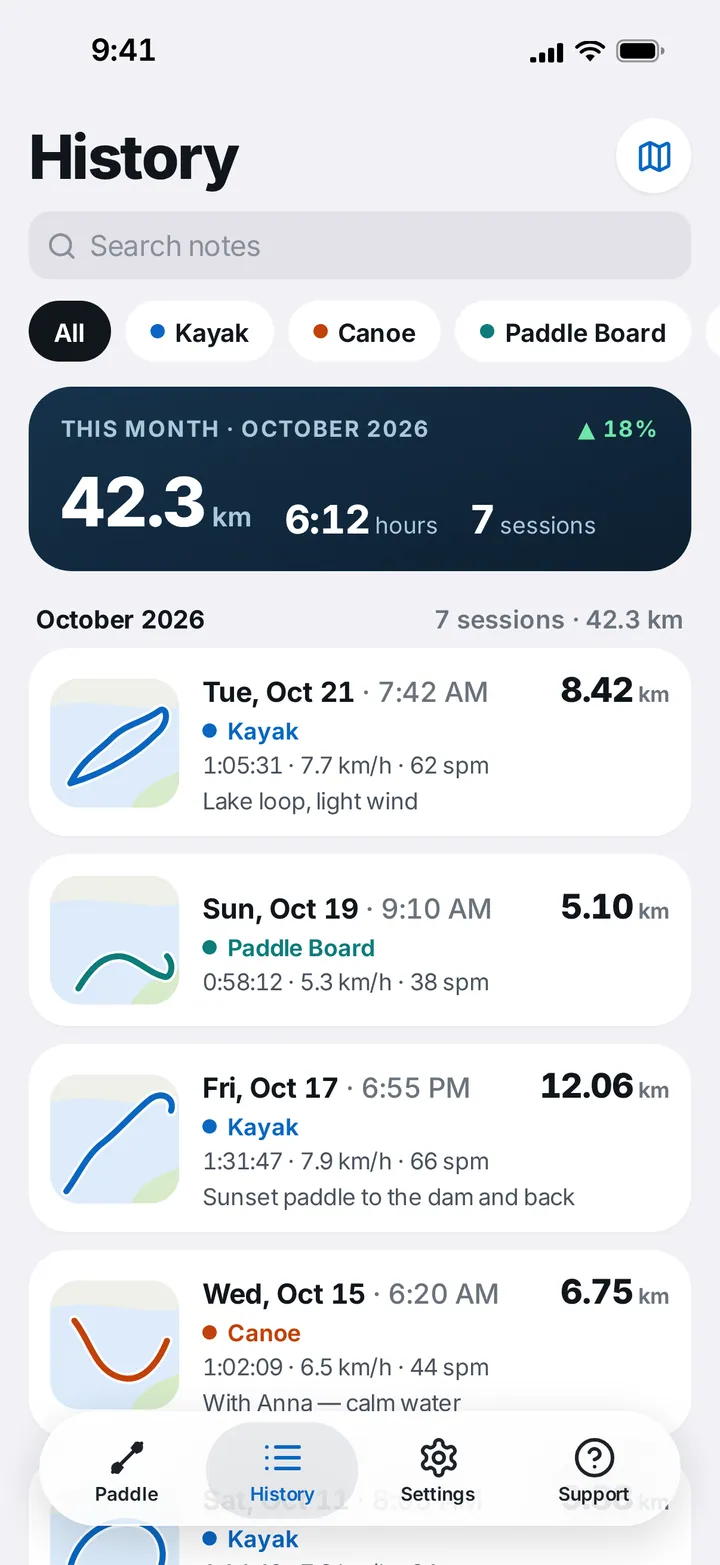
Every session, remembered
History you can search — and see on a map
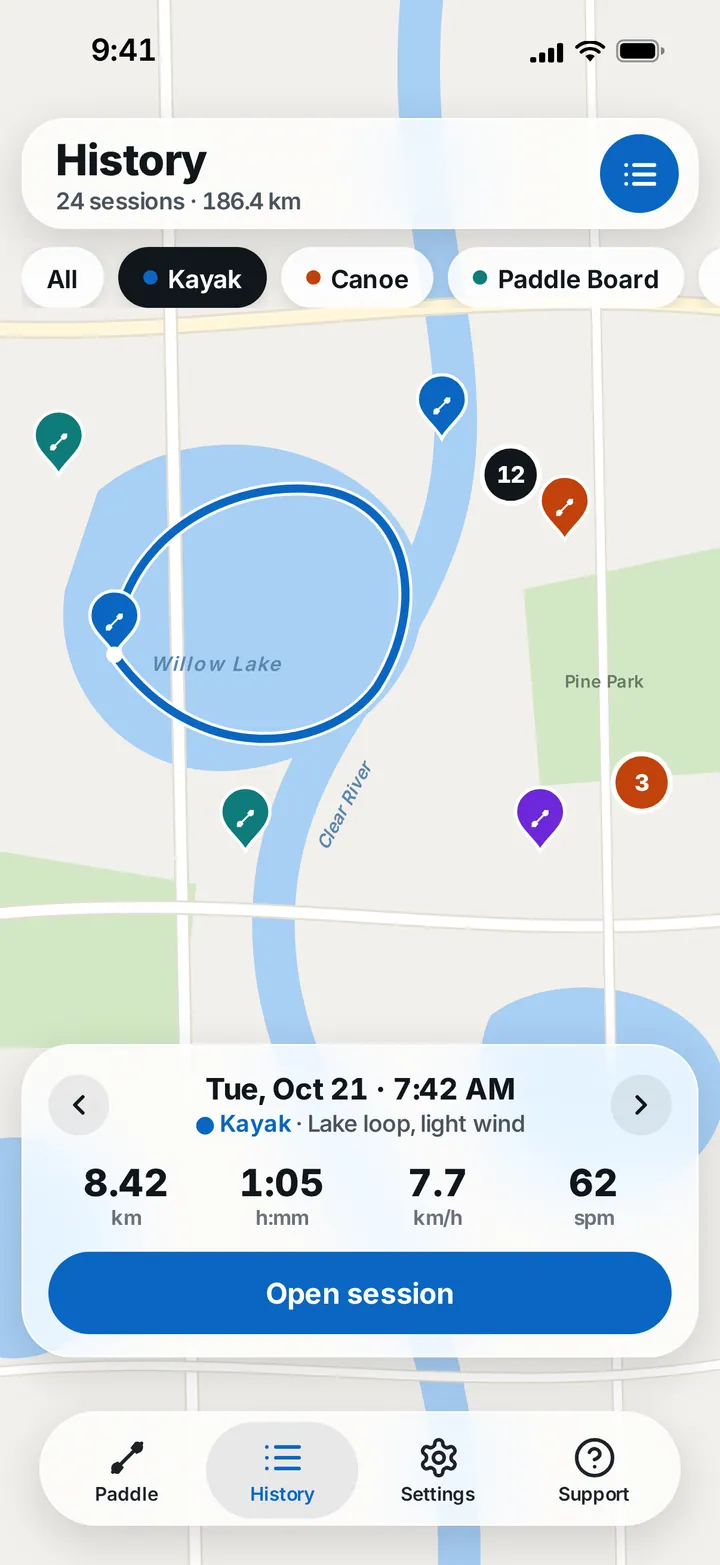
Filter by craft, search your notes and see the month at a glance, with the trend against last month. Switch to the map to see everywhere you've paddled.
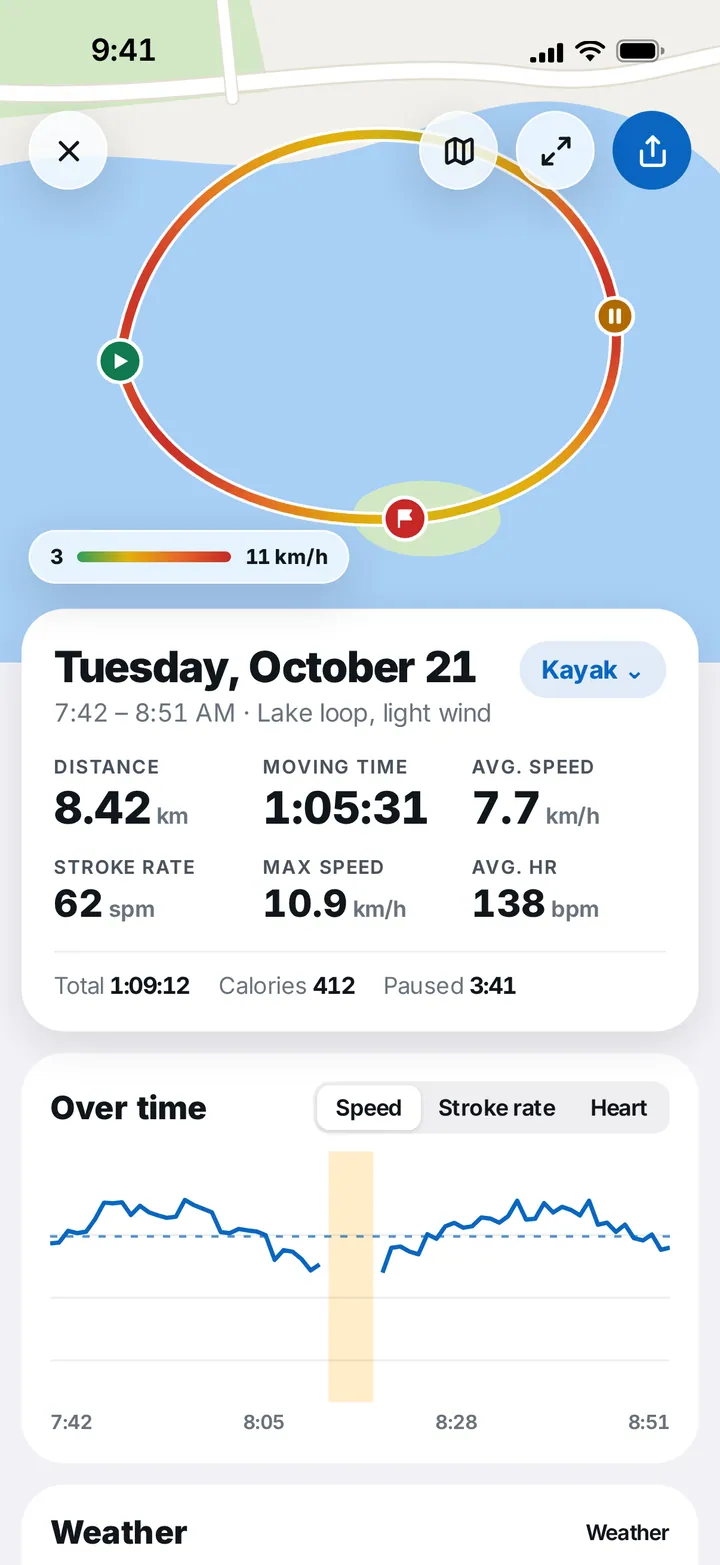
Learn from each paddle
Speed-coloured tracks and charts
Each session shows its track coloured by speed, with start, pause and finish markers — plus distance, moving time, average and max speed, stroke rate, heart rate, calories and weather, and charts over time.
Why OXiGENATOR
Balanced
We always balance simplicity and features. No one likes overcomplicated, cumbersome apps.
Mobile first
We specialize in mobile apps only — and we do them right. The world keeps going more mobile.
International
Paddle Paddle is available in many languages, and we keep adding more.
Caring support
We listen to every suggestion and complaint from our users. Support is our passion.
Features
Learn more about this feature-packed app
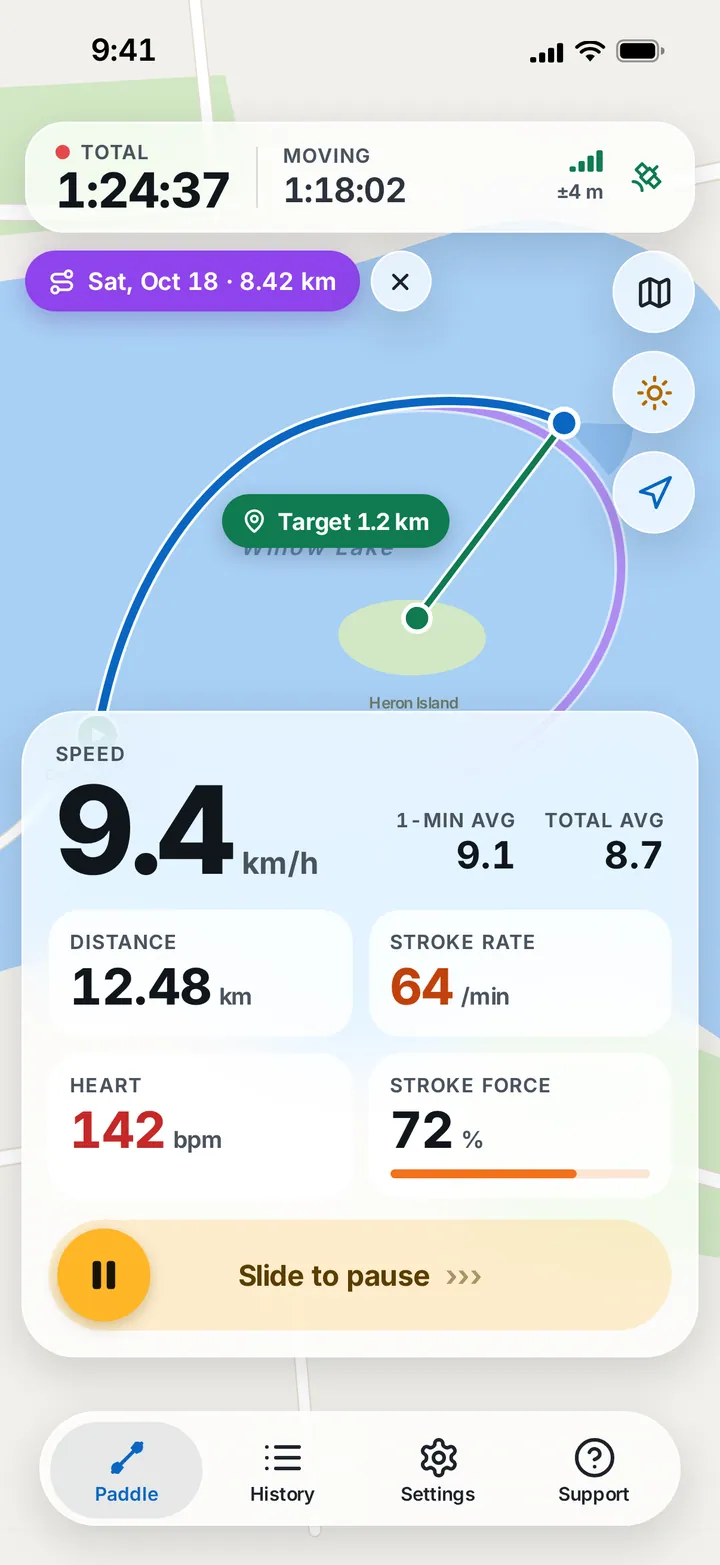
Live speed and averages
Current speed with 1-minute and total averages.
Total and moving time
Time on the water and time actually paddling.
Stroke rate and force
Strokes per minute and stroke force from your Apple Watch.
Heart rate
From your Apple Watch or a Bluetooth strap.
Targets
Tap a point on the map and see the distance left.
Follow a past route
Paddle an earlier session's route again.
Voice cues
Time, distance and speed on your chosen interval.
High visibility
Opaque panels and large numbers for bright sun.
History map
Every session pinned on the map, by craft.
Charts and weather
Speed, stroke rate and heart over time, with conditions.
- 4.7 ★
- App Store rating
- Kayak · Canoe · SUP
- one app for every paddle craft
- iPhone + Watch
- track from either — or both
Reviews
What people are saying
- ★★★★★
“Keep good track of time and distance. I use this ap regularly!”
Conkaye
Screens
See what's included in the app
Recording
Ready to paddle
High visibility
History
History map
Session details
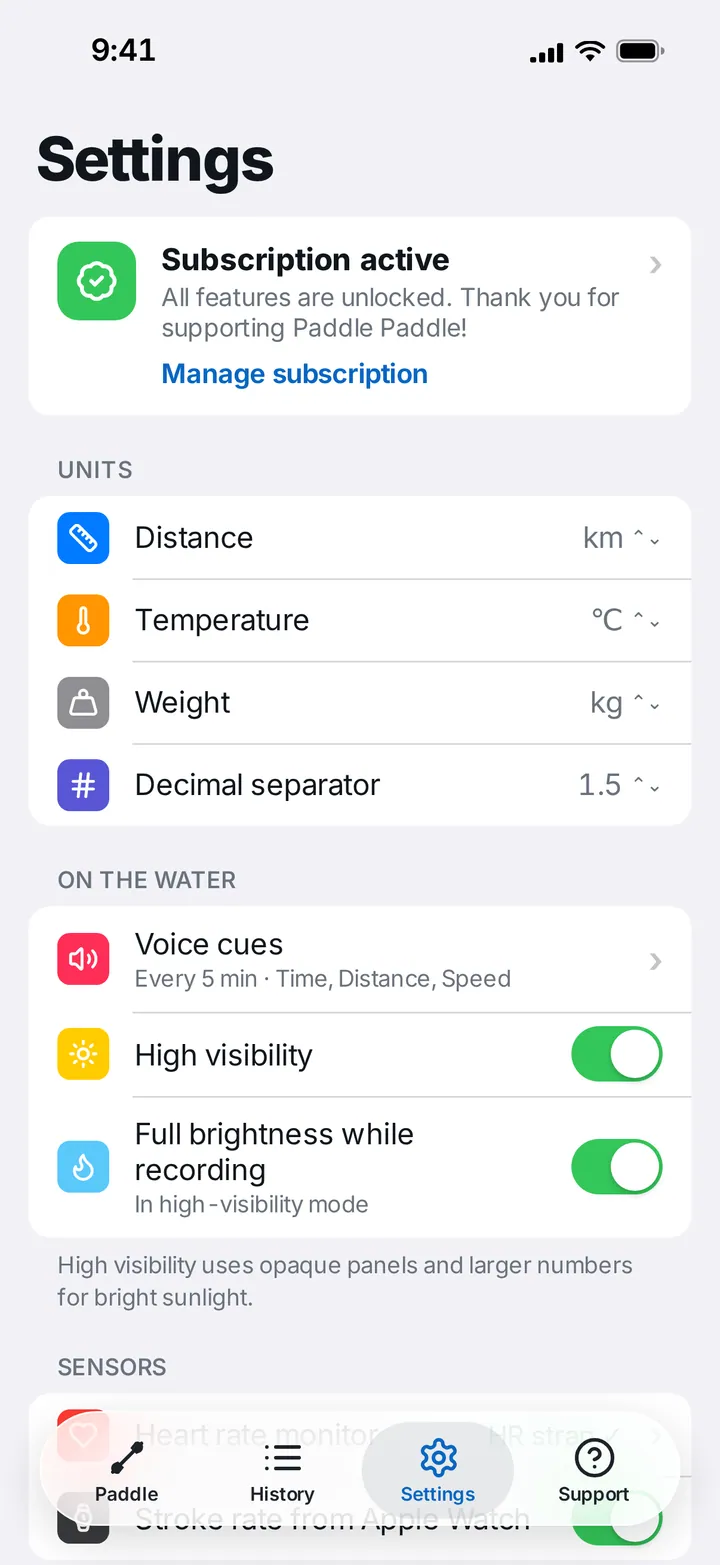
Settings
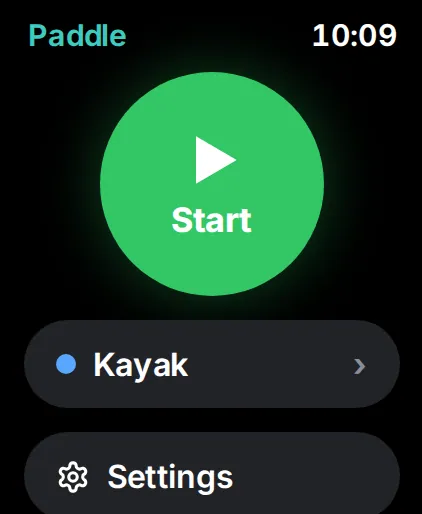
Start on the watch
Live metrics
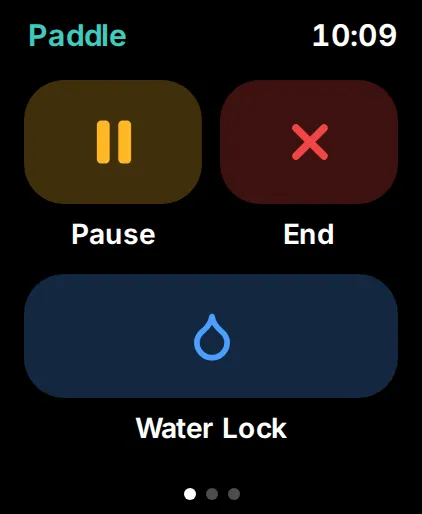
Pause, End, Water Lock
Get Paddle Paddle
Available for iPhone on the App Store and for Android on Google Play.
Questions and answers
Does it keep tracking with the screen locked?
Yes. Lock your iPhone or keep it in a dry bag — Paddle Paddle keeps recording until you end the session.
Can I track with just my Apple Watch?
Yes. The watch records time, distance, speed, stroke rate and heart rate on its own, and syncs the session to your iPhone later.
Where does stroke rate come from?
From your Apple Watch's motion sensors — turn on Stroke rate from Apple Watch in Settings → Sensors.
Is it readable in bright sun?
Turn on High visibility in Settings for opaque panels, larger numbers and full brightness while recording.
My trip wasn't recorded. What should I check?
Make sure Location Services are allowed for Paddle Paddle in Settings → Privacy → Location Services on your iPhone.
Support
Questions, ideas or problems? Write to us — we answer every message.